For WordPress agencies that need self-hosted, privacy-focused project management, the right call is a WordPress-native plugin that lives on your own server. You skip per-seat fees, keep all client data under your own roof, and manage everything from a dashboard your team already knows.
Three paths cover most agency scenarios:
- WordPress-hosted plugin (Growthplugins) — best for small-to-mid agencies (2–20 people) running client projects inside WordPress, where data privacy, no monthly fees, and a unified client portal matter most.
- Self-hosted server app (OpenProject Community) — best for privacy-first teams that want a full web-based scheduler with Gantt, dependencies, and no per-seat licensing, but are comfortable managing a separate Linux server.
- Desktop fallback (ProjectLibre) — best for project managers migrating .mpp files who need offline, file-based editing with full FS/SS/FF/SF dependency support and zero cost.
If your projects involve hundreds of tasks, dozens of resources, and formal CPM reporting, none of the above replaces Oracle Primavera P6. That threshold is covered later.
GrowthBalance
Track time, income and expenses for every project and side-project you run — 100 % front-end, self-hosted inside WordPress. No SaaS subscription, no per-seat fees.
Table of Contents
- What are the best Microsoft Project alternatives for self-hosted teams?
- How do you pick the right tool for your team?
- Migrating from Microsoft Project: what maps and what breaks
- Self-hosted vs. SaaS: what do the trade-offs actually look like?
- When does Primavera P6 still make sense?
- How does Growthplugins map to Microsoft Project features?
- 30-minute implementation checklist for WordPress agencies
- Key Takeaways
- Why self-hosted tools matter more than most agencies realize
- Growthplugins: a WordPress-native replacement worth piloting
- Useful sources and further reading
- FAQ
What are the best Microsoft Project alternatives for self-hosted teams?
| Tool | Install model | Gantt + dependencies | Critical path | Resource mgmt | Collaboration | .mpp compatibility | Pricing | Hosting effort | Best for |
|---|---|---|---|---|---|---|---|---|---|
| Growthplugins | WordPress plugin | Timeline + task links | No native CPM engine | Basic task assignment | Kanban, time tracking, client portal, comments | No direct .mpp import; CSV/manual migration | One-time purchase, free tier | Low (WordPress host) | WordPress agencies, client-facing projects |
| OpenProject Community | Self-hosted web server | Full Gantt, FS/SS/FF/SF | Yes | Resource leveling | Wiki, forums, time tracking | Limited .mpp import | Free (open-source) | Medium (Linux server) | Privacy-first teams, structured scheduling |
| ProjectLibre | Desktop (Win/Mac/Linux) | Full Gantt, all dependency types | Yes | Resource pools, cost tracking | None (single-user) | Full .mpp read/write | Free | None | .mpp migration, offline scheduling |
| Redmine | Self-hosted web server | Via plugin (Redmine Gantt) | No | Basic | Issues, wikis, forums | No native .mpp | Free (open-source) | Medium | Dev teams, issue tracking |
| Oracle Primavera P6 | Desktop + server/cloud | Advanced multi-project Gantt | Yes (enterprise CPM) | Advanced leveling | Limited | P6 native; .mpp import available | Enterprise license | High | Construction, infrastructure, large programs |
Bottom line by tool:
- Growthplugins fits agencies that want everything on their WordPress server: client portals, Kanban, time tracking, and invoicing in one place.
- OpenProject Community is the strongest free web-based scheduler for teams that need real dependency modeling and don’t mind a VPS.
- ProjectLibre is the go-to desktop fallback when someone hands you a .mpp file and you need to open it today.
- Redmine works well for developer-heavy teams already using issue tracking; Gantt is an add-on, not a core feature.
- Primavera P6 is overkill for most agencies but essential for high-complexity schedules with hundreds of tasks and multi-resource critical paths.
Recommended first pick for WordPress agencies: Growthplugins. Install takes under five minutes, data stays on your server, and there are no recurring per-seat costs.

How do you pick the right tool for your team?
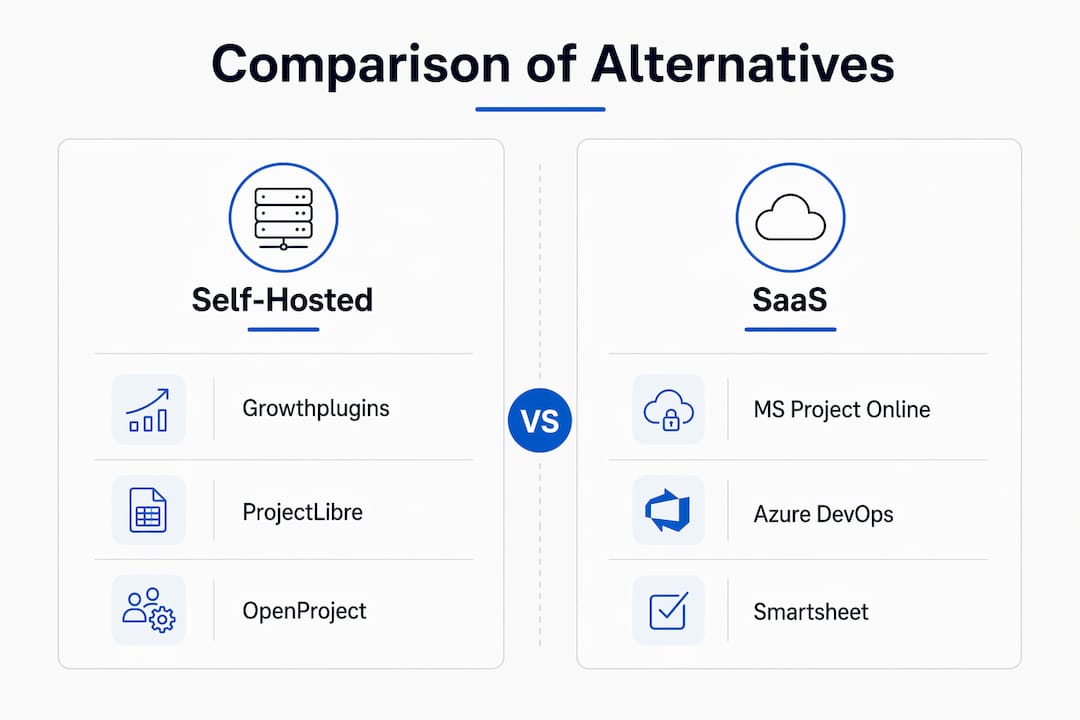
Matching your delivery model to a tool category is the most important decision you’ll make. Forcing an Agile team into a waterfall-style CPM scheduler adds configuration overhead without adding value.
Decision checklist:
- Do you deliver projects in sprints or phases? Agile teams need Kanban and backlog views; waterfall teams need Gantt with dependencies.
- Does your data need to stay on your server? If yes, rule out any SaaS tool immediately.
- Do you have more than 100 tasks per project with shared resources across multiple projects? If yes, you likely need OpenProject or Primavera P6.
- Does your WordPress site already handle client logins? A WordPress-native plugin reuses that infrastructure.
- Do you need .mpp file compatibility for handoffs with clients or contractors using Microsoft Project?
Questions to ask before committing:
- Who manages server updates and backups?
- Can the tool scale from 5 to 50 active projects without a pricing jump?
- Does it support the dependency types your schedules actually use (FS only, or SS/FF/SF too)?
- What happens to your data if you stop paying or the vendor shuts down?
Red flags that should stop a migration:
- The tool only supports finish-to-start (FS) dependencies — complex schedules will break.
- No .mpp import and your clients send .mpp files regularly.
- Per-user pricing with no cap — costs balloon as the team grows.
- No documented backup or export path for your project data.
Simple cost comparison: A self-hosted WordPress plugin with a one-time license costs a fraction of a per-seat SaaS subscription over two years. A team using a typical SaaS pricing model spends substantially more annually compared to a one-time plugin purchase plus hosting. A one-time plugin purchase plus $20/month hosting runs well under $500 in year one.
Pro Tip: Run a 30-day pilot on one real project before migrating your full portfolio. Pick a project with moderate complexity — enough tasks to stress-test dependencies, but not so complex that a failed import derails a client deadline.
Migrating from Microsoft Project: what maps and what breaks
Microsoft Project Online is retiring, which is pushing many teams to evaluate replacements urgently. The migration itself is where most teams hit unexpected friction.
What typically maps cleanly:
- Task names, durations, and start/finish dates
- Finish-to-start (FS) dependencies
- Basic resource assignments (name and hours)
- Summary/subtask hierarchy
What often breaks or simplifies:
- SS, FF, and SF dependency types — many tools drop these to FS on import
- Lag and lead times on dependencies
- Resource calendars and custom working hours
- Baselines and variance tracking
- Custom fields and formulas
Migration checklist:
- Audit your .mpp file: list every dependency type, custom field, and baseline used.
- Export from Microsoft Project as both .mpp and XML for maximum compatibility.
- Run a test import on a small, representative project — not your most complex one.
- Reconcile the critical path: verify that the imported schedule produces the same end date.
- Check resource allocations: confirm no resource is over-allocated due to lost leveling data.
- Re-baseline in the new tool after reconciliation, not before.
Pro Tip: Verify import fidelity on a pilot project before touching live schedules. A single dropped SS dependency can shift a critical path by weeks.
For high-complexity schedules with dozens of dependency types and resource pools, plan for a phased migration: import the skeleton, then rebuild complex dependencies manually.
Self-hosted vs. SaaS: what do the trade-offs actually look like?
| Cost element | Self-hosted (WordPress plugin) | SaaS subscription |
|---|---|---|
| License | One-time purchase or free tier | Per-user/month, ongoing |
| Hosting | Existing WordPress host (~$20–50/month) | Included |
| Maintenance labor | 1–2 hours/month (updates, backups) | Zero |
| Data ownership | Full — on your server | Vendor-controlled |
| Year-2 total (10 users) | ~$300–600 | ~$2,400–6,000+ |
Hosting requirements for a small agency deployment:
- Minimum 2GB RAM, 2 vCPU for OpenProject Community; WordPress plugin runs on any standard shared host.
- SSL certificate (required for client portals and login security).
- Daily automated backups with off-site storage (S3, Backblaze, or similar).
- Scheduled plugin/app updates — at least monthly.
- PHP 8.1+ and MySQL 8.0+ for WordPress-based solutions.
Privacy and security checklist:
- Confirm data residency: all files and project data stored on your server, not a third-party cloud.
- Enable role-based access so clients see only their own projects.
- Schedule automatic WordPress core and plugin updates.
- Store backups off-site — same-server backups don’t protect against host failures.
Self-hosting genuinely wins on cost when your team is stable and your host is already paid for. SaaS makes more sense when you have no one to manage server maintenance, or when you need 99.9% uptime SLAs and 24/7 vendor support.
When does Primavera P6 still make sense?
Most WordPress agencies will never need Primavera P6. But there are real scenarios where lighter tools fail.
- Multi-site construction or infrastructure programs with hundreds of tasks, dozens of subcontractors, and formal schedule submissions to owners or regulators.
- Projects requiring advanced resource leveling across multiple concurrent schedules — P6’s leveling engine handles this; most alternatives do not.
- Formal CPM compliance reporting required by contract (common in government and heavy construction).
- Programs with hundreds of activities where schedule logic is the primary delivery control mechanism.
At that scale, the right move is to hire a scheduling specialist or a project controls firm rather than configuring a general-purpose tool. The fallback pattern that works well for agencies that occasionally touch enterprise-scale projects: use a collaborative execution tool (like Growthplugins or OpenProject) for day-to-day task management, and retain P6 or a full CPM tool for baseline and official reporting only. That split keeps the team’s daily workflow light while satisfying formal reporting requirements.
How does Growthplugins map to Microsoft Project features?
Growthplugins covers the features most WordPress agencies actually use day-to-day. Here’s how the mapping looks:
- Task management and timeline view — replaces Project’s task list and basic Gantt for agency-scale schedules.
- Kanban boards — adds Agile execution views that Microsoft Project never had natively.
- Time tracking — built-in timer replaces the need for a separate time-logging tool.
- Client portal — gives clients a branded, read-only (or limited-edit) view of their projects, something Microsoft Project requires SharePoint or a third-party add-on to achieve.
- Role-based permissions — maps to Project’s resource and access model, scoped to WordPress user roles.
- Support ticket system and CRM — no equivalent in Microsoft Project; these replace additional SaaS tools agencies typically pay for separately.
- Invoicing — centralizes billing alongside project data on the same WordPress install.
Setup time: A typical agency can install the plugin, create a workspace, configure client roles, and run a first project in under 30 minutes. The step-by-step setup guide walks through the full process.
What Growthplugins does not attempt to replicate: advanced CPM scheduling engines, multi-resource leveling across hundreds of tasks, or formal P6-style baseline variance reporting. For those needs, keep an enterprise scheduler in the toolchain.
Pro Tip: Use Growthplugins’s client portal features to replace the SharePoint or email-based client reporting that most Microsoft Project users cobble together. It’s the feature agencies notice most after switching.
30-minute implementation checklist for WordPress agencies
Setup steps:
- Install the Growthplugins plugin from the WordPress dashboard (under Plugins > Add New).
- Create your first workspace and name it after a current client project.
- Import your initial task list via CSV or enter tasks manually.
- Assign WordPress user roles: Admin, Project Manager, Developer, Client Reviewer.
- Enable the client portal and send the client their login link.
- Configure automated daily backups via your host or a backup plugin (UpdraftPlus, BlogVault).
- Verify SSL is active on the domain before sharing any client-facing links.
Roles matrix:
| Role | Responsibilities |
|---|---|
| Admin | Plugin updates, user management, backup verification |
| Project Manager | Workspace setup, task assignment, timeline management |
| Developer | Task updates, time logging, file uploads |
| Client Reviewer | View project status, approve deliverables, submit tickets |
Security checklist:
- SSL active on all pages (not just checkout).
- File permissions set to WordPress defaults (755 for directories, 644 for files).
- Auto-updates enabled for WordPress core and all plugins.
- Off-site backup running daily, retained for 30 days minimum.
- GDPR data controls: confirm no project data is sent to third-party analytics or CDN services.
First-week rollout plan: Run one pilot project with your internal team before onboarding clients. Verify task dependencies work as expected, confirm the client portal loads correctly, and check that time tracking entries export cleanly. Go/no-go criteria: all tasks visible, client login confirmed, backup verified.
For broader collaboration workflows on tech-heavy projects, Azure DevOps integrates well alongside a WordPress-hosted project management layer for dev teams that need sprint boards and code-linked tasks.
Key Takeaways
For WordPress agencies, a self-hosted WordPress plugin delivers the best balance of cost, privacy, and setup speed among all Microsoft Project alternatives.
| Point | Details |
|---|---|
| WordPress-first wins for agencies | Growthplugins installs quickly and allows agencies to keep all client data on their own server. |
| Self-hosting cuts year-2 costs sharply | One-time license plus hosting offers a significantly lower total cost of ownership compared to SaaS for a small team. |
| Migration needs a pilot import first | Test .mpp imports on a small project; SS/FF/SF dependencies and resource pools often break on import. |
| Enterprise tools have a real threshold | Primavera P6 is justified for schedules with hundreds of activities, formal CPM reporting requirements, and advanced resource leveling needs. |
| Growthplugins as the WordPress pick | Covers task management, Kanban, time tracking, client portals, and invoicing in one WordPress install. |
Why self-hosted tools matter more than most agencies realize
The conventional wisdom says “just pick a SaaS tool and move on.” That advice ignores something agencies learn the hard way: every client project you run through a third-party SaaS platform is data you don’t control. Vendor pricing changes, data-export policies shift, and when a tool sunsets (as Microsoft Project Online is doing in September 2026), you’re scrambling to migrate on someone else’s timeline.
Self-hosted tools flip that dynamic. The maintenance overhead is real — updates, backups, and the occasional server tweak — but it’s predictable and bounded. You know exactly what you’re paying, and you know exactly where your data lives. For agencies handling client contracts, NDAs, or any kind of sensitive project information, that’s not a minor convenience. It’s a defensible position.
The honest trade-off: self-hosting is not for teams with no one to manage a server. If your agency has zero technical capacity, a well-chosen SaaS tool with strong export options is better than a self-hosted setup that never gets updated. But if you’re already running WordPress for clients, the incremental cost of hosting your own project management is close to zero. The infrastructure is already there.
Growthplugins: a WordPress-native replacement worth piloting
Most of the tools in this comparison require you to manage a separate server, pay per seat, or accept that your project data lives in someone else’s cloud. Growthplugins takes a different approach: it runs entirely inside your existing WordPress install, with no monthly fees and no data leaving your server.
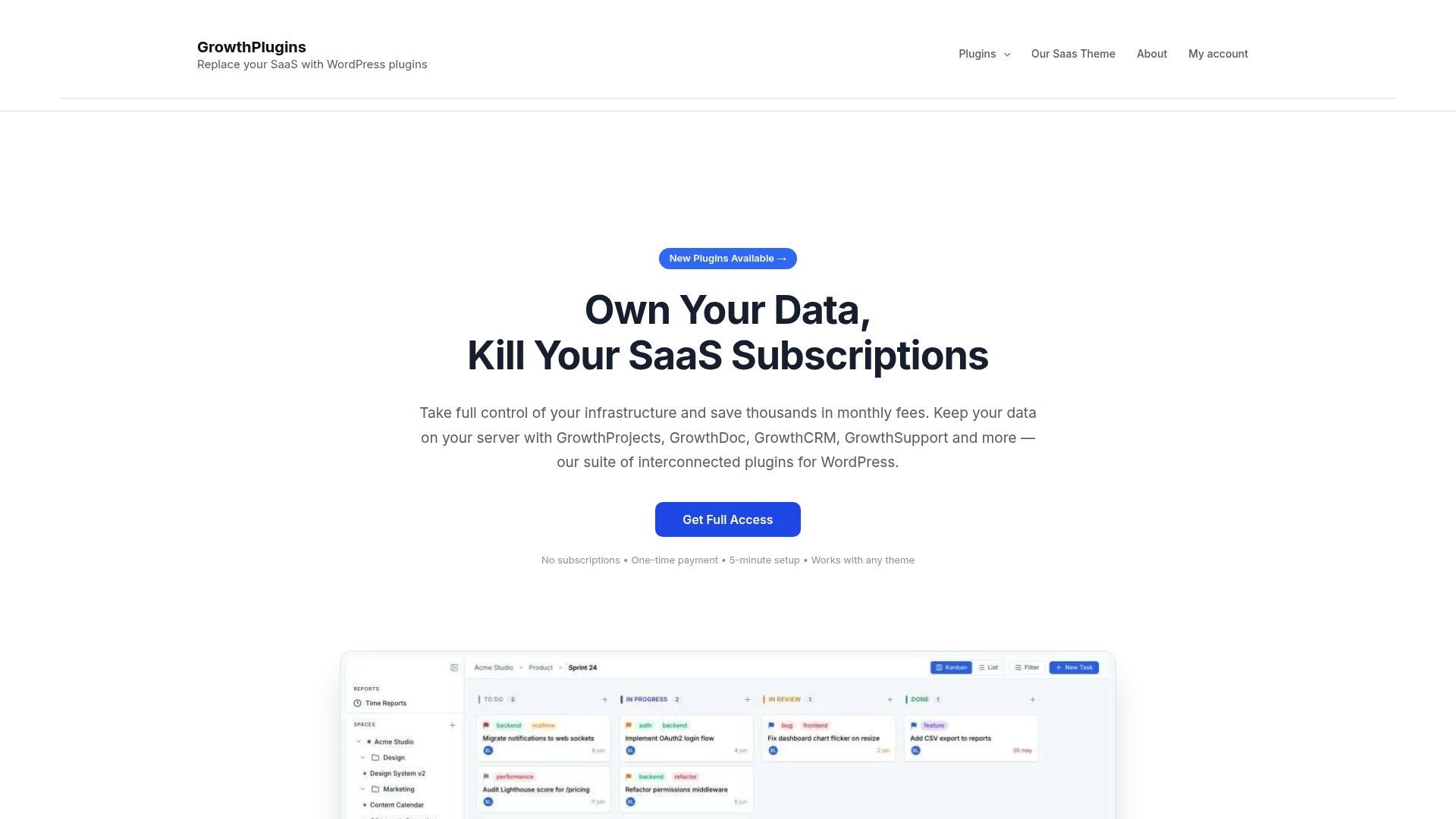
For agencies already on WordPress, that means Kanban boards, time tracking, client portals, a support ticket system, and invoicing all in one place — set up in under 30 minutes. There’s no per-user pricing cliff as your team grows, and your clients get a branded portal without a separate SaaS login.
It won’t replace Primavera P6 for a 600-activity construction schedule, and it doesn’t have a native CPM engine. Pilot it on one real client project first. If the task management, client visibility, and time tracking cover your workflow, you’ve just eliminated several SaaS subscriptions. Replace your SaaS project tools with a single WordPress-hosted solution and see what the setup looks like for your agency.
Useful sources and further reading
- Free Microsoft Project Alternatives in 2026 — Best starting point for teams evaluating free and self-hosted options; covers OpenProject Community and ProjectLibre with honest feature comparisons. Start here if cost is your primary constraint.
- Best Microsoft Project Alternatives in 2026 (Planera) — Covers the Microsoft Project Online retirement timeline (September 30, 2026) and migration urgency. Read this if you’re on Project Online and need to act now.
- Alternatives to Microsoft Project (Project Management Formula) — Strong on enterprise use cases and when Primavera P6 is the right call. Useful for project managers on construction or infrastructure programs.
- Which Tool Can Replace Microsoft Project? (Planisware) — Framework for categorizing replacements by delivery model (structured vs. collaborative). Read this before finalizing your decision criteria.
- 10 Best Microsoft Project Alternatives for PMs (Digital Project Manager) — Broad roundup with “best for” annotations across collaboration, visual planning, and CPM tools. Useful for teams that haven’t narrowed their category yet.
- GrowthPlugins — WordPress Project Management — Product overview for the WordPress-native option; covers features, pricing model, and setup time. Read this if you’re evaluating the WordPress-hosted path.
FAQ
What is the best free alternative to Microsoft Project?
ProjectLibre is the strongest free desktop option with full .mpp read/write support and all four dependency types. OpenProject Community is the best free web-based option for teams that need a self-hosted server with Gantt and resource management.
Can I import .mpp files into these alternatives?
ProjectLibre handles .mpp files directly. OpenProject has limited .mpp import support. Most other tools require an XML or CSV export from Microsoft Project, and complex dependency types (SS, FF, SF) often need manual cleanup after import.
Is Growthplugins a direct replacement for Microsoft Project?
Growthplugins covers the task management, Kanban, time tracking, and client portal features most agencies use daily, but it does not include a CPM scheduling engine or advanced resource leveling. It’s a replacement for agency workflow management, not for enterprise construction scheduling.
When should an agency use Primavera P6 instead?
Primavera P6 is the right choice for projects involving hundreds of tasks, numerous resource dependencies, and formal CPM compliance reporting — typically construction, infrastructure, or government programs.
Does self-hosting a project management tool satisfy GDPR requirements?
Self-hosting keeps all project data on your own server, which removes third-party data processing from the equation and simplifies GDPR compliance. You still need to document your data processing activities and configure role-based access controls appropriately. This article is general information; confirm your specific compliance obligations with a qualified privacy professional.