For WordPress site owners who want CRM, project management, and support ticketing without a recurring SaaS bill, Growthplugins is the most practical HubSpot alternative available. It runs entirely on your own server, your data never leaves your WordPress install, and you pay once rather than every month. No per-seat fees, no tier lock-in, no surprise add-on charges.
What Growthplugins replaces from a typical HubSpot stack:
- CRM layer: contacts, companies, deal pipelines, and a client portal
- Project management: Kanban boards, time tracking, task comments, list view, workspaces, and folders
- Service layer: support tickets, knowledge base documentation, and website monitoring
- Invoicing: with Spanish tax compliance built in
It fits best for freelancers, small agencies, and teams of under 20 who already run WordPress and need operational tools, not enterprise marketing automation.
Immediate next step: Install the Growthplugins core plugin on a staging site, then export your contacts from HubSpot as a CSV. That single step gets you 80% of the way to a working pilot in an afternoon.

GrowthBalance
Track time, income and expenses for every project and side-project you run — 100 % front-end, self-hosted inside WordPress. No SaaS subscription, no per-seat fees.
Table of Contents
- What HubSpot alternatives actually cover on a self-hosted WordPress stack
- When does self-hosting make more sense than staying with SaaS?
- How to migrate from HubSpot to a self-hosted WordPress CRM stack
- What does self-hosted actually cost compared to a HubSpot subscription?
- Honest trade-offs to plan for before you self-host
- Pre-commit checklist before you replace HubSpot
- Key Takeaways
- The part most migration guides skip
- Growthplugins covers the HubSpot features WordPress owners actually need
- Further reading and sources
- FAQ
What HubSpot alternatives actually cover on a self-hosted WordPress stack
The honest answer is that Growthplugins covers the features most WordPress site owners actually use in HubSpot, and skips the ones most small teams never touch.
| HubSpot Feature | Growthplugins Coverage | Notes |
|---|---|---|
| Contacts & companies | ✅ Native | Full contact and company records via GrowthCRM |
| Deal pipeline | ✅ Native | Visual pipeline with custom stages |
| Forms & lead capture | Via WordPress plugins | WPForms, Gravity Forms, or CF7 feed into CRM via webhooks |
| Email sending | Via third-party ESP | Connect SendGrid, Mailgun, or Amazon SES |
| Marketing automation | Basic via WP plugins | Multi-step cross-channel journeys require additional tooling |
| Support tickets | ✅ Native | Full ticketing system with client portal |
| Knowledge base | ✅ Native | On-site documentation module |
| Kanban / project boards | ✅ Native | GrowthPulse handles Kanban, time tracking, and task comments |
| Reporting / analytics | Basic | WordPress-native dashboards; advanced BI requires add-ons |
| eCommerce integrations | Via WooCommerce | WooCommerce hooks connect order data to CRM records |
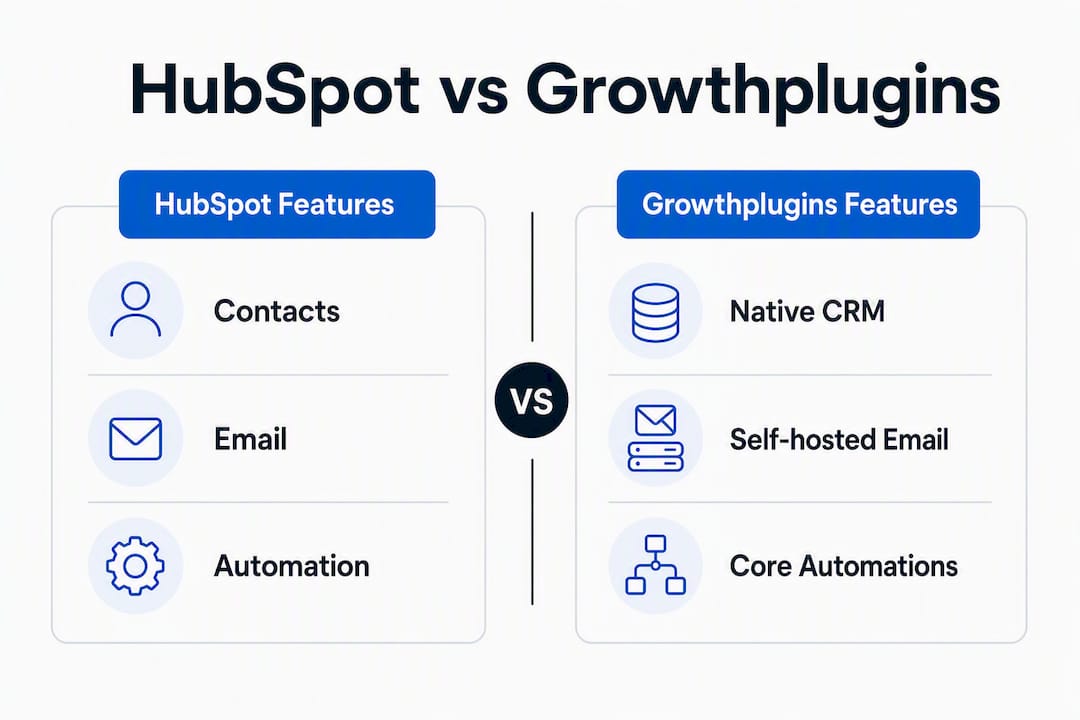
A few things worth noting. Email deliverability is the one area that genuinely requires external setup. You will need a dedicated sending domain with SPF, DKIM, and DMARC records configured, plus a transactional email provider. That is a one-time configuration, not an ongoing cost. On the pipeline replacement side, Growthplugins handles standard deal stages natively; complex branching automations tied to email opens or ad clicks are where a SaaS tool still has an edge.
Generic all-in-one CRMs also tend to miss channel-specific features like native SMS or specialized social engagement, so if those channels are central to your workflow, factor that in regardless of which platform you choose.
When does self-hosting make more sense than staying with SaaS?
The right answer depends on three things: your data requirements, your technical capacity, and how complex your marketing automation actually needs to be.
Three scenarios where self-hosting wins:
- Privacy-first client work. Agencies handling sensitive client data, healthcare-adjacent projects, or EU-based contacts benefit from keeping all records on their own server. GDPR compliance becomes a configuration decision, not a vendor negotiation.
- Fixed budget with predictable total cost of ownership. SaaS vendors routinely gate automation and custom objects behind higher pricing tiers. A one-time plugin purchase eliminates that escalation risk entirely.
- Deep WordPress integration. If your site already runs WooCommerce, a membership plugin, or a custom post type architecture, a self-hosted CRM plugs directly into that data model without API middleware.
Two scenarios where SaaS still makes sense:
- You need multi-step, multi-channel marketing automation (email sequences triggered by ad clicks, SMS follow-ups, predictive lead scoring) out of the box with no developer involvement.
- You are at 50+ seats and need enterprise-grade analytics, audit logs, and SSO as standard features.
The most effective replacement strategy focuses on required functional outcomes rather than matching every feature the old platform had. Ask what you actually use in HubSpot each week, not what the feature list says you could use.
Pro Tip: Map your required automation outcomes before evaluating any tool. “We need to send a follow-up email three days after a deal moves to ‘Proposal Sent’” is a concrete outcome. “We need marketing automation” is not. Concrete outcomes tell you whether a self-hosted stack covers your needs or whether you need a SaaS layer.
How to migrate from HubSpot to a self-hosted WordPress CRM stack
A staged migration over 4–8 weeks is lower risk than a hard cutover. Here is the sequence that works.
- Audit your current HubSpot usage. List every active workflow, form, email sequence, and custom property. Separate must-haves from nice-to-haves. Most teams find they actively use fewer than 30% of the features they pay for.
- Export contacts, companies, and deals. HubSpot exports these as CSV files including custom properties. Workflow automations and Marketing Hub assets do not export in a reusable format and must be rebuilt.
- Build a field mapping table. Match every HubSpot property to a Growthplugins field or a WordPress custom field. Do this before importing, not after.
- Set up your sending domain. Configure SPF, DKIM, and DMARC for your dedicated sending domain. Connect your transactional email provider (SendGrid, Mailgun, or Amazon SES). Run a small deliverability test before migrating any contacts.
- Install on a staging site. Never migrate directly to production. A staging install lets you validate form capture, pipeline logic, and automation before any real contact data moves.
- Migrate a pilot cohort. Import 500 contacts, run your core workflows, and confirm deliverability, form submissions, and pipeline stage transitions all behave correctly. Practical testing across core workflows consistently produces better outcomes than theoretical feature comparisons.
- Iterate, then cut over. Fix field mapping errors and workflow gaps on the pilot cohort before importing the full contact list.
- Document rollback steps. Keep your HubSpot export CSVs and your staging environment live for at least 30 days post-cutover.
Pro Tip: The most common migration mistake is skipping the field mapping table and assuming the import will sort itself out. It will not. Spend two hours on the mapping doc before you touch the import tool and you will save a full day of cleanup.
A realistic timeline: weeks 0–2 for audit and staging setup, weeks 2–4 for pilot cohort migration and deliverability testing, weeks 4–6 for iteration and staff training, weeks 6–8 for full cutover and rollback monitoring.
What does self-hosted actually cost compared to a HubSpot subscription?
Hidden total cost of ownership is the real story with SaaS platforms. Add-ons, mandatory upgrades, and support fees frequently push the actual annual spend well above the advertised price.
| Cost Component | Self-Hosted (Growthplugins) | SaaS (HubSpot-style) |
|---|---|---|
| Core software | One-time plugin purchase | Monthly/annual subscription per seat |
| Hosting | $10–$30/month (managed WordPress) | Included |
| Email sending | $10–$20/month (transactional ESP) | Often included or add-on |
| Developer setup | — | Onboarding fees vary |
| Ongoing maintenance | Plugin updates, backups | Vendor-managed |
| Advanced automation | Additional plugins or ESPs | Higher pricing tier required |
For a freelancer or a team of three, the self-hosted stack typically breaks even against a mid-tier SaaS subscription within the first year. A small agency running five seats on a SaaS platform paying $50–$100 per seat per month reaches break-even faster, often within six months of the one-time plugin cost.
For CRM alternatives with contract management built in, the TCO calculation shifts slightly since you may need an additional module, but the one-time model still holds.
Honest trade-offs to plan for before you self-host
Self-hosting is not a free lunch. These are the gaps worth planning around, not glossing over.
- No turnkey enterprise marketing automation. Multi-step journeys triggered by behavioral signals across email, SMS, and ads require additional tooling. Growthplugins covers basic CRM and project workflows natively; cross-channel orchestration does not come out of the box.
- You own the infrastructure. Backups, security patches, plugin updates, and uptime monitoring are your responsibility. A managed WordPress host (WP Engine, Kinsta, or Cloudways) handles most of this, but it is not zero effort.
- Integration work for non-WordPress services. Connecting a self-hosted CRM to Stripe, Slack, or a third-party analytics platform requires webhook configuration or a middleware tool like Zapier. HubSpot’s native integrations are faster to activate.
- Performance at scale. Once your contact database grows past 10,000 records, database optimization, object caching (Redis or Memcached), and a quality hosting plan matter. A shared hosting environment will not hold up.
- Support SLA differences. Plugin support is community and ticket-based, not a dedicated account manager. Factor in internal capacity to handle troubleshooting.
Pre-commit checklist before you replace HubSpot
Run through this before starting any migration work.
- Staging site is live and mirrors your production WordPress environment.
- Full HubSpot data export is complete: contacts, companies, deals, and custom properties as CSV files.
- Field mapping table is built and reviewed by whoever manages the CRM day-to-day.
- Sending domain is configured with SPF, DKIM, and DMARC. Transactional email provider is connected and tested.
- Pilot cohort of 500 contacts is identified (ideally a low-risk segment).
- Analytics baseline is captured: current open rates, form conversion rates, and pipeline velocity before migration.
- Rollback plan is documented: export CSVs stored, staging environment preserved for 30 days post-cutover.
Migrate one or two internal users first, validate every workflow, then bring in the pilot cohort. Staff training goes faster when you document the new workflows in Growthplugins’s own knowledge base module during setup rather than after the fact.
Key Takeaways
For WordPress site owners, Growthplugins is the most practical self-hosted HubSpot alternative: one-time pricing, full data ownership, and native CRM plus project management on your own server.
| Point | Details |
|---|---|
| Self-hosting wins on TCO | One-time plugin costs typically break even against SaaS subscriptions within the first year for small teams. |
| Feature parity is strong for core use cases | CRM, pipelines, support tickets, Kanban, and knowledge base are all native; cross-channel automation requires add-ons. |
| Migration takes 4–8 weeks | A staged pilot with 500 contacts and deliverability testing before full cutover reduces risk significantly. |
| SaaS still wins for complex automation | Multi-step, multi-channel journeys and enterprise analytics are better served by a SaaS platform at scale. |
| Growthplugins is the recommended starting point | Install on a staging site, export your HubSpot contacts, and run the pilot checklist before committing to a full cutover. |
The part most migration guides skip
The conversation around HubSpot alternatives almost always focuses on feature lists. That is the wrong frame. The real question is whether your team’s actual weekly workflows map onto the replacement, not whether the replacement has a checkbox next to every feature HubSpot advertises.
Most small teams using HubSpot are paying for a platform built for a 50-person marketing department. They use the contact records, the deal pipeline, maybe the forms, and occasionally the email tool. Everything else sits idle while the subscription renews. A self-hosted WordPress stack does not need to replicate the full HubSpot product surface to be a better fit for that team. It needs to cover the five things they actually do.
The deliverability setup is where people consistently underestimate the work. Configuring SPF, DKIM, and DMARC correctly, choosing a transactional email provider, and warming a new sending domain takes a few hours the first time. Skip it and your migration will look successful right up until your emails start landing in spam. Do it first, before you import a single contact.
The other underrated win with self-hosting is the speed of onboarding new team members. When your CRM, project boards, support tickets, and client portal all live inside the same WordPress dashboard your team already uses, the learning curve shrinks considerably.
Growthplugins covers the HubSpot features WordPress owners actually need
If you are running a WordPress site and paying for a SaaS CRM you only half-use, Growthplugins gives you the same core capabilities without the monthly bill. CRM contacts and pipelines, Kanban project boards, time tracking, support tickets, a client portal, and an on-site knowledge base all live in one WordPress dashboard. Your data stays on your server. You pay once.
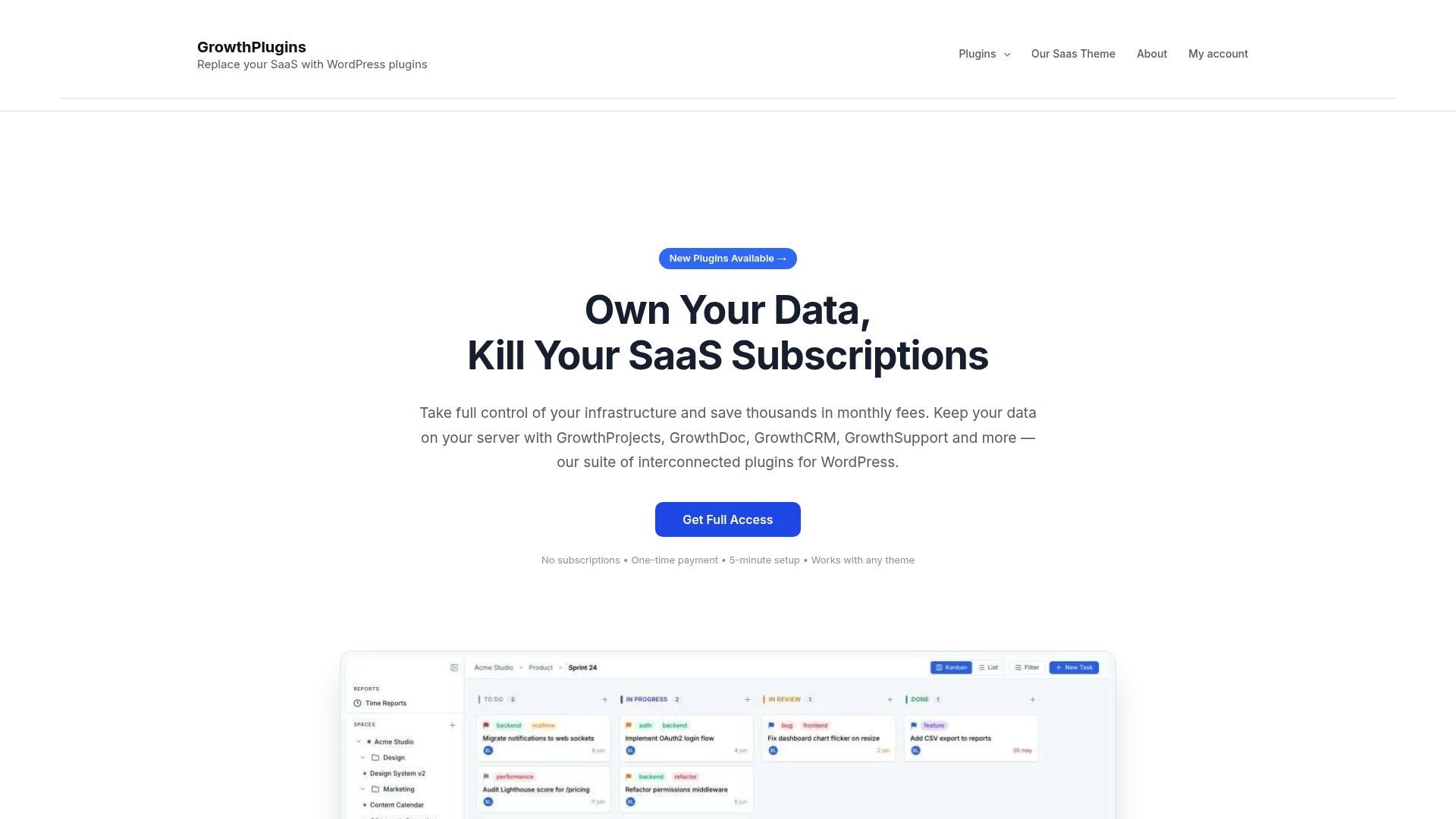
The fastest path to evaluating it: install the free core plugin on a staging site today, run through the self-hosted project management setup, and import a small contact batch to see how the CRM handles your actual data. For agencies replacing a full project and client management stack, the Asana-replacement use case walks through a comparable deployment. Visit growthplugins.com to see the full plugin suite and start your staging install.
Further reading and sources
- The 8 best HubSpot alternatives in 2026 — Zapier’s testing-backed comparison, useful for outcome-driven replacement planning
- Top 15 HubSpot competitors and alternatives for 2026 — Zendesk’s analysis of feature gaps in all-in-one CRMs
- Best HubSpot Alternatives for Small Business — Salesforce commentary on hidden SaaS TCO and tier lock-in
- 9 Best HubSpot Alternatives for 2026 — DevRev roundup covering migration checklists and pilot phases
- HubSpot alternatives 2026: Options to check before you migrate — Attio’s breakdown of what actually exports from HubSpot before a migration
- GrowthCRM product page — Growthplugins CRM module for contacts, companies, and pipelines
- GrowthPulse product page — Kanban boards, time tracking, and project management on WordPress
- Zoho CRM alternatives for 2026 — Growthplugins use-case page for CRM replacement scenarios
FAQ
What can you actually export from HubSpot before migrating?
Contacts, companies, and deals export as CSV files including custom properties. Workflow automations, sequences, and Marketing Hub assets like forms and landing pages do not export in a reusable format and must be rebuilt in the destination system.
Is Growthplugins a full HubSpot replacement for a small WordPress agency?
For core CRM, project management, support ticketing, and knowledge base needs, yes. It does not replicate HubSpot’s multi-channel marketing automation or enterprise analytics, so agencies that rely heavily on those features will need supplementary tooling.
How long does a self-hosted CRM migration typically take?
A staged migration with a 500-contact pilot cohort and deliverability testing typically runs 4–8 weeks, depending on the complexity of your existing custom fields and automation workflows.
Developer time for initial setup and deliverability configuration is the most commonly underestimated line item. Hosting, backups, and a transactional email provider add predictable monthly costs, but the one-time setup hours vary based on how customized your existing CRM data model is.
Does self-hosting a CRM on WordPress satisfy GDPR requirements?
Keeping all contact data on your own server removes the third-party data-processing relationship that SaaS platforms create. You still need to implement proper consent capture, data retention policies, and a privacy notice. Self-hosting gives you control over where data lives; compliance still requires deliberate configuration.