For freelancers, small teams, and agencies running WordPress, Growthplugins is the recommended self-hosted alternative to cloud CRM platforms. It installs directly on your WordPress site, keeps every contact, deal, and project file on your own server, and costs a one-time fee with no per-seat charges.
- WordPress-native integration: Growthplugins syncs with WordPress users and roles out of the box, so there are no separate logins or credential management headaches.
- Full feature stack: Kanban boards, time tracking, support tickets, a client portal, invoicing, and a sales CRM live in one dashboard.
- No SaaS seat fees, no vendor custody: Your data stays on your server. You own it completely.
To get started: visit the GrowthCRM plugin page, install on a staging site, and run a sample import before going live.
GrowthBalance
Track time, income and expenses for every project and side-project you run — 100 % front-end, self-hosted inside WordPress. No SaaS subscription, no per-seat fees.
Table of Contents
- What do you actually need in a self-hosted WordPress CRM?
- How to migrate from a hosted CRM to a self-hosted WordPress solution
- Security and compliance: how self-hosting changes your responsibilities
- How Growthplugins maps to the checklist and agency workflows
- What does self-hosted WordPress CRM actually cost?
- Pre-launch checklist: three questions before you switch
- Key Takeaways
- Why self-hosted CRMs are the smarter long-term call
- Growthplugins is ready to install on your WordPress site today
- FAQ
What do you actually need in a self-hosted WordPress CRM?
Agencies and freelancers need a specific set of features before a self-hosted CRM is worth adopting. A tool missing even one of these creates workarounds that cost more time than the SaaS subscription you were trying to escape.
| Requirement | Why It Matters | Acceptance Criteria |
|---|---|---|
| Contacts & custom fields | Stores client data your way | Unlimited custom fields, CSV export |
| Deal/pipeline support | Tracks revenue and client stages | Kanban or list view with stage controls |
| Time tracking | Billable hours without a separate app | Per-task timer, exportable logs |
| Support tickets | Client issue management in one place | Ticket status, priority, email notify |
| Client portal | Branded access for clients | White-label, WordPress login sync |
| WordPress user sync | No duplicate credentials | Maps WP roles to CRM permissions |
| GDPR-ready data tools | Export or delete on request | One-click export, deletion tools |
| Webhooks/API | Connects to invoicing, email, etc. | REST API endpoints available |
Small teams prioritize no per-seat fees and a setup time under an hour. Agencies add white-label portals and multi-site licensing to that list. A WordPress CRM can deliver core features natively using custom post types and the REST API, which means you are not bolting a foreign system onto your site.
Adding CRM to an existing WordPress environment also removes context switching and cuts onboarding friction for team members who already work in wp-admin daily.

How to migrate from a hosted CRM to a self-hosted WordPress solution
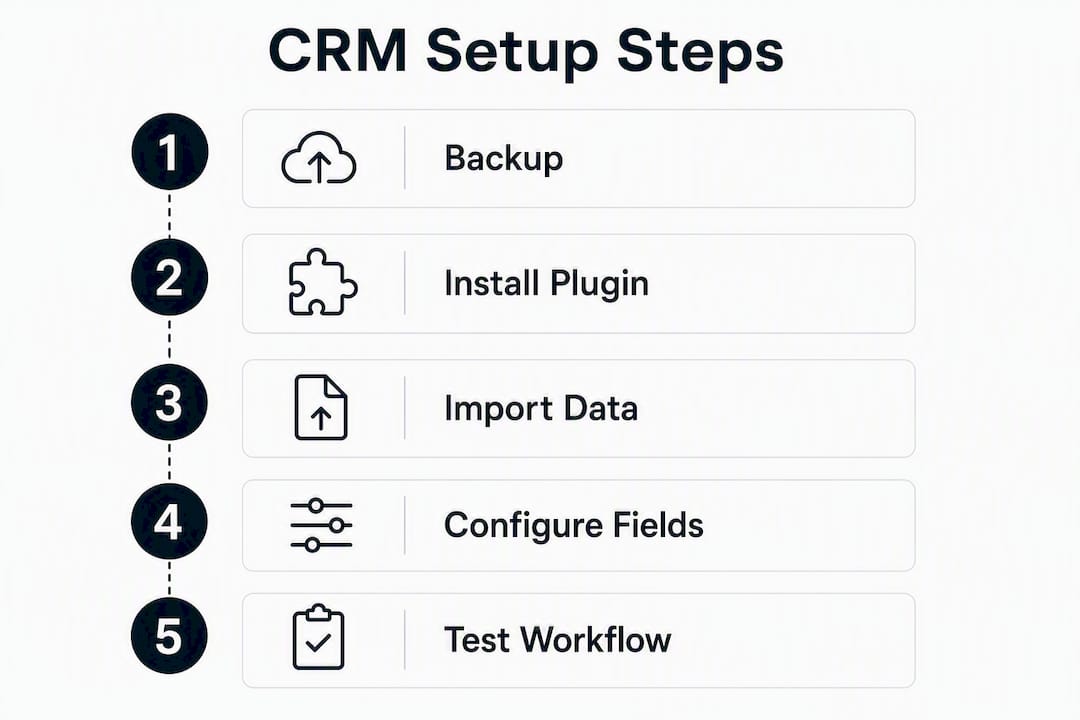
The core migration path is: export CSV → clean and map fields → import to staging → QA → go live. A freelancer can finish migration quickly. A small team should budget a couple of days. Agencies migrating many records with attachments and history should plan for a full week and schedule client communication around the cutover.
- Import to staging first: — Never import directly to production. Run the full import on a staging copy of your WordPress site, verify record counts, and spot-check 10–15 records manually.
Pro Tip: Before you start, take a full database backup and snapshot your staging environment. If the import breaks something, a clean rollback takes minutes. Without a backup, it takes hours.
Security and compliance: how self-hosting changes your responsibilities
Self-hosting transfers data custody to you. That reduces your exposure to third-party vendor breaches and cross-border transfer risks, but it also means you own the security ops.
Privacy experts note that keeping data on your own server achieves data sovereignty and reduces the burden of verifying third-party vendor security. A self-hosted WordPress CRM can implement GDPR-friendly tools for export, deletion, and consent management directly on the host server.
| Security Requirement | Implementation Guidance |
|---|---|
| TLS/HTTPS | Force HTTPS site-wide; use a valid SSL certificate |
| PHP & WordPress versions | Stay on supported versions; enable auto minor updates |
| Database access controls | Restrict MySQL to localhost; use a dedicated DB user |
| Least-privilege WP roles | Assign minimum roles; audit user list quarterly |
| Regular backups | Daily automated backups to offsite storage |
| Two-factor authentication | Require 2FA for all admin accounts |
| Audit logs | Log login attempts and data exports |
| Managed hosting | Use a host with server-level firewalls and malware scanning |
Data sovereignty in practice: When your CRM data lives on your server, you are the sole data processor. You do not need to audit a vendor’s sub-processors or track cross-border data transfers to comply with privacy regulations.
Performance concerns about self-hosted CRMs at scale are more often a hosting problem than a software limitation. A managed hosting stack with object caching and tuned MySQL resolves most speed issues without touching the CRM itself.
How Growthplugins maps to the checklist and agency workflows
Growthplugins meets every critical checklist item for freelancers, small teams, and agencies. The feature set is not theoretical: it ships as installable plugins that activate inside wp-admin and are ready in under five minutes.
| Checklist Feature | How Growthplugins Implements It | Setup Notes |
|---|---|---|
| Contacts & pipeline | GrowthCRM with deal stages and custom fields | Activate, configure stages, import CSV |
| Kanban & list view | GrowthProjects with workspaces and folders | Works immediately after activation |
| Time tracking | Built into GrowthPulse per task | No config required; logs export as CSV |
| Support tickets | GrowthSupport with status and priority | Email notifications configurable |
| Client portal | White-label portal tied to WP user accounts | Clients log in with existing WP credentials |
| WordPress user sync | Native WP role mapping across all plugins | No third-party auth plugin needed |
| Invoicing | Built-in invoicing module | One-time setup; Spanish tax compliance included |
| Export/import | CSV export and import on all objects | GDPR deletion tools included |
Agencies that present tools inside a branded, familiar environment see improved client adoption and stronger client relationships compared to sending clients to an external portal. A white-labeled Growthplugins client portal, embedded in the agency’s own WordPress site, turns the CRM into a visible part of the service rather than a back-office tool.
Pro Tip: Install the full plugin bundle on a staging site first. Activate GrowthCRM, GrowthProjects, and GrowthSupport together, run a 20-record test import, and invite one test client to the portal. The whole proof-of-concept takes under an hour.
What does self-hosted WordPress CRM actually cost?
Recurring SaaS spend drops significantly, but you need to budget for hosting and occasional maintenance. The table below shows realistic cost ranges.
| Cost Item | Freelancer | Small Team | Agency |
|---|---|---|---|
| Plugin bundle (one-time) | Low one-time fee | Low one-time fee | Low one-time fee |
| Shared hosting (monthly) | ~$5–$15 | Not recommended | Not recommended |
| Managed VPS (monthly) | $20 | $40 | $80 |
| Managed WordPress hosting | $25 | $50 | $100 |
| Backup/monitoring tools | $10/mo | $10–$20/mo | $20/mo |
| Annual maintenance hours | 4–8 hrs | 8–20 hrs | 20 hrs |
Self-hosted solutions carry no per-seat pricing and permanent data ownership, which changes the break-even math quickly. A team paying $30–$50 per user per month on a SaaS CRM typically recovers the plugin cost within the first two to three months. After that, the only ongoing cost is hosting.
Managed hosting pays for itself when you factor in server-level security, automatic backups, and support response times. Cheap shared hosting saves $20 a month but introduces performance and reliability risks that cost far more to fix after a problem occurs.
Pre-launch checklist: three questions before you switch
Three questions gate the decision: Is your hosting environment ready for a production WordPress CRM? Does your team have a clear owner for upgrades and backups? Do any clients or integrations require a specific hosted portal you cannot replicate?
If all three answers are yes, no, and no, you are ready to proceed.
- Install Growthplugins on a staging site and complete a full test import.
- Review and assign WordPress roles and permissions for every team member.
- Set up automated daily backups with offsite storage and test a restore.
- Run integration tests: confirm webhooks fire, email notifications arrive, and invoicing calculates correctly.
- Define client access: send one real client a test portal login and collect feedback.
- Document a rollback plan before going live.
- Schedule a brief team walkthrough of the wp-admin dashboard.
Red flags to stop and address first: no staging environment, no reliable backup solution, a client contract that mandates a specific third-party portal, or a hosting plan running PHP below 8.0 with no upgrade path.
If you hit two or more red flags, the right move is to fix hosting and backup infrastructure before migrating, not after. For teams with no internal WordPress admin, hiring a WordPress developer for a half-day setup is cheaper than a year of SaaS fees.
Key Takeaways
Growthplugins is the recommended self-hosted WordPress CRM and project-management alternative for freelancers, small teams, and agencies that need data sovereignty, feature parity, and no recurring per-seat costs.
| Point | Details |
|---|---|
| Data sovereignty | Self-hosting makes you the sole data custodian, removing third-party vendor audit requirements. |
| Feature parity | Growthplugins covers contacts, Kanban, time tracking, tickets, client portal, and invoicing in one install. |
| Migration timeline | Freelancers can migrate in hours; agencies with 5,000+ records should budget a full week. |
| Cost trade-off | One-time plugin cost plus $20–$150/month hosting typically beats SaaS per-seat fees within two to three months. |
| Growthplugins | Install on staging, run a test import, and activate the full bundle in under five minutes before going live. |
Why self-hosted CRMs are the smarter long-term call
The conventional wisdom says SaaS CRMs win on convenience. That is true for the first month. After that, the math shifts. You are paying indefinitely for data you do not own, on a platform that can change pricing, deprecate features, or get acquired at any point.
The quiet renaissance in self-hosted alternatives is not nostalgia. It is a rational response to subscription fatigue and real compliance pressure. GDPR, CCPA, and client data agreements increasingly require you to know exactly where data lives and who can access it. A SaaS vendor’s sub-processor list is not a satisfying answer to that question.
What most articles miss is the agency positioning angle. The highest-value agencies are not just cutting costs by going self-hosted. They are repositioning as systems partners. A white-labeled client portal embedded in the client’s own WordPress site is a recurring touchpoint that a generic SaaS portal never becomes. That is a retention tool, not just a cost reduction.
The one real risk is ops discipline. Self-hosting requires someone to own updates, backups, and hosting health. For a solo freelancer, that is 30 minutes a month. For an agency, it is a defined internal process. Neither is a reason to stay on a SaaS platform that charges per seat and holds your data hostage.
Growthplugins is ready to install on your WordPress site today
Skip the monthly SaaS bill. Growthplugins gives you a full CRM, project management, time tracking, support tickets, and a client portal, all running on your own server with a single one-time purchase.
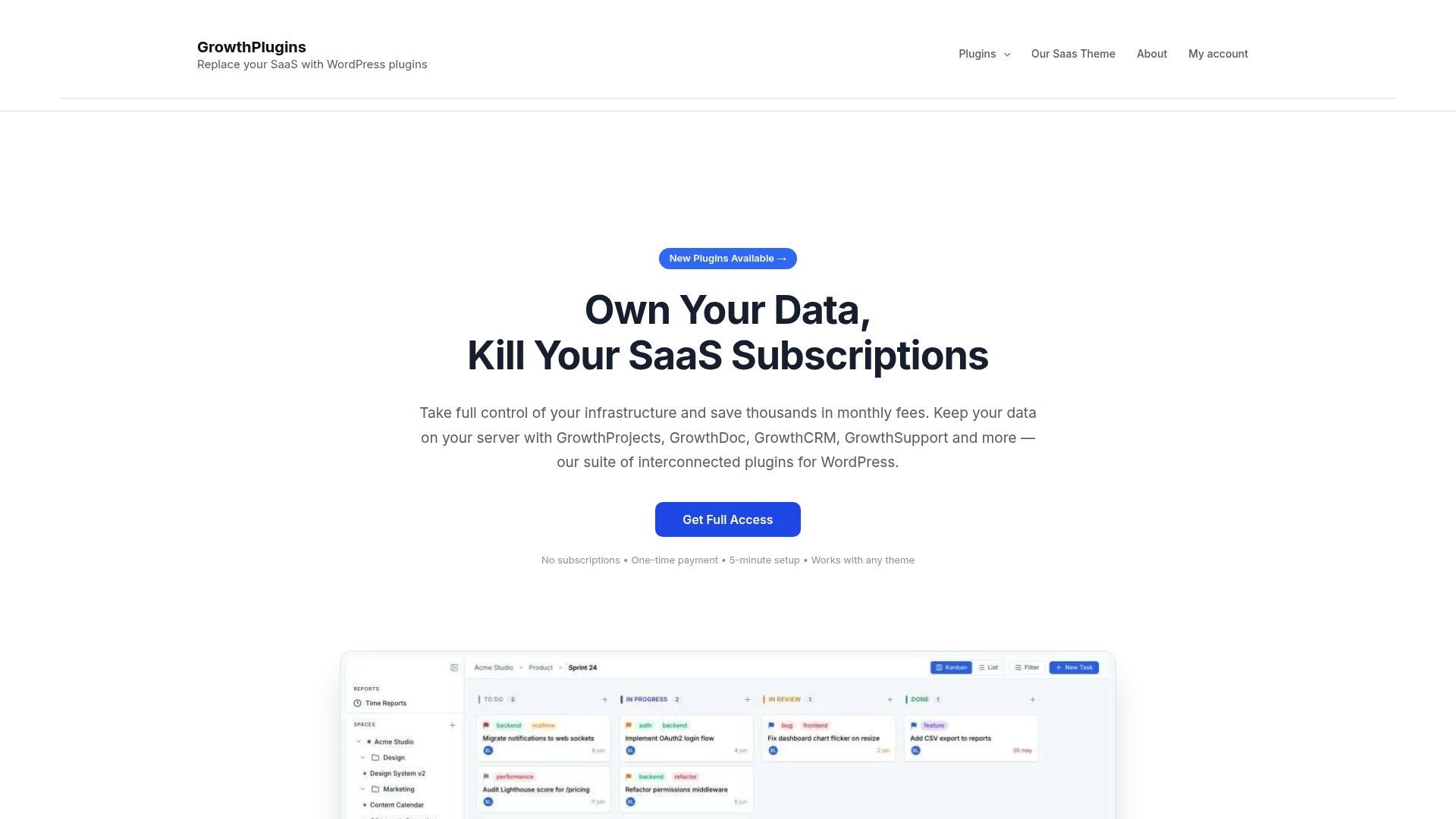
The setup path is straightforward: install the plugin bundle on a staging site, run a sample data import, test the client portal with one real contact, then push to production. The full guide to replacing SaaS tools with Growthplugins walks through every step. For agencies evaluating CRM options, the best CRM for small business agencies comparison is a useful external reference point before you decide.
Visit the Growthplugins plugin page and install on staging today.
FAQ
What makes a self-hosted WordPress CRM different from a SaaS CRM?
A self-hosted WordPress CRM stores all data on your own server, giving you control over access, backups, and compliance. SaaS CRMs store data on vendor infrastructure, which can introduce vendor dependency and data custody concerns.
How long does it take to migrate contacts to Growthplugins?
A freelancer can complete the migration in a few hours. Small teams should budget one to two days, including field mapping and QA.
Is Growthplugins GDPR-compliant?
Yes. Because data stays on your own server, you are the sole data processor. Growthplugins includes export and deletion tools to handle data subject requests directly from wp-admin.
Do I need a developer to install Growthplugins?
No. The plugin bundle activates inside wp-admin and is ready in under five minutes. A staging install and test import are recommended before going live, but no custom development is required.
What hosting do I need to run a self-hosted WordPress CRM?
Managed VPS or managed WordPress hosting is the practical choice for teams and agencies. Shared hosting works for solo freelancers with light usage, but performance and reliability improve significantly on a managed stack running a current PHP version.