The strongest Scoro alternatives for professional services teams are Growthplugins (self-hosted WordPress), monday.com, Asana, ClickUp, Wrike, Teamwork, Accelo, and Kantata. If your agency runs WordPress and wants to stop paying monthly SaaS fees without losing project management, invoicing, or CRM capability, Growthplugins is the place to start. For teams that need broad cloud integrations or enterprise-grade SLAs, a cloud Work-OS or PSA platform fits better.
Here is the shortlist at a glance:
- Growthplugins — Best for WordPress agencies that want one-time licensing, full data ownership, and GDPR compliance without recurring fees.
- monday.com — Best for teams that prioritize visual customization and flexible dashboards over built-in billing.
- Asana — Best for task-heavy teams that value ease of use and don’t need integrated invoicing out of the box.
- ClickUp — Best for resource-conscious teams that want a wide feature set at a lower per-user cost.
- Wrike — Best for agencies that need versatile project views and strong reporting without committing to a full PSA platform.
- Teamwork — Best for client-facing agencies that need built-in time tracking and client billing in a cloud tool.
- Accelo — Best for professional services firms that want automated billing and retainer management in one place.
- Kantata (formerly Mavenlink) — Best for mid-size agencies that need deep resource planning and financial forecasting.
Pick Growthplugins when you already run WordPress, want to eliminate recurring SaaS costs, and need project management, time tracking, invoicing, and a client portal under one roof on your own server. Stick with a cloud SaaS when you need enterprise integrations, a dedicated vendor SLA, or a team that lacks WordPress administration capacity.
Table of Contents
- How do these Scoro alternatives compare side by side?
- Profiles of each alternative: features, pricing, and how they compare
- How were these options selected?
- How do you choose the right Scoro alternative for your agency?
- Why a self-hosted WordPress alternative can be the right fit
- Key Takeaways
- The case for stopping the SaaS subscription cycle
- Growthplugins: the self-hosted alternative worth trying first
- Useful sources
- FAQ
How do these Scoro alternatives compare side by side?
ITQlick’s analysis of Scoro alternatives makes one thing clear: the right pick depends heavily on whether billing and CRM are built in. Assembling separate tools for invoicing and CRM can cost an agency significantly more annually than using an integrated platform. That hidden cost is what makes the comparison below worth reading carefully.
Note on pricing: All figures reflect publicly listed rates as of mid-2026. Vendor pricing changes frequently. Re-check vendor pages before finalizing any budget.
| Category | Key features | 10-user year-1 TCO (est.) | Best for | Integrations | Pros / Cons | vs. Scoro |
|---|---|---|---|---|---|---|
| Self-hosted WordPress stack (Growthplugins) | Kanban, time tracking, invoicing, CRM, client portal, support tickets, knowledge base | a one-time license cost plus annual hosting fees | WordPress agencies eliminating SaaS fees | WordPress ecosystem, WooCommerce, Zapier via webhooks | ✓ No recurring fees, full data ownership, GDPR-ready / ✗ Requires WordPress admin skills | Weaker on enterprise reporting; stronger on cost and data control |
| Work-OS — highly customizable boards (monday.com) | Custom workflows, dashboards, automations, time tracking (add-on) | ~an amount in the mid-range for 10 users on Standard to Pro plans | Teams that prioritize visual flexibility | 200+ native integrations, Slack, Salesforce, HubSpot | ✓ Flexible, strong UI / ✗ Billing and CRM require add-ons or integrations | Weaker on integrated billing; stronger on workflow customization |
| Task-first visual boards (Asana) | Tasks, timelines, goals, workload view | ~an amount in the mid-range for 10 users on Premium to Business plans | Task-heavy teams, ease-of-use priority | 200+ integrations, Slack, Google Workspace, Zapier | ✓ Clean UX, fast onboarding / ✗ No native invoicing or CRM | Weaker on billing and CRM; stronger on usability |
| All-in-one value stack (ClickUp) | Tasks, docs, goals, time tracking, resource management | ~an amount lower than typical cloud SaaS for 10 users on Unlimited to Business plans | Budget-conscious teams needing broad features | 1,000+ integrations via native and Zapier | ✓ Feature-rich at low cost / ✗ Can feel cluttered; invoicing is limited | Weaker on invoicing depth; stronger on per-user cost |
| Versatile project management (Wrike) | Gantt, Kanban, dashboards, time tracking, resource management | ~a range reflecting typical cost for 10 users on Team to Business tiers | Agencies needing flexible views and reporting | Salesforce, Adobe, Slack, 400+ integrations | ✓ Strong reporting and views / ✗ Billing requires third-party tools | Comparable on project management; weaker on billing |
| Client-billing-focused cloud (Teamwork) | Time tracking, billing, client portals, project management | ~a range common for 10-user teams on Deliver to Grow plans | Client-facing agencies with billable hours | HubSpot, Xero, QuickBooks, Slack | ✓ Built-in billing and client access / ✗ CRM is limited | Closer to Scoro on billing; weaker on CRM depth |
| PSA — automated billing (Accelo) | Retainers, automated billing, CRM, time tracking, projects | ~a higher price range for professional services firms with 10 users | Professional services firms with retainer clients | Salesforce, QuickBooks, Xero, G Suite | ✓ Strong retainer and billing automation / ✗ Higher cost, steeper learning curve | Strong billing parity with Scoro; weaker on UI simplicity |
| PSA — resource planning (Kantata) | Resource management, financial forecasting, time tracking, BI | ~an estimated higher cost range for 10-user mid-size agencies | Mid-size agencies needing deep resource and financial data | Salesforce, NetSuite, Slack, Jira | ✓ Best-in-class resource planning / ✗ High cost, complex setup | Stronger than Scoro on resource forecasting; weaker on ease of entry |
Cost signal: ITQlick estimates that teams piecing together separate SaaS tools for billing and CRM can pay $1,000–$3,000 more per year than using an integrated platform. For a 10-user agency, that gap alone often justifies choosing a platform with native billing over a cheaper task manager plus add-ons.
Profiles of each alternative: features, pricing, and how they compare

monday.com
monday.com earns its reputation as the most visually flexible Work-OS on the market. You can build almost any workflow with its board-and-column system, and its automation library is genuinely deep. TechnologyAdvice ranks it first for customization among the tools it evaluated.
The catch for agencies: billing and CRM are not native. You will connect a separate invoicing tool and likely a CRM integration, which adds both cost and complexity. Work-OS platforms like monday.com tend to carry higher per-user costs at scale and a steeper onboarding curve than simpler task managers.
Pros: Exceptional dashboard flexibility, 200+ integrations, strong automation.
Cons: No built-in invoicing, CRM requires integration, cost rises quickly with team size.
vs. Scoro: monday.com wins on workflow customization. Scoro wins on integrated billing and CRM. For agencies that bill clients directly, that gap matters.
Pricing: roughly a per-user monthly pricing range commonly seen on Standard to Pro plans (10-user team: ~$1,400–$2,400/yr).
Asana
Asana is the easiest tool on this list to get a team using in a single afternoon. Its task management, timeline views, and goal tracking are polished. TechnologyAdvice highlights it specifically for ease of use among agency-relevant tools.
What Asana does not do: invoicing, CRM, or time tracking at a level that satisfies billing-heavy agencies. You will need Harvest or a similar tool for time tracking and a separate invoicing system. Review syntheses consistently flag this gap as a hidden cost for agencies that need billable-hour tracking.
Pros: Fast adoption, clean interface, strong task and goal management.
Cons: No native invoicing or CRM, time tracking requires add-ons.
vs. Scoro: Asana is simpler and cheaper to start. Scoro is far more complete for billing-focused professional services work.
Pricing: roughly a per-user monthly price range characteristic of Premium to Business plans (10-user team: ~$1,300–$2,500/yr on Premium to Business).
ClickUp
ClickUp packs more features per dollar than almost anything else on this list. Tasks, docs, goals, time tracking, and resource management all live in one place. For a budget-conscious agency that needs breadth without paying Scoro-level prices, it is a credible option.

The trade-off is complexity. ClickUp’s feature density can overwhelm teams that just want to track projects and send invoices. Native invoicing exists but is limited compared to Scoro or Accelo. Still, at roughly a lower per-user monthly cost compared to many competitors, it is one of the most cost-effective tools for resource management in this category.
Pros: Low per-user cost, broad feature set, strong integrations via Zapier and native connectors.
Cons: Interface can feel cluttered, invoicing is basic, requires configuration discipline.
vs. Scoro: ClickUp wins on price. Scoro wins on billing depth and PSA-style reporting.
Pricing: roughly a lower per-user monthly cost compared to many competitors (10-user team: ~$700–$1,200/yr on Unlimited to Business).
Wrike
Wrike sits in a useful middle ground: more structured than monday.com, more reporting-capable than Asana, and less expensive than Kantata. Its Gantt charts, Kanban boards, and custom dashboards cover most agency project management needs. TechnologyAdvice positions Wrike as the most versatile option for teams that need multiple project views.
Billing is still a gap. Wrike does not include native invoicing, so agencies tracking billable hours will need a separate tool like QuickBooks or FreshBooks. That integration cost adds up.
Pros: Strong reporting, multiple project views, 400+ integrations.
Cons: No native billing, higher cost at Business tier, setup takes time.
vs. Scoro: Comparable on project management and reporting. Scoro leads on integrated billing and CRM.
Pricing: roughly a per-user monthly price range reflecting Team to Business tiers depending on tier (10-user team: ~$2,500–$4,000/yr at Team to Business).
Teamwork
Teamwork is the cloud option on this list that gets closest to Scoro’s billing-first philosophy. Time tracking, client billing, client portals, and project management are all native. Its integrations with QuickBooks and Xero make it practical for agencies that already use those accounting tools.
G2 reviewers of Teamwork frequently highlight its client-facing features as a differentiator. The CRM side is thinner than Scoro’s, but for agencies whose primary need is billable-hour tracking and client reporting, Teamwork covers most of the ground.
Pros: Native billing, client portals, QuickBooks and Xero integration.
Cons: CRM is limited, reporting depth trails Scoro and Kantata.
vs. Scoro: Teamwork is the closest cloud substitute for billing-focused agencies. Scoro still leads on CRM and integrated financial reporting.
Pricing: roughly a monthly rate per user typical for Deliver to Grow plans (10-user team: ~$1,800–$3,000/yr on Deliver to Grow).
Accelo
Accelo is built specifically for professional services firms with retainer clients. Its automated billing, retainer tracking, and CRM are genuinely strong. If your agency manages recurring retainers and wants billing to happen with minimal manual effort, Accelo is worth a close look.
The cost is real. Accelo runs higher than most tools on this list, and the learning curve is steeper. It is not the right fit for a small team that just needs task management with basic invoicing.
Pros: Automated retainer billing, strong CRM, purpose-built for professional services.
Cons: Higher price point, complex setup, not ideal for small teams.
vs. Scoro: Accelo matches Scoro closely on billing automation and CRM. Scoro has a cleaner interface; Accelo has stronger retainer automation.
Pricing: roughly a higher per-user monthly price for specialized PSA solutions (10-user team: ~$2,400–$4,800/yr).
Kantata (formerly Mavenlink)
Kantata is the resource planning specialist on this list. Its financial forecasting, utilization tracking, and BI reporting go deeper than any other tool here. Mid-size agencies that need to forecast capacity months out and tie resource allocation directly to project financials will find it worth the cost.
For smaller teams, it is overkill. Setup is complex, pricing is high, and the feature depth that makes it powerful for 50-person agencies creates friction for teams of 10.
Pros: Best resource planning and financial forecasting, strong BI, Salesforce integration.
Cons: High cost, complex implementation, not suited for small teams.
vs. Scoro: Kantata surpasses Scoro on resource planning and financial forecasting. Scoro is easier to implement and better suited to smaller professional services teams.
Pricing: estimated an estimated range at the higher end for resource planning tools (10-user team: ~$3,000–$6,000/yr).
Growthplugins
Growthplugins takes a fundamentally different approach. Instead of a monthly SaaS subscription, you buy a one-time license and install the plugin suite on your own WordPress server. Your data stays on your server, GDPR compliance is built in by design, and there is no vendor lock-in.
The feature set covers the core agency stack: Kanban boards, time tracking, task comments, list view, workspaces and folders, a support ticket system, a client portal, a sales CRM, invoicing, a knowledge base, and website monitoring. For a 10-user agency, year-1 cost is roughly $200–$600 in plugin licenses plus around $120/year in hosting, compared to $1,400–$4,800/year for cloud SaaS alternatives. [ITQlick’s analysis shows that assembling separate SaaS tools for billing and CRM can cost $1,000–$3,000 more annually than using an integrated platform.]
Pros: No recurring fees, full data ownership, GDPR compliance, broad feature coverage, installs in under five minutes.
Cons: Requires WordPress administration skills, no dedicated vendor SLA, plugin updates are self-managed.
vs. Scoro: Growthplugins covers the same core feature categories (project management, time tracking, invoicing, CRM, client portal) at a fraction of the total cost. Scoro leads on enterprise reporting depth and dedicated support. Growthplugins leads on cost control and data ownership.
Pricing: one-time license fees with optional bundles; free core plugin available at GrowthProjects.
Pro Tip: Before migrating from Scoro or any integrated SaaS, run a 30-day pilot with real billing data, not dummy tasks. Test your invoicing templates, client portal access, and time tracking reports against actual client projects. That single month will surface any gaps faster than any demo.
How were these options selected?
Every tool on this list was evaluated against five criteria relevant to professional services agencies: project and task management depth, resource management capability, built-in billing and invoicing, CRM integration or native CRM, and time tracking accuracy. Pricing transparency and integration ecosystem breadth were secondary filters.
Data sources include ITQlick’s Scoro alternatives overview, TechnologyAdvice’s project management review, GetApp’s Scoro listing, Gartner Peer Insights, and G2 user reviews. Pricing was verified against vendor pages in mid-2026 and should be re-checked before any purchase decision, since vendors adjust tiers and pricing frequently.
TCO examples assume 10 users, standard add-ons, and a basic onboarding estimate. They do not include your team’s billable rate or utilization. Run the numbers with your own figures before finalizing a budget.
How do you choose the right Scoro alternative for your agency?
Start with what actually drives your revenue. Most agencies underweight billing and invoicing when evaluating project management tools, then discover six months in that they are paying for a separate invoicing system on top of their project tool.
Decision criteria, prioritized for agencies:
- Billable-hours tracking: is time tracking native, accurate, and tied to invoicing?
- Integrated invoicing: can you generate and send client invoices without leaving the platform?
- Client portal: can clients view project status, approve work, and access documents?
- Resource planning: can you see team capacity and allocation across projects?
- Reporting depth: can you pull profitability reports by client or project?
- Data ownership: where does your data live, and can you export it cleanly?
Questions to ask vendors during demos:
- How long does initial setup take for a 10-user team with existing project data?
- Does the platform support API access or webhooks for custom integrations?
- Can invoicing handle tax rules specific to your billing jurisdiction?
- Which accounting tools (QuickBooks, Xero, FreshBooks) integrate natively?
- How do clients access the portal, and what can they see or edit?
- What is the SLA for support, and what does it cost?
- Can you export all project, billing, and client data in a standard format if you leave?
Pilot checklist (30-day minimum):
- Define pilot scope: pick two to three real active client projects, not internal ones.
- Import or recreate existing tasks, milestones, and client contacts.
- Log billable hours daily using the platform’s native time tracking.
- Generate at least one real client invoice and send it through the platform.
- Measure time saved on admin versus your current tool.
- Check billable utilization reports for accuracy against your manual records.
- Test client portal access with one actual client.
Red flags to watch for:
- Pricing that requires a sales call to get a number.
- No clean data export option or export locked behind a higher tier.
- Invoicing that cannot handle custom tax rates or multi-currency billing.
- Time tracking that requires manual entry with no timer or mobile option.
- Client access controls that are all-or-nothing with no granular permissions.
Agencies that bill heavily should weight invoicing and time tracking at least twice as heavily as task management features when scoring vendors. A tool that scores 9/10 on Kanban boards but 4/10 on invoicing is a poor fit for a billing-driven firm.
Pro Tip: Weight your scorecard before you start demos. Assign a percentage to each criterion (billing, project management, CRM, resource planning, data ownership) that reflects your actual revenue model. A retainer-heavy agency and a project-based agency will score the same tools very differently.
Why a self-hosted WordPress alternative can be the right fit
The standard argument for SaaS is convenience: the vendor handles hosting, updates, and uptime. That is real. But for agencies already running WordPress, the calculus shifts.
Year-1 and year-2 cost comparison
| Cost component | Cloud SaaS (mid-tier, 10 users) | Growthplugins (self-hosted, 10 users) |
|---|---|---|
| Software license / subscription | a range reflecting typical annual costs for mid-tier cloud SaaS for 10 users | $200–$600 one-time |
| Hosting | Included | ~$120/yr |
| CRM add-on or integration | — | Included in plugin suite |
| Invoicing add-on | — | Included in plugin suite |
| Year-1 total (est.) | $1,400–$4,800 | $320–$720 |
| Year-2 total (est.) | $1,400–$4,800 | ~primarily hosting fees in subsequent years after initial license purchase |
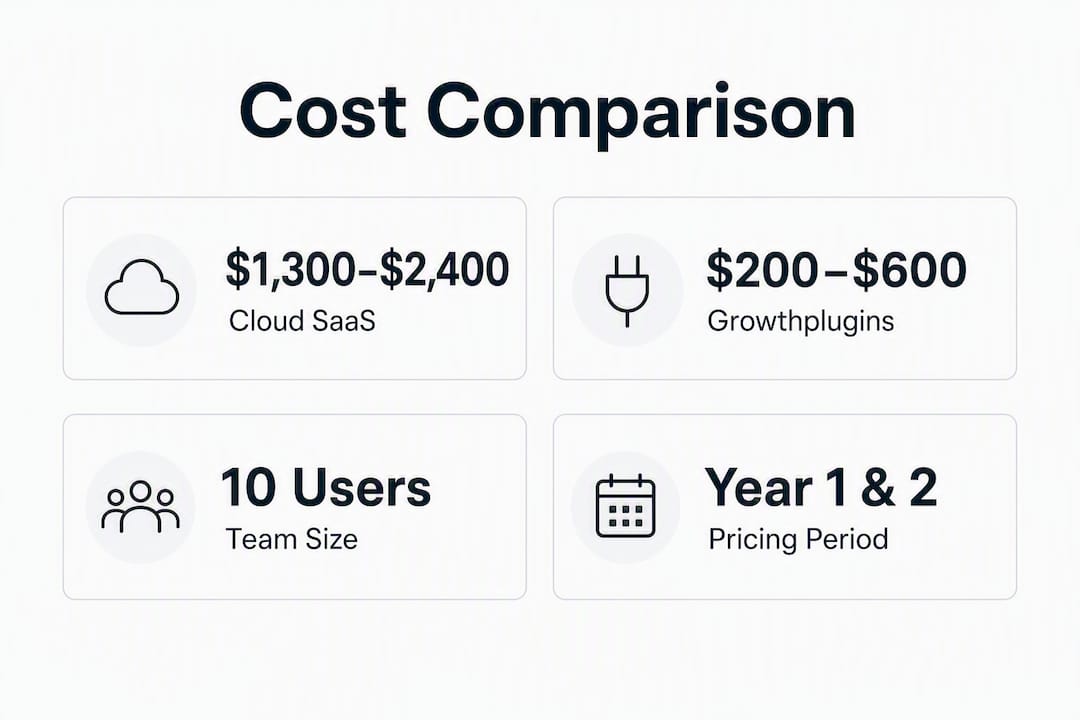
By year two, a self-hosted Growthplugins stack costs roughly hosting fees alone. A mid-tier cloud SaaS renews at the same annual rate every year. For a 10-user agency, that difference compounds quickly.
Migration steps from Scoro or another SaaS
- Export all project data, client records, and invoices from your current platform (CSV or API).
- Map your invoice line items and client records to Growthplugins’ CRM and invoicing fields.
- Install the Growthplugins suite on your WordPress server (setup takes under five minutes per plugin).
- Configure user roles using WordPress’s native role system.
- Test invoicing templates with one real client invoice before going live.
- Run a two-week parallel period where both systems are active to catch any gaps.
Realistic implementation time for a team with basic WordPress admin skills: two to five days for a full migration. Teams without WordPress experience should budget additional time or bring in a WordPress developer for the initial setup.
Operational caveats
Self-hosting means you own the backups, plugin updates, and hosting performance. That is not a burden for a team already managing a WordPress site, but it is a real responsibility. If your agency has no WordPress administrator and no appetite for server management, a cloud SaaS with a vendor SLA is the safer operational choice. Growthplugins fits best when WordPress is already part of your infrastructure.
Pro Tip: Set up automated daily backups before you go live with Growthplugins. A managed WordPress host like WP Engine or Kinsta handles this automatically. That single step eliminates the most common operational risk of self-hosted tools.
For a detailed implementation walkthrough, the step-by-step WordPress project management guide covers the full setup process.
Key Takeaways
For most small-to-medium agencies, the best Scoro alternative is the one that covers billing and CRM natively, because assembling those capabilities from separate tools typically costs $1,000–$3,000 more per year.
| Point | Details |
|---|---|
| Billing integration is the deciding factor | Tools without native invoicing create hidden add-on costs that erode the savings from a lower per-user price. |
| Cloud SaaS TCO rises every year | Mid-tier cloud platforms cost a range covering common total subscription costs across cloud SaaS solutions for 10 users and renew at the same rate annually. |
| Self-hosted cost drops sharply after year 1 | Growthplugins’ year-2 cost is roughly hosting fees only (~$120/yr), versus full SaaS renewal. |
| Run a pilot with real billing data | A 30-day pilot using actual client invoices and time logs reveals gaps that demos never show. |
| Growthplugins fits WordPress agencies best | One-time licensing, full data ownership, and a complete feature set make it the strongest self-hosted option for agencies already on WordPress. |
The case for stopping the SaaS subscription cycle
The conventional wisdom in agency software is that SaaS is worth the monthly fee because someone else handles the infrastructure. That logic made sense when self-hosted tools were fragile and hard to configure. It is less compelling now.
What most agency owners underestimate is how quickly SaaS costs compound. A $15/user/month tool sounds cheap at 5 users. At 15 users, with a billing add-on and a CRM integration, you are looking at $400–$600 a month before you have added a single enterprise feature. The vendor raises prices, you absorb it, and the switching cost grows every year you stay.
The agencies that benefit most from a self-hosted approach are not the ones chasing the lowest price. They are the ones that already have WordPress infrastructure, already manage their own hosting, and are tired of paying three separate SaaS vendors for capabilities that should live in one place. For those teams, the question is not whether self-hosted is “good enough.” It is why they waited this long.
That said, self-hosted is not for everyone. A 50-person agency with a dedicated IT team and enterprise Salesforce integration requirements should be on Kantata or Accelo, full stop. The tool has to match the operational reality, not just the budget preference.
The agencies I see make the worst software decisions are the ones that evaluate tools on feature checklists alone, without running a real billing pilot. A tool that looks complete in a demo can fall apart the first time you try to generate a multi-line invoice with custom tax rates for a retainer client. That is the test that matters.
Growthplugins: the self-hosted alternative worth trying first
If your agency runs WordPress and you are paying monthly SaaS fees for project management, invoicing, and CRM separately, Growthplugins replaces all three with a one-time license and no recurring subscription.
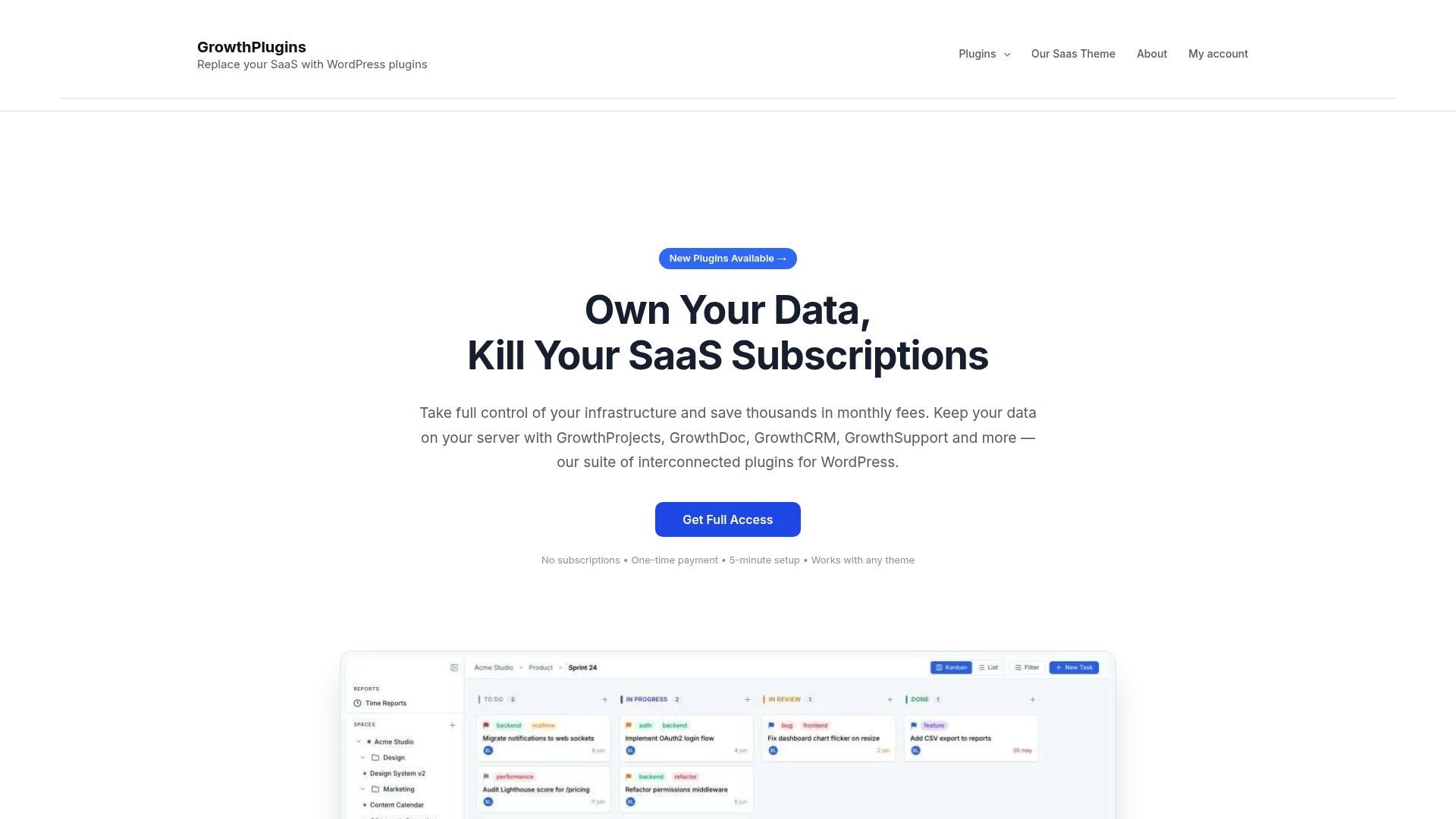
The plugin suite covers Kanban boards, time tracking, task comments, a client portal, a sales CRM, invoicing, a support ticket system, a knowledge base, and website monitoring. Everything runs on your own server. Your client data, billing records, and project history stay under your control, with GDPR compliance built in by design rather than bolted on.
Growthplugins fits freelancers and small-to-medium agencies already on WordPress who want to cut or eliminate recurring SaaS costs without losing the core operational tools they rely on. The pricing model is straightforward: one-time plugin purchases with optional bundles, no per-user monthly fees, and a free core plugin to try before you buy.
Before purchasing, review your hosting setup (any managed WordPress host works), confirm which add-ons your workflow requires, and check the guide to replacing SaaS tools with Growthplugins to map your current stack to the plugin suite.
Start with the free GrowthProjects plugin to test core Kanban and time tracking on your live WordPress site, then add billing and CRM plugins when you are ready to go fully self-hosted.
Useful sources
The following sources were used to verify pricing, feature comparisons, and buyer guidance in this article. Pricing and tiers were checked in mid-2026. Vendor pricing changes frequently; verify directly before making any purchase decision.
- Scoro Alternatives: 2026 Guide | ITQlick — feature and TCO comparisons for Scoro alternatives.
- 5 Best Project Management Software I Reviewed for 2026 | TechnologyAdvice — category rankings and tool strengths for agency use cases.
- Scoro 2026 Pricing, Features, Reviews & Alternatives | GetApp — pricing and value-for-money signals.
- Top Scoro Alternatives & Competitors 2026 | Gartner Peer Insights — peer reviews and competitive alternatives.
- Teamwork Reviews | G2 — user reviews for Teamwork’s billing and client portal features.
- monday.com Reviews | G2 — user reviews for monday.com’s customization and workflow features.
- Growthplugins — Free Project Management Plugin for WordPress — core plugin product page.
- Replacing SaaS Tools with Growthplugins | Growthplugins — migration guide for agencies moving from SaaS to self-hosted.
FAQ
What is the most affordable Scoro alternative for a 10-user agency?
Growthplugins is the lowest total-cost option for agencies already on WordPress, with a one-time license cost of $200–$600 and hosting at $120/year. Among cloud SaaS tools, ClickUp offers the lowest per-user pricing for a 10-user team at $700–$1,200/year.
Which Scoro alternative has the best built-in billing and invoicing?
Teamwork and Accelo both include native billing. Accelo is stronger for retainer-heavy firms; Teamwork integrates directly with QuickBooks and Xero, making it practical for agencies already using those accounting tools.
Do any Scoro alternatives offer a self-hosted option?
Growthplugins is the only self-hosted option on this list. It runs on your own WordPress server, keeps all data under your control, and covers project management, time tracking, invoicing, CRM, and a client portal with no recurring subscription fees.
How long does it take to migrate from Scoro to a new platform?
For most 10-user agencies, a full migration takes two to five days with basic technical skills. Cloud SaaS tools typically offer import wizards for CSV data. Growthplugins requires WordPress admin access and a data mapping step, but setup per plugin takes under five minutes.
What red flags should agencies watch for when evaluating Scoro alternatives?
Watch for pricing that requires a sales call, no clean data export option, invoicing that cannot handle custom tax rates, and time tracking with no native timer. Any platform that locks your data behind a higher tier or makes export difficult is a long-term risk.