For WordPress freelancers and small agencies, Growthplugins is the strongest self-hosted Confluence alternative because it runs entirely inside WordPress, uses native WP user roles for permissions, and replaces recurring SaaS fees with a one-time license. Your docs, tasks, client portal, and invoices live on your own server.
Here is the practical shortlist:
- WordPress plugin suites (Growthplugins, WP Project Manager by weDevs, UpStream): best when everything needs to live inside WordPress with zero extra infrastructure.
- Lightweight self-hosted wikis (BookStack, Wiki.js): best when you need a clean, standalone documentation app and are comfortable managing a separate server.
- Extensible self-hosted platforms (XWiki): best for teams that need enterprise-grade access controls and a rich plugin ecosystem outside WordPress.
GrowthBalance
Track time, income and expenses for every project and side-project you run — 100 % front-end, self-hosted inside WordPress. No SaaS subscription, no per-seat fees.
Table of Contents
- What are the best confluence alternatives for WordPress users?
- How do you pick the right self-hosted Confluence alternative?
- How do you migrate from Confluence to a WordPress-based setup?
- What do self-hosted alternatives actually cost compared to Confluence?
- What security and compliance steps do you need when self-hosting docs?
- Why Growthplugins is the WordPress-first pick for freelancers
- Why do teams replace Confluence?
- What does the support ecosystem look like for each option?
- How much can you customize a WordPress-integrated doc setup?
- How do self-hosted WordPress doc setups perform at scale?
- Key Takeaways
- The case for consolidation over tool sprawl
- Growthplugins fits your WordPress workflow without the SaaS overhead
- Useful sources
- FAQ
What are the best confluence alternatives for WordPress users?
The table below compares the three approach categories on the dimensions that matter most to freelancers.
| Dimension | WordPress plugin suites | Lightweight self-hosted wikis | Standalone self-hosted apps |
|---|---|---|---|
| Best for | Freelancers / small agencies on WordPress | Developers comfortable with Linux hosting | Teams needing advanced docs outside WP |
| Hosting model | WordPress plugin, same server | Separate app (PHP or Node.js) | Separate app, own server |
| Core features | Docs/wiki, Kanban, time tracking, client portal, invoicing | Docs, page editor, versioning, search | Docs, versioning, permissions, search, plugins |
| Project integration | Native: tasks, Kanban, time tracking in one dashboard | None built-in; link externally | Limited; depends on add-ons |
| Migration from Confluence | Manual import; map page hierarchy to WP pages | Structured import tools vary by tool | Varies; some offer XML importers |
| Extensibility | WordPress plugin ecosystem | REST API, webhooks | Plugin marketplace (XWiki), Git sync (Wiki.js) |
| Pricing model | One-time license or free tier | Open-source (MIT / AGPL) | Open-source or commercial add-ons |
| Maintenance burden | WP updates + plugin updates | OS + app updates + backups | OS + app updates + backups |
| Security & compliance | WP roles, SSL, GDPR-ready on your server | Role-based access, SSL, self-hosted | LDAP/SSO options, self-hosted, data sovereignty |
The clear trade-offs: WordPress plugin suites give you the tightest integration with zero extra infrastructure, but your documentation lives inside WordPress rather than a purpose-built wiki engine. Lightweight wikis like BookStack offer a polished reading experience and a clean Books/Chapters/Pages hierarchy, but they add a second server to maintain and have no native task layer. XWiki’s plugin ecosystem is deep, but the setup and admin overhead is real.
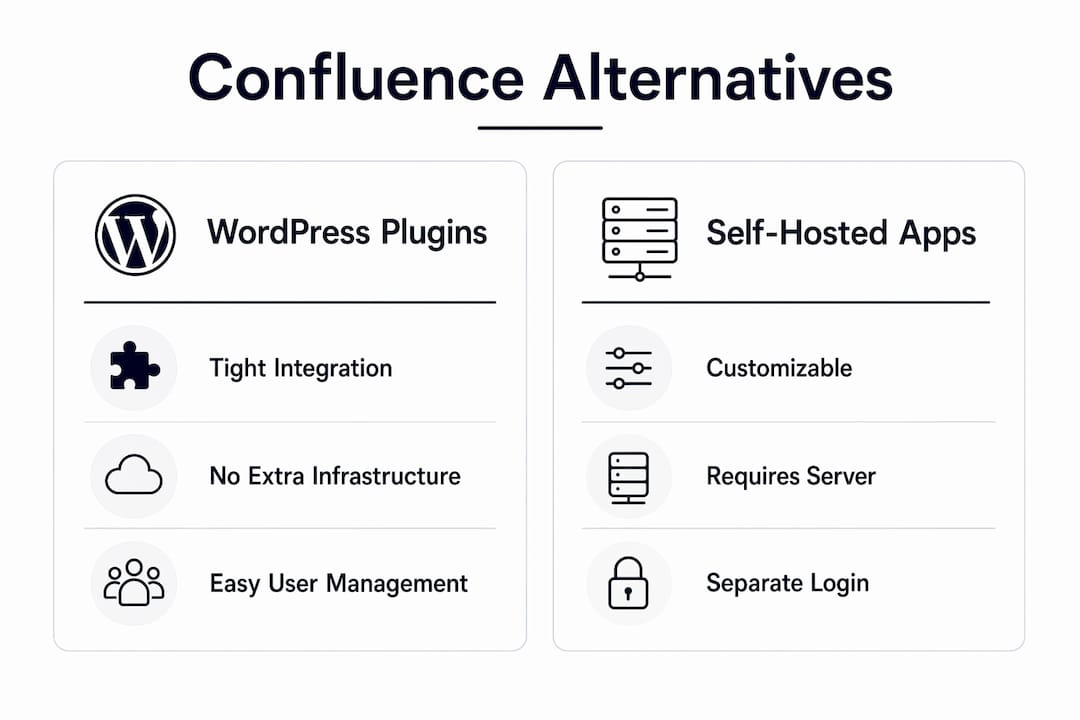
Recommended pick: Growthplugins for any freelancer or small agency already on WordPress. If your team writes heavy technical documentation and prefers a dedicated wiki UI, a self-hosted BookStack or Wiki.js instance is a reasonable complement, not a replacement.
Pro Tip: Before committing to a separate wiki server, ask whether your clients will actually log in to a second URL. If the answer is no, keeping docs inside WordPress eliminates one authentication problem entirely.
How do you pick the right self-hosted Confluence alternative?
Start with three questions: Does it use WordPress roles natively? Can you link a doc page directly to a task? Does the hosting model match your server skills? Those three answers eliminate most options fast.
Work through this checklist in order:
- Scale — how many users, pages, and projects do you expect in 12 months?
- Editor and templates — does the editor match how your team actually writes (block editor, Markdown, WYSIWYG)?
- Permissions — can you map your existing WordPress roles without a separate identity system? Native WP role integration removes the need for secondary authentication.
- Search quality — full-text search across docs and tasks, not just titles.
- Task linkage — can a doc page reference a specific task or Kanban card?
- Import tools — does the tool accept Confluence XML exports or require manual copy-paste?
- Extensibility — REST API, webhooks, or WordPress hooks for custom integrations?
- Maintenance capacity — do you have time for monthly updates, backups, and security patches, or do you need managed hosting?
Watch for these red flags: no native WordPress user support, no Confluence import path, and per-seat pricing that scales faster than your revenue.
Experts recommend evaluating tools by the ROI of consolidation — measure how much context switching the tool eliminates and whether docs can be linked directly to tasks. Feature count is a poor proxy for fit.

How do you migrate from Confluence to a WordPress-based setup?
The one-line answer: map your page hierarchy first, export from Confluence, then import into your chosen tool while keeping attachments and internal links intact.
Follow these steps:
- Scope your content — audit spaces, pages, and attachments. Flag pages that are stale or redundant before you migrate anything.
- Export from Confluence — use Confluence’s built-in XML/HTML export. Export space by space, not the whole instance at once.
- Map page hierarchy — translate Confluence Spaces → WordPress categories or plugin “workspaces”; Pages → individual doc pages.
- Test on staging first — import a representative subset (one space, 20–30 pages) on a staging WordPress install before touching production.
- Handle attachments — download attachment ZIPs from Confluence and re-upload to WordPress media or the plugin’s file manager. Internal links will need updating after import.
- Validate permissions — a common migration pitfall is failing to map Confluence permission granularity to WordPress roles. Test with a representative set of users before full cutover.
- Link docs to tasks — once pages are imported, connect them to Growthplugins tasks using shortcodes or block embeds, and set client portal visibility per project.
Pro Tip: Run your import on a staging copy of your live WordPress site, not a blank install. That way you catch theme conflicts and plugin collisions before they affect clients.
For further migration guidance, the Growthplugins blog covers WordPress-specific import workflows and integration tips.
What do self-hosted alternatives actually cost compared to Confluence?
Self-hosted plugin suites reduce recurring SaaS fees but shift costs to hosting and maintenance. That trade-off is almost always favorable for freelancers, but it is not free.
- Open-source wikis (BookStack, Wiki.js, XWiki): $0 license cost, but you pay for a VPS ($5–$20/month on DigitalOcean or Linode), plus your time for setup and updates.
- One-time license plugins (Growthplugins): a single purchase covers the plugin suite; no per-seat monthly fees. Hosting is your existing WordPress server.
- SaaS Confluence: Atlassian’s Cloud pricing scales per user per month, and Data Center licenses add significant annual costs for self-hosted Atlassian deployments.
For hosting, a managed WordPress host (WP Engine, Kinsta) handles OS-level security and backups but costs more than a bare VPS. A shared host works for small teams but limits PHP memory and can slow search-heavy doc plugins. A VPS with 2GB RAM is a reasonable floor for a self-hosted wiki serving under 20 users.
Maintenance checklist: monthly WordPress core and plugin updates, automated daily backups with tested restores, uptime monitoring, and a security scan schedule. Budget roughly 1–2 hours per month for a well-configured setup, or factor in an agency retainer if you prefer hands-off. For a broader view of consolidating workforce tools, the TimeProf workforce management checklist covers TCO considerations worth reviewing.
What security and compliance steps do you need when self-hosting docs?
Self-hosting gives you full data sovereignty but requires explicit security policies. No vendor handles this for you.
Security checklist:
- Harden WordPress: disable XML-RPC, limit login attempts, remove unused plugins and themes.
- Force SSL on all pages; use a WAF (Cloudflare or a server-level firewall).
- Use native WordPress roles for access control; never give clients admin or editor roles.
- Enable two-factor authentication for all admin and editor accounts.
- Automated daily backups with off-site storage (S3, Backblaze) and monthly tested restores.
- Keep an access log and review it quarterly.
On compliance: if you handle personal data from EU clients, GDPR applies regardless of where your server sits. Practical steps include documenting data location, setting retention policies for client project data, and being able to produce an access log on request. Keeping data on your own server in the US means you control residency, which simplifies compliance conversations with EU clients.
Why Growthplugins is the WordPress-first pick for freelancers
Growthplugins is the recommended option for freelancers who want a WordPress-native, self-hosted suite that consolidates docs, tasks, client portals, and invoices into one dashboard without a second server or a monthly SaaS bill.
Feature mapping against the comparison dimensions:
- Editor: block-based doc editor inside WordPress, no separate app.
- Versioning and permissions: WordPress role system used natively; clients get portal access without a separate login.
- Search: full-text search across docs and tasks within the WordPress admin.
- Kanban and task integration: tasks, Kanban boards, and time tracking live in the same dashboard as your knowledge base.
- Client portal: client-facing project views with controlled visibility per project.
- Invoicing: built-in invoicing with Spanish tax compliance, useful for US freelancers billing international clients.
- CRM: sales pipeline and client records integrated with project data.
Onboarding for a freelancer takes under an hour: install the plugin bundle, map your existing WordPress user roles to project roles, import your first doc pages, and configure the client portal. A freelance developer use case on the Growthplugins site walks through the full setup sequence.
Pro Tip: Install Growthplugins on a staging site first and import 10–15 of your most-used Confluence pages. Check that internal links resolve and that your client user role sees only the pages you intend.
Why do teams replace Confluence?
The top triggers are fragmented documentation, complex permission management, and cost escalation. Confluence’s per-user pricing climbs fast as teams grow, and the gap between Confluence (docs) and Jira (tasks) means teams constantly switch contexts. Atlassian’s Data Center EOL announcements have pushed many self-hosted Confluence users to evaluate alternatives rather than migrate to Atlassian Cloud and accept recurring fees.
Permission management is a particular pain point. Confluence’s space and page permission model is granular but opaque; many teams end up with permissions no one fully understands. WordPress role-based access is simpler and auditable.
What does the support ecosystem look like for each option?
BookStack has an active GitHub repository with regular releases, a community forum, and clear self-hosting documentation. It is MIT-licensed, so the community is the primary support channel.
Wiki.js maintains active development on GitHub with a Discord community. Documentation is thorough for Node.js deployments.
XWiki has a commercial support tier alongside its open-source community, with a plugin marketplace and long-term release branches. It is the most enterprise-ready of the standalone options.
Growthplugins ships updates through the WordPress plugin system. The Growthplugins site publishes use-case guides and integration walkthroughs. Support is direct rather than community-forum-based, which matters when you hit a production issue on a client project.
Vendor trust signals worth checking before you commit: active GitHub releases in the last 90 days, published migration docs, a free tier or trial, and plugin marketplace ratings.
How much can you customize a WordPress-integrated doc setup?
WordPress’s hook system (actions and filters) makes plugin suites like Growthplugins highly extensible. You can add custom post types for doc categories, use Advanced Custom Fields to attach metadata to pages, and trigger Zapier or Make workflows via WordPress REST API calls.
For standalone wikis, extensibility depends on the platform. XWiki has the deepest plugin marketplace of the self-hosted options, with extensions for LDAP, macros, and workflow automation. Wiki.js supports Git sync, which lets you version docs in a repository alongside code. BookStack offers a REST API and webhooks but has a smaller extension ecosystem.
The practical ceiling for WordPress plugin suites is the WordPress plugin ecosystem itself, which is vast. If you need a custom integration, a WordPress developer can build it faster than a custom XWiki extension.
How do self-hosted WordPress doc setups perform at scale?
For teams under 20 users and a few hundred doc pages, any well-configured WordPress install on a VPS with object caching (Redis or Memcached) handles the load without tuning. Search performance is the first thing to degrade at scale; WordPress’s default search is basic, and adding a plugin like SearchWP or ElasticPress makes a measurable difference once you cross a few hundred pages.
Standalone wikis like Wiki.js (Node.js) and XWiki (Java) are architected for larger deployments and handle concurrent editing and full-text indexing more efficiently at scale. BookStack on PHP performs comparably to WordPress for small-to-medium doc sets.
For freelancers and agencies under 50 users, the performance difference between approaches is negligible if the server is properly configured. The bottleneck is almost always search indexing, not page rendering.
Key Takeaways
Self-hosted WordPress plugin suites give freelancers the best combination of data ownership, native WP role integration, and consolidated docs-plus-tasks without a recurring SaaS fee.
| Point | Details |
|---|---|
| WordPress-first pick | Growthplugins consolidates docs, tasks, client portal, and invoicing in one WordPress dashboard with no monthly fee. |
| When to choose a standalone wiki | Use BookStack or Wiki.js when you need a dedicated doc UI and are comfortable managing a separate server. |
| Migration priority | Map Confluence page hierarchy and test a representative import on staging before any production cutover. |
| Security baseline | Self-hosting requires SSL, WP hardening, role-based access, and automated daily backups with tested restores. |
| Growthplugins next step | Install on a staging WordPress site, import 10–15 doc pages, and verify client portal permissions before going live. |
The case for consolidation over tool sprawl
The conventional wisdom in the Confluence alternatives space is to find the tool with the best editor or the cleanest UI. That framing misses the actual problem most freelancers face: they are not suffering from a bad editor. They are suffering from context switching between a docs tool, a task tracker, a client portal, and an invoicing app, each with its own login and its own data silo.
The move to a WordPress-first suite is not about features. It is about reducing the number of places your work lives. When a client asks about a deliverable, you should be able to pull up the task, the related doc page, the time log, and the invoice from the same screen. That is what consolidation actually delivers, and it is the metric worth measuring before and after any migration.
The tools that look most impressive in a feature comparison are often the ones that add the most overhead. A wiki with 200 features you will never use is not an upgrade over Confluence. A plugin suite that covers 80% of your needs and lives inside the tool you already manage every day usually is.
Growthplugins fits your WordPress workflow without the SaaS overhead
Paying per seat every month for a documentation and project tool that sits outside WordPress is a structural inefficiency for freelancers. Growthplugins puts docs, Kanban boards, time tracking, a client portal, and invoicing on your own server, under your own WordPress install, with a one-time license.
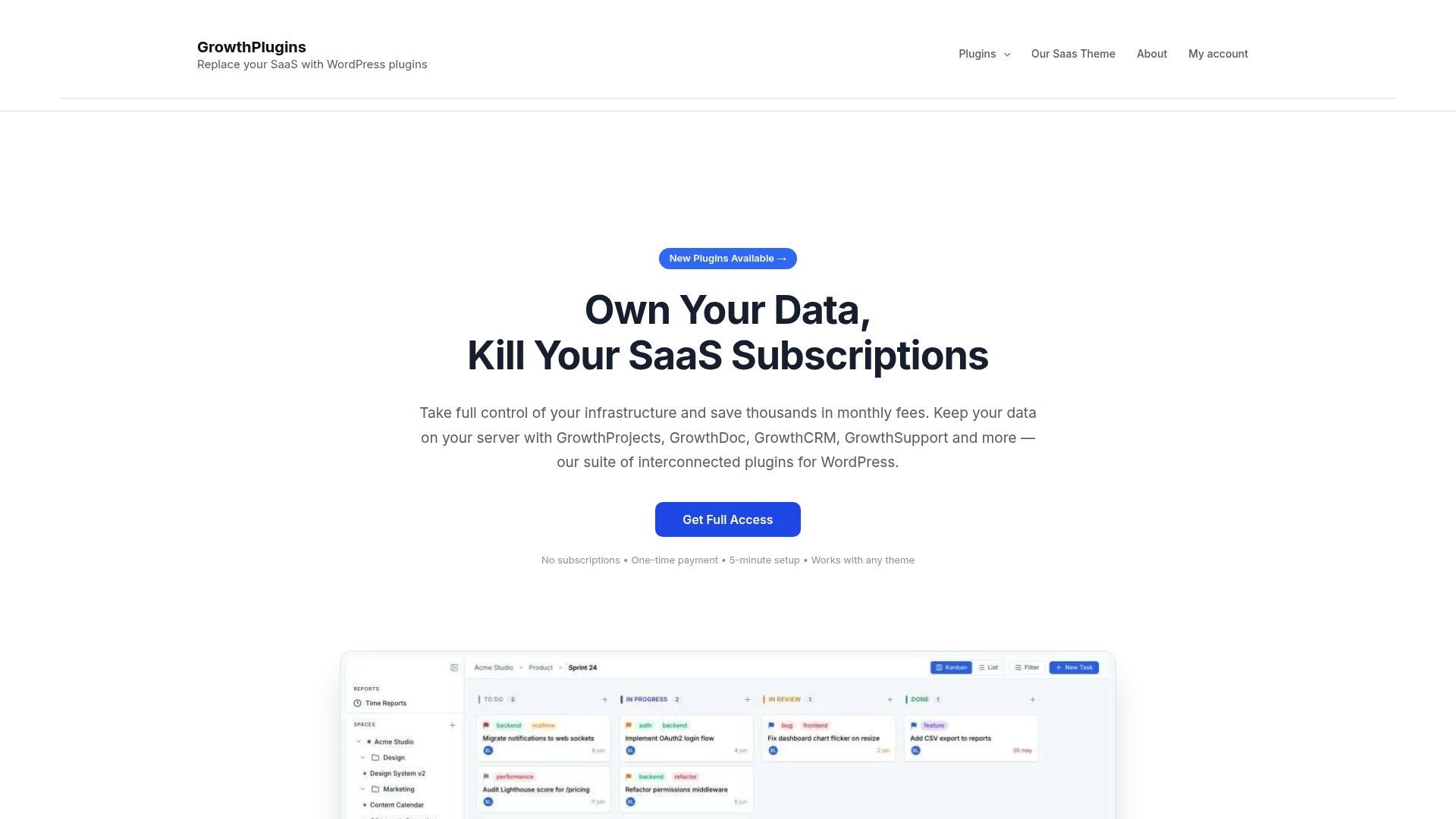
Compatibility is straightforward: WordPress 5.8 or later, PHP 7.4 or higher, and any hosting environment that supports standard WordPress (shared, VPS, or managed). In a 30–60 minute staging trial, you can install the full plugin suite, import a handful of doc pages, configure one client portal, and verify that your existing WordPress user roles map correctly to project permissions.
The step-by-step setup guide on the Growthplugins site walks through the full onboarding sequence. Browse the full plugin lineup to see which modules fit your current workflow, then run the trial on staging before touching any live client environment.
Useful sources
- Growthplugins WordPress collaboration use case — full walkthrough of consolidating project management, docs, and client portals on WordPress.
- Growthplugins freelance developer client portal case — practical onboarding steps and setup sequence for a freelance context.
- BookStack: open-source Confluence alternative — self-hosting documentation, MIT license details, and feature overview.
- 20 Best Confluence Alternatives (The Digital Project Manager) — comparative analysis covering migration difficulty and vendor trust signals.
- Confluence Alternatives 2026 (ones.com) — covers data sovereignty, permission pain points, and migration triggers.
- Jira alternatives strategic guidance (DevRev) — consolidation ROI framework and evaluation criteria.
- Growthplugins blog — WordPress-specific migration tips and integration guides.
FAQ
What is the best self-hosted Confluence alternative for WordPress?
Growthplugins is the strongest WordPress-native option because it uses existing WP user roles, requires no separate server, and consolidates docs, tasks, and client portals in one dashboard with a one-time license.
Can you self-host a Confluence alternative for free?
Yes. BookStack (MIT license) and Wiki.js (AGPL) are free to self-host; you pay only for server costs. XWiki also has a free community edition. These require a separate server and more setup than a WordPress plugin.
How hard is it to migrate from Confluence to WordPress?
Difficulty depends on the target tool. Most paths require exporting Confluence spaces as XML or HTML, manually mapping the page hierarchy, and re-uploading attachments. Testing on a staging site before production cutover is the single most important step.
Is Confluence worth it for freelancers?
For most freelancers, no. Confluence’s per-user pricing and the need for a separate task tool (Jira) create recurring costs and context switching that a self-hosted WordPress plugin suite eliminates with a one-time purchase.
What are the main differences between BookStack, Wiki.js, and XWiki?
BookStack uses a Books/Chapters/Pages hierarchy and is the easiest to set up. Wiki.js offers Git sync and a modern Node.js architecture. XWiki has the deepest plugin ecosystem and enterprise access controls but carries the highest admin overhead of the three.