For self-hosted WordPress users and agencies, Growthplugins is the strongest Pipedrive alternative available today. It runs entirely on your own server, combines CRM and project management in one suite, sells on one-time licenses instead of per-user subscriptions, and installation in under five minutes. The tradeoff is real: Growthplugins won’t match Pipedrive’s out-of-the-box AI forecasting or the deep enterprise automation of large SaaS stacks. If those are your primary needs, read the comparison below before deciding.
Table of Contents
- How do Pipedrive alternatives compare for self-hosted WordPress teams?
- How to choose the right Pipedrive alternative for your team
- How Growthplugins compares to Pipedrive across features and deployment
- Switching from Pipedrive to Growthplugins: migration checklist
- Why self-hosting matters for agencies handling sensitive client data
- Pricing comparison: one-time licenses vs recurring SaaS fees
- What’s the best next step for your team?
- Why do users look for Pipedrive alternatives?
- What do users say about these alternatives?
- How can you try these tools before committing?
- How does implementation support compare across these options?
- Key Takeaways
- Why WordPress-native stacks win for agencies
- Growthplugins: a self-hosted alternative built for WordPress teams
- FAQ
How do Pipedrive alternatives compare for self-hosted WordPress teams?
| Dimension | Growthplugins | Pipedrive | Enterprise SaaS | Visual Board CRMs |
|---|---|---|---|---|
| Best for | WordPress agencies, freelancers | Sales-focused SMBs | Large sales orgs | Visual project teams |
| Deployment | Self-hosted (WordPress) | Cloud SaaS | Cloud SaaS | Cloud SaaS |
| Pricing model | One-time license, free tier | Per-user/month, no free plan | Per-user/month | Per-user/month |
| Data ownership | Full (your server) | Vendor-controlled | Vendor-controlled | Vendor-controlled |
| Integrations | WordPress-native, REST API | 400+ app integrations | Extensive ecosystems | Moderate |
| Automation | Rule-based workflows | Advanced pipeline automation | Enterprise-grade | Limited |
| Scalability | WordPress user limits | Tiered user caps | High | Moderate |
| Setup time | Minutes | Hours to days | Weeks | Hours |
| Support | Docs + community | Tiered support plans | Dedicated CSM | Community + tickets |
| AI features | Limited | AI sales assistant | Advanced forecasting | Minimal |
Growthplugins wins clearly on data ownership and total cost of ownership. Where SaaS platforms still lead: AI-driven forecasting and large-enterprise workflow automation that requires hundreds of connected data sources. For most WordPress agencies handling client-sensitive data, those enterprise AI features are rarely the deciding factor.
How to choose the right Pipedrive alternative for your team
Start with one non-negotiable question: does your client data need to stay on infrastructure you control? If yes, a SaaS CRM is already a poor fit regardless of its feature list.
Essential questions to ask before switching:
- Do you need self-hosting for compliance, client contracts, or data residency?
- How many users will access the system, and does per-seat pricing change your budget significantly?
- Do you need native project management (Kanban, time tracking, task comments) alongside CRM?
- What automation depth is actually required — simple status triggers or multi-branch conditional logic?
- What is your acceptable total cost of ownership over 24 months, including integrations and maintenance?
Red flags to watch for:
- No data export API or CSV export locked behind a paid tier
- Steep “pro cliff” pricing where advanced automation jumps cost by 3x or more
- Weak role and permission mapping that can’t separate client-facing views from internal data
- Vendor lock-in through proprietary data formats with no migration path
Pro Tip: Calculate your integration tax before comparing headline prices. Add up every monthly fee for tools your CRM doesn’t natively cover (support tickets, invoicing, project boards, client portals), plus an honest estimate of the hours spent maintaining those connections. That total often exceeds the CRM subscription itself. Unified platforms — especially self-hosted ones — eliminate most of that overhead. Reviewing your B2B sales tech stack before committing to any platform is time well spent.
How Growthplugins compares to Pipedrive across features and deployment
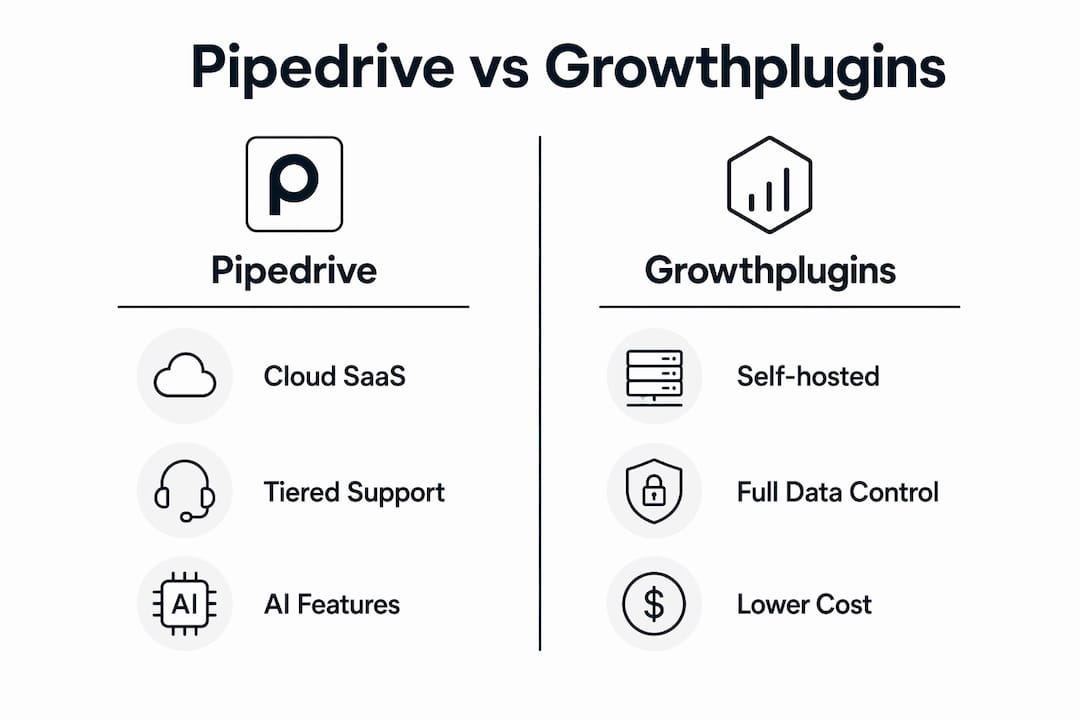
Growthplugins replaces the core Pipedrive workflow while adding project management and data control that Pipedrive simply doesn’t offer. The GrowthCRM plugin covers sales pipelines, contact management, and deal tracking. Layered on top: Kanban boards, time tracking, client portals, support tickets, invoicing, and a knowledge base — all on your WordPress install.
Feature coverage side by side:
- CRM basics and contact management: both
- Pipeline and deal management: both
- Reporting and dashboards: both (Pipedrive more advanced out of the box)
- Kanban boards and task management: Growthplugins only
- Time tracking: Growthplugins only
- Client portal: Growthplugins only
- Invoicing with tax support: Growthplugins only
- AI sales assistant: Pipedrive only
| Dimension | Growthplugins | Pipedrive |
|---|---|---|
| Deployment | Self-hosted WordPress | Cloud SaaS |
| Automation | Rule-based triggers | Advanced pipeline automation |
| Extensibility | WordPress plugins + REST API | 400+ native integrations |
| Support model | Documentation + community | Tiered paid support |
| AI features | Minimal | Built-in AI assistant |
| Data control | Complete | Vendor-managed |
Setup is genuinely fast. Installing the GrowthProjects plugin and connecting it to your WordPress site takes minutes, not the weeks that enterprise-grade CRM platforms typically require for onboarding and customization.

Pro Tip: Start with one client project as a live test. Import that client’s contacts and one active deal, build a single pipeline stage, and run it for two weeks before migrating everything. You’ll surface field-mapping gaps and permission issues early, when fixing them costs an hour instead of a day.
Switching from Pipedrive to Growthplugins: migration checklist
Migration is feasible with planning. Data migration is consistently underestimated — export limitations and field mismatches cause most of the delays.
Migration checklist (in order):
- Export all contacts, deals, activities, and notes from Pipedrive as CSV
- Audit custom fields and map each to a Growthplugins equivalent before importing
- Download and archive file attachments separately (these rarely transfer via CSV)
- Document your current pipeline stages and automation rules
- Create WordPress user accounts and assign roles before importing data
- Import core contacts first, verify data integrity, then import deals
- Rebuild automation triggers and test each workflow end to end
- Run both systems in parallel for one to two weeks before cutting over
Timeline by data volume:
For small datasets, migration can be completed within a few days, while medium datasets typically take up to a couple of weeks including testing. Larger datasets with complex custom fields may require several weeks for full migration.
Common pitfalls:
- Missing field mappings that silently drop data on import
- Lost activity history when Pipedrive’s export omits call logs
- Automation gaps where Pipedrive rules had no direct equivalent
- Permission mismatches that expose internal data to client-facing portal users
Quick win: get contacts and active deals live first. Everything else — historical notes, completed activities — can follow once the team is working in the new system.
Why self-hosting matters for agencies handling sensitive client data
Self-hosting gives you stronger control over personal data and simplifies both GDPR and US data residency compliance. When client data lives on your server, you decide who accesses it, where it’s backed up, and when it’s deleted. No vendor terms-of-service change can override that.
Privacy benefits of a self-hosted WordPress CRM:
- Full data ownership: no third-party vendor processes your client records
- Server-level access control through WordPress roles and capabilities
- Audit logs you manage and retain on your own schedule
- No cross-tenant data risk inherent in multi-tenant SaaS architectures
Agency compliance checklist:
- Encryption at rest and in transit (SSL/TLS on your hosting environment)
- Automated daily backups stored off-server
- Role-based access controls separating client views from internal data
- Written data-handling terms in your client contracts referencing your server location
The tradeoff is real: agencies handling client-sensitive data gain privacy control, but they also inherit responsibility for patching, security hardening, and uptime. That’s a reasonable trade for most WordPress shops that already manage their own hosting.
Pricing comparison: one-time licenses vs recurring SaaS fees
One-time plugin licenses typically lower total cost of ownership for small teams over a 12–36 month window compared to per-user SaaS subscriptions. The math shifts quickly once you account for the integration tax that SaaS stacks accumulate.
| Cost driver | Growthplugins (self-hosted) | Pipedrive (SaaS) | Enterprise SaaS |
|---|---|---|---|
| License / subscription | One-time per plugin | Per user/month | Per user/month |
| Hosting | Existing WordPress hosting | Included | Included |
| Integrations | WordPress ecosystem | Third-party middleware | Extensive but costly |
| Maintenance | Self-managed | Vendor-managed | Vendor-managed |
| Support | Docs + community | Tiered paid plans | Dedicated CSM |
Scenario examples:
- Freelancer (1 user): Growthplugins one-time license + existing hosting = no recurring CRM cost. Pipedrive starts at $14/user/month, or $168/year minimum.
- Small agency (5 users): Pipedrive at $14/user/month runs $840/year before any add-ons. Growthplugins covers the same team on one license with no per-seat fee.
- Mid-sized agency (15 users): SaaS fees compound fast. Tiered pricing cliffs for advanced automation can push annual costs well above $3,000 before integrations.
Pro Tip: Model your break-even in a simple spreadsheet: one-time license cost divided by monthly SaaS fee equals break-even months. For most small agencies, that’s under six months. Add your integration tax (support tool, invoicing tool, project board) to the SaaS side of the ledger and the gap widens further.
What’s the best next step for your team?
Growthplugins is the right fit for self-hosted WordPress teams that need integrated CRM and project management without recurring per-seat fees or surrendering data to a vendor. If your priority is advanced AI forecasting or a 400-app native integration library, a SaaS CRM remains the stronger choice.
Next steps:
- Install the free Growthplugins tier and explore the Kanban and CRM features with no commitment
- Import a small contact dataset (under 50 records) to test field mapping and pipeline setup
- Run one real client project through the system for two weeks
- Calculate your 24-month TCO including current integration costs
Why do users look for Pipedrive alternatives?
The most common triggers are no free plan, restrictive automation tiers, limited integrations, and user-capacity caps that make scaling expensive. Pipedrive’s entry plan locks advanced automation behind higher tiers, and teams that need project management alongside CRM quickly find themselves stitching together multiple subscriptions. For agencies, the per-seat model compounds: five users at $14/month is manageable, but fifteen users with advanced features crosses into territory where the annual bill demands justification.
What do users say about these alternatives?
Pipedrive earns consistent praise for its clean pipeline UI and ease of onboarding. The recurring complaints: no free tier, automation that feels limited until you pay for higher plans, and a lack of native project management. HubSpot CRM gets credit for its generous free tier and marketing integration, but users frequently flag that the “pro cliff” hits hard when teams need more than basic contact management. Zoho CRM is widely cited as the budget-friendly option, though its interface draws mixed reviews. monday.com wins on visual project tracking but is not a CRM in the traditional sense, which creates gaps for sales-focused teams. Growthplugins users highlight data ownership and the absence of monthly fees as the primary reasons they stay.
How can you try these tools before committing?
Pipedrive offers a 14-day free trial with no credit card required. HubSpot CRM has a permanent free tier that covers basic contact and deal management. Zoho CRM includes a free plan for up to three users. monday.com provides a 14-day trial on paid plans. Growthplugins offers free base versions of its core plugins directly through WordPress, so you can install, test, and evaluate on your own server before purchasing any paid upgrade.
How does implementation support compare across these options?
Pipedrive provides tiered support: email for entry plans, phone and priority support at higher tiers. HubSpot offers extensive documentation, a large community forum, and paid onboarding packages for new accounts. Zoho CRM has broad documentation but support quality varies by plan level. Growthplugins relies on documentation and a community model, which suits WordPress-native teams already comfortable managing their own installs. The support ticket automation built into the suite means agencies can handle client requests without a separate helpdesk subscription.
Key Takeaways
For self-hosted WordPress agencies, Growthplugins delivers lower total cost of ownership, full data control, and integrated CRM plus project management on a one-time license model that SaaS alternatives cannot match.
| Point | Details |
|---|---|
| Self-hosting wins on privacy | Your data stays on your server; no vendor terms or breach risk from multi-tenant SaaS. |
| One-time licensing cuts costs | Freelancers and small agencies typically break even versus Pipedrive in under six months. |
| Integration tax adds up fast | SaaS stacks accumulate fees for support, invoicing, and project tools Growthplugins bundles natively. |
| Migration takes planning | Map custom fields and export attachments before importing; run both systems in parallel for one to two weeks. |
| Growthplugins fits WordPress teams | CRM, Kanban, invoicing, and client portals install in minutes on any WordPress site with no per-seat fees. |
Why WordPress-native stacks win for agencies
The conventional wisdom says “pick the CRM with the most integrations.” That advice made sense when every tool lived in its own silo and the goal was connecting them. For WordPress agencies in 2026, it’s the wrong frame entirely.
The real cost isn’t the CRM subscription. It’s the three other subscriptions you need to make it useful: a project board, a support desk, an invoicing tool. Each one adds a monthly fee, a login, a data sync that breaks on updates, and a vendor whose terms you can’t control. Agencies handling client data under NDAs or with GDPR obligations are particularly exposed when that data flows through four different vendor clouds.
A WordPress-native suite like Growthplugins sidesteps the entire problem. The data never leaves your server. The tools don’t need middleware to talk to each other. And when a client asks where their data lives, the answer is a single sentence instead of a privacy policy review across four vendors.
The tradeoff — owning your own security and patching — is real. But any agency already running WordPress hosting is already doing that work. Adding a self-hosted CRM and PM suite doesn’t meaningfully increase that burden. It just eliminates the recurring fees and the integration fragility that come with the SaaS alternative.
Growthplugins: a self-hosted alternative built for WordPress teams
If recurring SaaS fees and vendor-controlled data are the problems, Growthplugins is a direct solution. The suite covers CRM and pipeline management, Kanban boards, time tracking, client portals, support tickets, and invoicing with tax support — all on your WordPress server, all on one-time licenses.
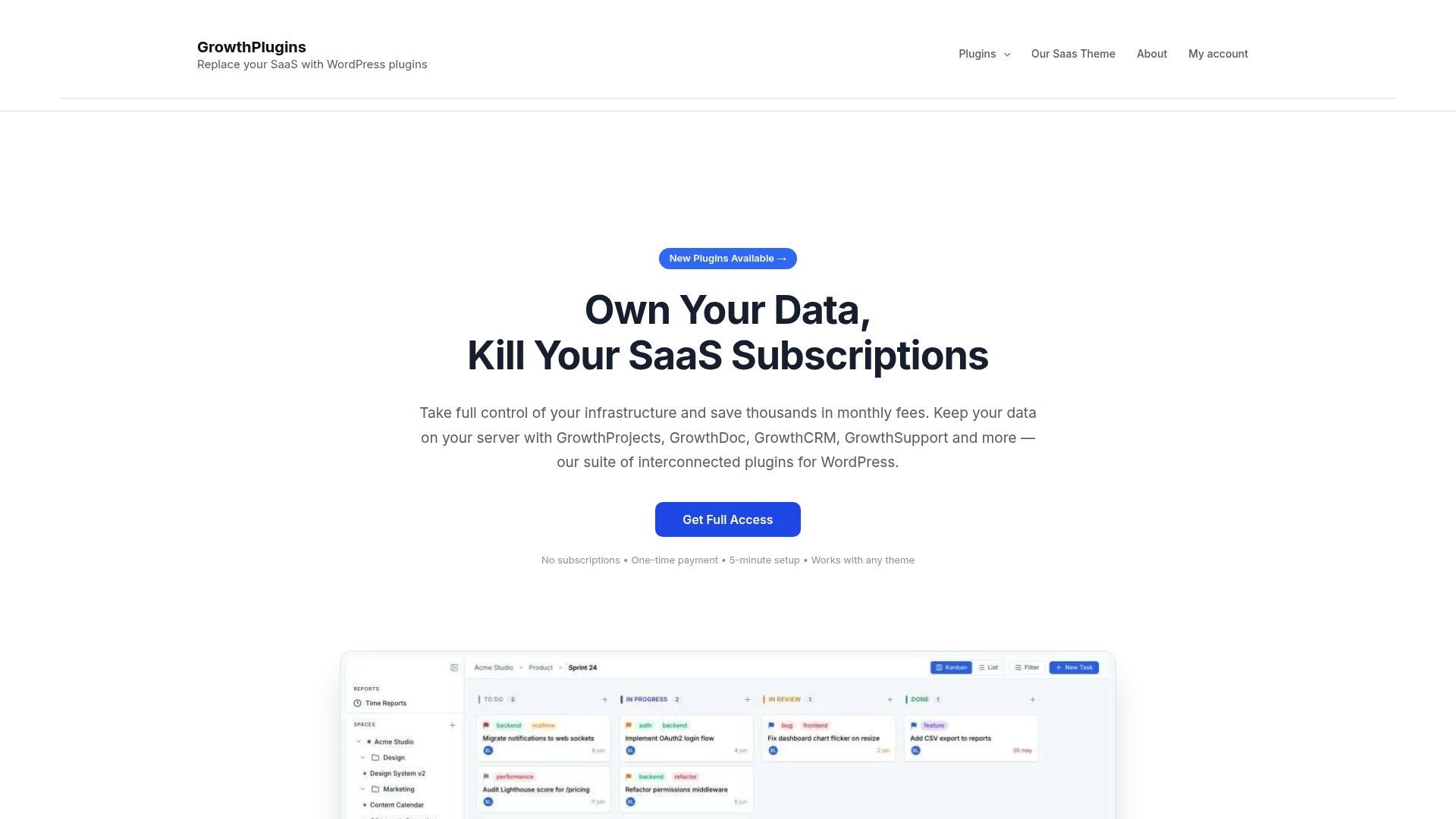
Agencies that have replaced Pipedrive with Growthplugins typically eliminate three to four separate SaaS subscriptions in the process. The guide to replacing SaaS tools with Growthplugins walks through the full process, from install to live workflows. Start with the free plugin tier on your WordPress site today and see how far you get before spending a dollar.
Useful sources & further reading
Migration & setup
- The 7 best Pipedrive alternatives — Zapier
- GrowthProjects plugin page — Growthplugins
- Replacing SaaS tools with Growthplugins — Growthplugins
Pricing & TCO
- 10 Best Pipedrive Alternatives — BigContacts
- Pipedrive Alternatives for Your Business in 2026 — IntegrateIQ
- GrowthInvoices plugin page — Growthplugins
Privacy & compliance
- Top Pipedrive alternatives for SMBs — PandaDoc
- Top Pipedrive Alternatives & Competitors 2026 — Gartner Peer Insights
- GrowthCRM plugin page — Growthplugins
FAQ
Is there a free Pipedrive alternative for WordPress?
Yes. Growthplugins offers free base versions of its core plugins installable directly from your WordPress dashboard, with no credit card required. HubSpot CRM and Zoho CRM also offer permanent free tiers, though both are cloud-hosted.
How long does it take to migrate from Pipedrive to Growthplugins?
Migration can be completed within a few days for small datasets, while medium datasets typically take up to a couple of weeks including testing. Larger datasets with complex custom fields may require several weeks for full migration.
Does Growthplugins handle both CRM and project management?
Yes. The suite includes pipeline and contact management through GrowthCRM, Kanban boards and time tracking through GrowthProjects, client portals, support tickets, and invoicing — all on one WordPress install.
What are the main reasons teams leave Pipedrive?
The most common reasons are the absence of a free plan, automation features locked behind higher-priced tiers, limited native project management, and per-seat pricing that scales poorly for growing teams.
Can Growthplugins replace Pipedrive for agency client portals?
Yes. The client portal feature lets agencies give clients a dedicated view of their projects and communications without exposing internal data, which is a capability Pipedrive does not offer natively.