The clearest answer: if you need self-hosted control on WordPress, Growthplugins is the strongest fit; for keyboard-first engineering speed, Linear; for cross-functional work OS needs, ClickUp or monday.com; for DevOps-integrated tracking, GitLab; and for AI-native customer-connected workflows, DevRev. Every team leaving Jira falls into one of these four categories, and the right replacement depends almost entirely on deployment preference, team composition, and how much migration complexity you can absorb.
Migration urgency: Atlassian ended new Data Center license sales on March 30, 2026, setting a defined migration window for existing DC customers. If your organization runs Jira Data Center, the clock is already running.
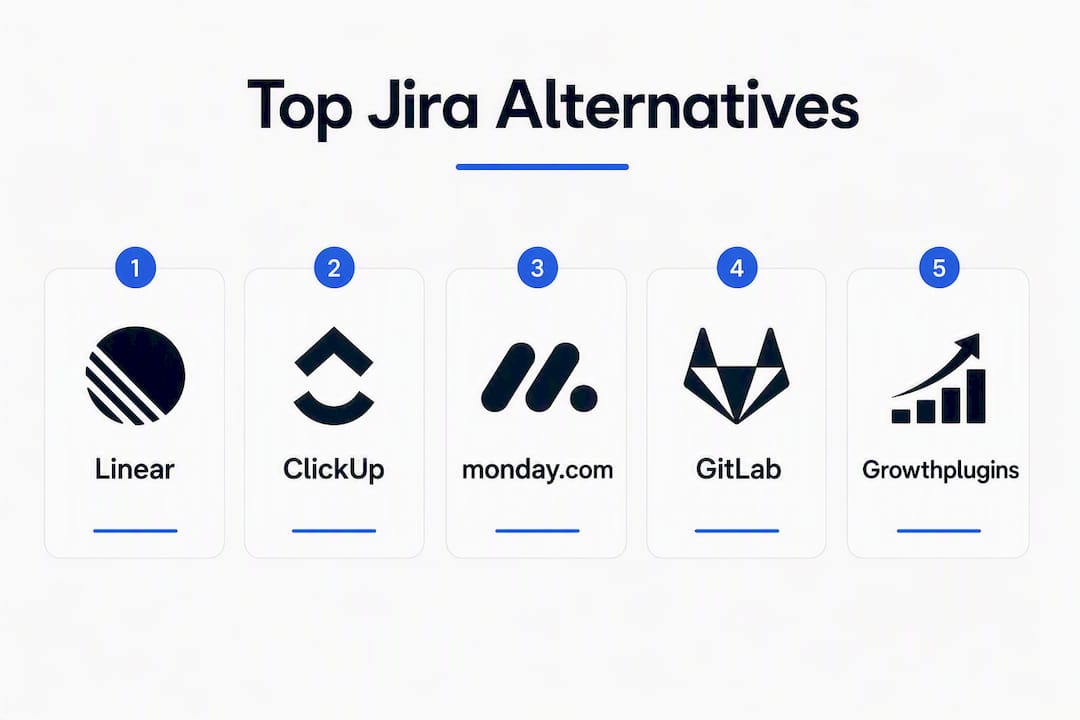
Top picks at a glance:
- Growthplugins — Best for freelancers, agencies, and WordPress-hosted teams that need data residency and one-time licensing with no recurring SaaS fees
- Linear — Best for small-to-medium engineering teams that want a fast, opinionated workflow with minimal daily friction
- ClickUp — Best for cross-functional teams that need tasks, docs, whiteboards, and automation in one platform
- GitLab — Best for engineering orgs that want code, CI/CD, and issue tracking unified in a single platform
- DevRev — Best for product-led organizations that want AI connecting customer context directly to engineering work
- OpenProject — Best for organizations requiring a self-hosted, open-source solution with Gantt charts and classical project planning
Table of Contents
- How do the top Jira alternatives compare at a glance?
- Detailed profiles: which tool fits your team?
- How do you choose the right Jira alternative for your team?
- Self-hosted vs. cloud: which deployment model fits your team?
- A practical migration checklist for moving off Jira
- How we selected and evaluated these alternatives
- Key Takeaways
- When does Growthplugins make the most sense?
- Growthplugins: self-hosted project management for WordPress teams
- Sources and further reading
- FAQ
How do the top Jira alternatives compare at a glance?
Independent roundups in 2026 cover more than 20 options across categories: all-in-one work OS tools, keyboard-first engineering trackers, AI-native platforms, and self-hosted open-source solutions. The table below maps the eleven featured alternatives across the dimensions that matter most to technical buyers.
| Tool | Best For | Deployment | Price Shape | Standout Feature | Workflow & Customization | Integrations | Migration Effort | AI Features | Security & Compliance | Team Size |
|---|---|---|---|---|---|---|---|---|---|---|
| Growthplugins | WordPress-hosted teams, freelancers, agencies | Self-hosted (WordPress) | One-time purchase; free core | Kanban, time tracking, client portal, support tickets on your own server | Kanban, list view, workspaces, folders | WordPress user/role system; no native VCS | Low (no SaaS migration; install plugin) | None (data stays on your server) | GDPR-friendly; data residency on your host | Small teams, freelancers, agencies |
| Linear | Small-to-medium engineering teams | Cloud | Free tier; paid per user/month | Keyboard-first speed, opinionated sprint workflow | Cycles, triage, custom statuses | GitHub, GitLab, Slack, Figma | Moderate (CSV/API import from Jira) | AI issue summarization and auto-labeling | SOC 2 Type II | Small-to-medium |
| ClickUp | Cross-functional teams | Cloud (self-hosted enterprise option) | Free tier; paid per user/month | Docs, whiteboards, automations, time tracking in one platform | Highly flexible; 35+ column types | GitHub, GitLab, Slack, Zoom, Salesforce | Moderate (Jira importer available) | AI writing, summarization, task generation | SOC 2, GDPR, HIPAA (Business+) | All sizes |
| monday.com | Visual workflow teams | Cloud | Per user/month; no free plan for teams | Visual boards, flexible building blocks, no-code automations | Drag-and-drop boards, 200+ templates | GitHub, GitLab, Slack, Zendesk, Salesforce | Moderate (CSV import; no native Jira importer) | AI column suggestions, automation builder | SOC 2, ISO 27001, GDPR | Small-to-enterprise |
| GitLab | Engineering orgs (DevOps-first) | Cloud or self-hosted | Free tier; paid per user/month | Code, CI/CD, and issues in one platform | Epics, milestones, boards, custom workflows | Native CI/CD, Kubernetes, Slack, Jira | Low-moderate (GitLab Jira importer) | AI code suggestions, issue summarization | SOC 2, ISO 27001, GDPR, FedRAMP (Gov) | Mid-to-enterprise |
| GitHub Issues | GitHub-centric dev teams | Cloud | Free with GitHub repos; paid for advanced features | Native repo integration, project boards | Labels, milestones, project views | GitHub Actions, Slack, Jira, ZenHub | Low (GitHub Jira importer) | Copilot integration | SOC 2, GDPR | Small-to-medium |
| YouTrack | Technical teams needing deep customization | Cloud or self-hosted | Free up to 10 users; paid per user/month | Powerful query language, workflow scripting | Custom workflows, agile boards, sprints | GitHub, GitLab, Slack, TeamCity | Moderate (Jira XML import) | Basic AI assist | SOC 2, GDPR | Small-to-large |
| OpenProject | Self-hosted, open-source orgs | Self-hosted or cloud | Community edition free; Enterprise paid | Gantt charts, roadmaps, classical project planning | Work packages, Gantt, Kanban, Scrum | GitHub, GitLab, Nextcloud | Moderate (CSV/API import) | Limited AI | GDPR, ISO 27001 (Enterprise) | Small-to-enterprise |
| Plane | Product teams needing roadmapping | Cloud or self-hosted | Free tier; paid per user/month | Visual prioritization, roadmap views, cycles | Issues, cycles, modules, pages | GitHub, Slack, Jira importer | Low-moderate (Jira CSV import) | AI issue drafting | SOC 2 (in progress) | Small-to-medium |
| Redmine | Teams wanting mature open-source extensibility | Self-hosted | Free (open-source) | Plugin ecosystem, time tracking, multi-project | Custom fields, workflows, roles | GitHub (via plugins), email, REST API | High (manual migration) | None native | GDPR (self-managed) | Small-to-large |
| DevRev | AI-native, customer-connected dev orgs | Cloud | Per user/month (contact for pricing) | Links customer support data to engineering issues; agentic AI | AI-driven triage, custom workflows | Slack, GitHub, Zendesk, Salesforce | Moderate (Jira import via API) | Agentic AI that acts across systems | SOC 2, GDPR, ISO 27001 | Mid-to-enterprise |
Trial availability: Linear, ClickUp, monday.com, Plane, and GitHub Issues all offer free tiers you can start today. GitLab and YouTrack offer free tiers with seat limits. OpenProject and Redmine are free to self-host. DevRev requires a demo request for enterprise pricing. Growthplugins offers a free core plugin with optional paid upgrades, installable in minutes on any WordPress host.
Detailed profiles: which tool fits your team?
Growthplugins
Deployment: Self-hosted (WordPress) | Pricing: One-time purchase; free core plugin
The only option on this list that lives entirely inside your WordPress installation. You get Kanban boards, time tracking, task comments, list view, workspaces and folders, a support ticket system, a client portal, sales CRM, and invoicing, all on your own server. There are no per-seat monthly fees and no vendor holding your project data.
Strengths: Complete data residency; GDPR-friendly by design; integrates with WordPress user and role systems; one-time licensing eliminates subscription creep; setup takes under five minutes.
Tradeoffs: No native VCS or CI/CD integration; not designed for large engineering organizations that need deep sprint velocity metrics or code-review workflows.
Migration notes: No Jira data import is needed because Growthplugins is a fresh install on WordPress. Teams migrating from Jira typically export issues to CSV, rebuild their project structure in Growthplugins, and reassign tasks manually. Low complexity overall.
AI: None. Data stays on your server, which is the point.
Who should shortlist this: Freelancers, agencies, and web teams that already run WordPress and want to replace ClickUp, Asana, or Jira with a tool that costs once and never calls home. See how agencies centralize tools with Growthplugins for a real-world workflow example.
Linear
Deployment: Cloud | Pricing: Free tier; paid per user/month
Linear is what happens when engineers build a tracker for engineers. The keyboard-first interface, fast search, and opinionated sprint model (called Cycles) cut the daily overhead that makes Jira feel heavy. Community writeups consistently describe building or choosing minimal alternatives that match engineering velocity, and Linear is the polished commercial answer to that impulse.

Strengths: Sub-100ms UI response; Cycles replace Jira sprints with less ceremony; strong GitHub and GitLab integrations; clean API.
Tradeoffs: Cloud-only (no self-hosted option); limited reporting depth compared to Jira; not built for non-engineering stakeholders.
Migration notes: Linear supports CSV import and a Jira-specific migration guide. Custom fields require manual remapping. Moderate effort for teams with complex Jira schemes.
AI: Auto-labeling, issue summarization, and duplicate detection.
Who should shortlist this: Engineering teams of 5–100 people who find Jira’s overhead slows them down and don’t need on-premise deployment.
ClickUp
Deployment: Cloud (enterprise self-hosted option available) | Pricing: Free tier; paid per user/month
ClickUp and monday.com consistently top roundups for cross-functional workflow coverage, and ClickUp earns that position by being genuinely wide: docs, whiteboards, time tracking, goals, and automations all live in one workspace. The tradeoff is that the surface area can overwhelm teams that only need issue tracking.

Strengths: 35+ view types; native docs and whiteboards; strong automation builder; HIPAA compliance on Business+ plans.
Tradeoffs: Feature density creates a steep learning curve; performance can lag in large workspaces; Jira-parity for dev-specific workflows (like code review integration) requires configuration.
Migration notes: ClickUp provides a dedicated Jira importer. Expect moderate effort for custom field mapping and automation rebuilds.
AI: AI writing assistance, task summarization, and automated status updates.
Who should shortlist this: Mixed teams where PMs, designers, and engineers share a workspace and need more than a pure issue tracker.
monday.com
Deployment: Cloud | Pricing: Per user/month; no free plan for teams
monday.com’s visual boards and no-code automation builder make it the easiest entry point for non-technical stakeholders. The 200+ templates cover everything from sprint planning to marketing campaigns. The limitation is that it was built as a work OS first and a dev tool second, so deep engineering workflows (branch-linked issues, CI status, code review) need third-party integrations.
Strengths: Drag-and-drop board builder; strong automation recipes; ISO 27001 and SOC 2 certified; wide integration library.
Tradeoffs: No native Jira importer (CSV only); per-user pricing adds up quickly for larger teams; dev-specific features are shallower than Linear or GitLab.
Migration notes: CSV import is the primary path. Custom field mapping is manual. Moderate effort.
AI: AI column suggestions and automation-recipe generation.
Who should shortlist this: Teams where the majority of users are non-engineers and visual workflow management matters more than dev-tool depth. For a direct comparison, see monday.com alternatives for self-hosted teams.
GitLab
Deployment: Cloud or self-hosted | Pricing: Free tier; paid per user/month
GitLab is the only option here that genuinely unifies code, CI/CD pipelines, and issue tracking without a third-party bridge. If your team already uses GitLab for source control, adding issue tracking costs nothing extra and eliminates the Jira-to-GitLab sync that many teams maintain today.
Strengths: Epics, milestones, and boards built into the same platform as your code; FedRAMP-authorized Government tier; strong self-hosted option with full feature parity.
Tradeoffs: Heavier than a pure issue tracker; GitLab’s issue UX is less polished than Linear or Jira; requires GitLab for source control to get full value.
Migration notes: GitLab provides a Jira importer. Low-to-moderate effort depending on custom field complexity.
AI: Code suggestions (GitLab Duo), issue summarization, vulnerability explanation.
Who should shortlist this: Engineering organizations that want to consolidate their DevOps toolchain and are willing to move source control to GitLab.
GitHub Issues
Deployment: Cloud | Pricing: Free with GitHub repos; paid for advanced project features
GitHub Issues is the lightest option on this list. If your team already lives in GitHub, Issues and Projects give you basic sprint boards, milestones, and labels without leaving the repository. It is not a Jira replacement for complex organizations, but for small teams with simple workflows it removes a tool entirely.
Strengths: Zero additional cost for GitHub users; native Copilot integration; no migration needed if you’re already on GitHub.
Tradeoffs: Limited reporting; no time tracking; no advanced workflow automation without third-party tools like ZenHub.
Migration notes: GitHub provides a Jira importer. Low effort for simple projects.
AI: GitHub Copilot for code; basic issue summarization.
Who should shortlist this: Small dev teams that center all work inside GitHub and don’t need dedicated PM features.
YouTrack
Deployment: Cloud or self-hosted | Pricing: Free up to 10 users; paid per user/month
YouTrack’s query language is genuinely powerful. You can filter, sort, and build reports with a precision that most visual-first tools can’t match. The workflow scripting engine lets technical teams automate state transitions, notifications, and field updates without a third-party automation layer.
Strengths: Advanced query language; deep workflow scripting; strong self-hosted option; free for small teams.
Tradeoffs: UI feels dated compared to Linear or Plane; learning curve for the query language; less polished mobile experience.
Migration notes: YouTrack supports Jira XML import. Moderate effort for complex schemes.
AI: Basic AI assist for issue descriptions.
Who should shortlist this: Technical teams that need precise, scriptable workflows and are comfortable with a steeper initial setup.
OpenProject
Deployment: Self-hosted or cloud | Pricing: Community edition free; Enterprise paid
OpenProject is the strongest open-source option for teams that need classical project planning features alongside agile boards. Gantt charts, roadmaps, and work packages are first-class citizens, not afterthoughts. The community edition is free to self-host, and self-hosted open-source deployments commonly use Postgres, S3-compatible storage, and Docker for a predictable ops footprint.
Strengths: Full Gantt and roadmap support; ISO 27001 on Enterprise; strong data residency story; active open-source community.
Tradeoffs: UI is functional but not modern; AI features are limited; integration ecosystem is narrower than ClickUp or monday.com.
Migration notes: CSV and API import available. Moderate effort.
AI: Limited.
Who should shortlist this: Organizations in regulated industries or with strict data residency requirements that need classical project planning and are comfortable running their own infrastructure.
Plane
Deployment: Cloud or self-hosted | Pricing: Free tier; paid per user/month
Plane positions itself as a modern, product-focused alternative with visual prioritization and roadmap views built in. The self-hosted option is a genuine differentiator among modern tools, and the Jira CSV importer makes the initial migration straightforward. SOC 2 certification is in progress as of 2026.
Strengths: Clean UI; roadmap and cycle views; self-hostable; active development pace.
Tradeoffs: Younger product with fewer integrations than ClickUp or monday.com; SOC 2 not yet complete; smaller community than Redmine or OpenProject.
Migration notes: Jira CSV import available. Low-to-moderate effort.
AI: AI issue drafting.
Who should shortlist this: Product teams that want roadmapping and prioritization features in a modern interface and are open to a self-hosted deployment.
Redmine
Deployment: Self-hosted | Pricing: Free (open-source)
Redmine has been around since 2006 and its plugin ecosystem reflects that longevity. You can extend it to cover time tracking, Gantt charts, helpdesk workflows, and more through community plugins. The tradeoff is a UI that has not kept pace with modern tools and a migration process that is largely manual.
Strengths: Completely free; mature plugin ecosystem; multi-project support; runs on minimal infrastructure.
Tradeoffs: Dated UI; no AI features; migration from Jira is manual and time-consuming; smaller active development community than OpenProject or Plane.
Migration notes: No native Jira importer. High effort. Expect manual CSV processing and custom field rebuilding.
AI: None.
Who should shortlist this: Teams with a long-established open-source preference, tight budgets, and the technical capacity to manage their own instance and plugins.
DevRev
Deployment: Cloud | Pricing: Per user/month (contact for pricing)
DevRev takes a different angle than every other tool here. Instead of replacing Jira’s issue tracker feature-for-feature, it connects customer support data, CRM context, and engineering work into a single surface. The trend toward platforms that link support, CRM, and engineering data with actionable automation is exactly what DevRev is built around. Its agentic AI can take action across systems, not just summarize tickets.
Strengths: Customer-to-engineering context linking; agentic AI automation; SOC 2, ISO 27001, and GDPR certified.
Tradeoffs: Cloud-only; pricing requires a sales conversation; overkill for teams that just need issue tracking.
Migration notes: Jira import via API. Moderate effort.
AI: Agentic AI that acts across systems, not just summarizes.
Who should shortlist this: Product-led organizations where customer feedback directly shapes engineering priorities and AI-driven triage would reduce manual overhead.
How do you choose the right Jira alternative for your team?
The decision comes down to seven criteria, and the order matters: deployment model, workflow fit, migration path, integration depth, AI maturity, security and compliance, and total cost including licensing.
Deployment model is the first filter. Cloud tools are faster to start and cheaper to operate at small scale. Self-hosted tools give you data residency, compliance control, and cost predictability at scale, but require infrastructure and ops capacity. If your team has no one to manage a server, cloud is the pragmatic choice regardless of what compliance says in theory.
Workflow fit is where most evaluations go wrong. Teams often pick the tool with the most features rather than the tool whose default workflow matches how they actually work. Linear’s opinionated Cycles model is a feature for engineering teams and a constraint for mixed teams. monday.com’s visual boards are a feature for PMs and a distraction for developers who live in the terminal.
Migration path deserves more weight than it usually gets. A tool with a native Jira importer (GitLab, ClickUp, Linear, Plane, GitHub) cuts weeks off the transition. A tool without one (Redmine, monday.com via CSV only) means manual field mapping, which is where migrations stall.
“The most practical migration path is phased: import issues and attachments, maintain Jira read-only during validation, and incrementally cut integrations over a 4–12 week pilot.” — DevRev’s 2026 migration analysis
Integration depth matters most for engineering teams. Ask specifically: Does the tool sync branch status from GitHub or GitLab? Can CI/CD pipeline results update issue status automatically? Does it connect to your chat tool (Slack, Teams) without a third-party bridge?
AI maturity in 2026 splits into two tiers: tools that summarize (Linear, ClickUp, GitLab) and tools that act (DevRev). For most teams, summarization is enough. For product-led organizations where customer context drives sprint priorities, agentic AI that can triage and route issues across systems is a genuine differentiator.
Security and compliance questions to ask in every demo: Is SSO (SAML/OIDC) included in the base plan or gated behind enterprise pricing? Are audit logs available and exportable? What is the data retention policy and can you configure it? Where is data stored, and can you specify a region?
Total cost is rarely just the per-seat price. Add: integration rebuild cost (engineering hours), training time, any custom field mapping work, and ongoing hosting costs for self-hosted options. For teams replacing Jira Data Center, the hosting cost comparison is particularly relevant.
Pro Tip: Run a one-week pilot import with real Jira data before committing. The quality of the import tool tells you more about the vendor’s migration maturity than any sales demo will.
Red flags during a POC: poor import fidelity (attachments missing, custom fields dropped), audit logs that require a support ticket to access, automation limits that only appear in fine print, and pricing that changes materially when you add AI features.
Self-hosted vs. cloud: which deployment model fits your team?
Self-hosted is the right choice when data residency is non-negotiable, compliance requires it, or your team’s scale makes per-seat SaaS pricing more expensive than running your own infrastructure. Cloud is the right choice when you need to move fast, lack ops capacity, or your team is small enough that per-seat costs are manageable.
| Profile | Choose Self-Hosted | Choose Cloud |
|---|---|---|
| Compliance requirement | HIPAA, GDPR data residency, FedRAMP | SOC 2 / ISO 27001 vendor attestation is sufficient |
| Ops capacity | Dedicated DevOps or sysadmin available | No one to manage infrastructure |
| Team size | 50+ seats where per-seat SaaS costs exceed hosting | Under 50 seats; SaaS is cost-competitive |
| Data sensitivity | Client data, PII, or IP that cannot leave your environment | Standard project data with no residency requirement |
| Budget model | Prefer predictable CapEx over recurring OpEx | Prefer OpEx with no upfront infrastructure cost |
| Customization need | Deep workflow scripting, custom plugins | Standard workflows with no-code configuration |
Self-hosted cost drivers to budget for: server or VPS hosting ($20–$200/month depending on scale), backup storage (S3-compatible), SSL and domain management, OS and dependency patching, and plugin or extension licensing where applicable. For WordPress-based deployments like Growthplugins, the infrastructure is typically already in place, which eliminates most of these line items.
Regulatory context for US-based teams: HIPAA requires a Business Associate Agreement (BAA) with any vendor that processes PHI. ClickUp and monday.com offer BAAs on higher-tier plans. GitLab’s FedRAMP-authorized Government tier covers US federal requirements. For teams working with EU users, GDPR data residency requirements may mandate self-hosting or a vendor with EU data centers. Growthplugins keeps all data on your own server by design, which satisfies residency requirements without a vendor agreement.
When hybrid is the pragmatic answer: some teams run their issue tracker in the cloud but keep sensitive client data (invoices, support tickets, PII) on a self-hosted instance. Growthplugins handles the self-hosted side of that split cleanly, covering client portal, invoicing, and support tickets on your WordPress host while your engineering team uses Linear or GitLab for code-linked issues.
- Audit your current data residency requirements before choosing a deployment model.
- Get a written confirmation of where vendor data is stored (region, sub-processor list).
- Test SSO and audit log access in the free tier before upgrading.
- For self-hosted options, run a staging instance for 30 days before production cutover.
- For hybrid deployments, document which data lives where and who has access to each system.
A practical migration checklist for moving off Jira
Migrations typically span several weeks depending on team size and integration complexity, with small teams completing faster and larger organizations needing more time.
- Discovery and mapping: Export all Jira projects, issue types, custom fields, and workflows. Map each to the target tool’s equivalents. Flag any fields with no direct equivalent.
- Export and field mapping: Run a test import with a single non-critical project. Verify attachment fidelity, comment threading, and custom field values. Fix mapping errors before the full import.
- Integrations and CI/CD sync: Rebuild Jira-connected integrations (GitHub/GitLab webhooks, Slack notifications, CI pipeline status updates) in the new tool. Test each integration in staging before production.
- User access and SSO: Configure SSO (SAML/OIDC) and verify role mapping. Confirm that permission schemes in the new tool match Jira’s project-level access controls.
- Testing: Run a two-week parallel period where both Jira and the new tool are active. Teams work in the new tool; Jira stays read-only for reference.
- Cutover: Disable Jira write access. Communicate the cutover date at least two weeks in advance. Archive Jira data per your retention policy.
- Post-cutover validation: Verify that all integrations are firing correctly, audit logs are capturing activity, and no data was lost in the import. Run a 30-day check-in with team leads.
| Team Size | Typical Timeline | Resource Owner |
|---|---|---|
| Small (under 20 users) | 2–4 weeks | 1 PM or team lead |
| Medium (20–100 users) | 6 weeks | PM + DevOps engineer |
| Large (100+ users) | 10–12 weeks | Dedicated migration team |
Common cost drivers: custom field mapping (engineering hours), integration rebuilds (1–5 days per integration), data residency fixes (if moving from cloud to self-hosted), SSO configuration, and end-user training. Budget for at least one integration rebuild per major connected tool.
Rollback contingency: Keep Jira in read-only mode for 30 days post-cutover. Export a full Jira backup before decommissioning. Document the rollback steps (re-enable Jira write access, repoint integrations) so any team member can execute them without the original migration lead.
Pro Tip: Use PPM Express-style two-way sync during the parallel phase to maintain a consolidated view across both tools. This limits the risk of work falling through the cracks while teams adjust to the new system.
How we selected and evaluated these alternatives
The selection criteria were weighted across five dimensions: usability and onboarding friction, migration path quality, integration depth with common dev tools, security and compliance posture, and total cost of ownership including licensing and infrastructure.
Evaluation criteria:
- Usability: Time-to-first-issue for a new user; keyboard shortcut coverage; mobile experience quality
- Migration path: Native Jira importer availability; attachment and comment fidelity; custom field mapping support
- Integration depth: Native VCS integration (GitHub, GitLab); CI/CD pipeline status sync; chat tool connectors (Slack, Teams); support tool integrations
- Security and compliance: SOC 2 Type II, ISO 27001, GDPR, HIPAA BAA availability; SSO inclusion tier; audit log access; data residency options
- Total cost: Per-seat pricing at 10, 50, and 100 users; self-hosting infrastructure costs; AI feature pricing; enterprise tier requirements
Data sources: Vendor documentation and pricing pages, independent review roundups, community forums (Reddit r/devops, Hacker News), and open-source project documentation. Pricing and feature claims from vendors are attributed to vendor documentation and noted where they could not be independently verified.
What would trigger an update: Atlassian Data Center policy changes, major AI feature launches from any listed tool, significant pricing restructuring, or a new entrant reaching meaningful adoption in the engineering community. This guide reflects the state of the market as of mid-2026.
Freshness note: Atlassian’s March 30, 2026 end of new Data Center license sales is the single biggest forcing function for migration decisions this year. Any team still evaluating should treat that date as the starting gun, not a deadline.
Key Takeaways
The strongest Jira replacement is the one that matches your deployment model first, then your workflow, then your budget. Self-hosted WordPress teams have a clear path with Growthplugins; engineering-first cloud teams should shortlist Linear or GitLab; cross-functional teams should evaluate ClickUp or monday.com.
| Point | Details |
|---|---|
| Deployment model decides first | Choose self-hosted for data residency and cost predictability; cloud for speed and low ops overhead. |
| Migration takes 4–12 weeks | Small teams need 2–4 weeks; medium teams should plan about 6 weeks, and large orgs with complex integrations should plan 10–12 weeks minimum. |
| Atlassian DC sunset is live | New Data Center license sales ended March 30, 2026; existing DC customers have a defined migration window. |
| AI tiers split into two | Most tools summarize tickets; DevRev’s agentic AI acts across systems, which matters for product-led orgs. |
| Growthplugins for WordPress teams | Freelancers and agencies on WordPress get Kanban, time tracking, client portal, and invoicing with one-time licensing and full data residency. |
When does Growthplugins make the most sense?
The tools on this list solve different problems, and most of them solve the engineering-team-at-scale problem well. What they do not solve is the WordPress-native, client-facing, agency-workflow problem, which is the specific gap Growthplugins fills.
Consider a web agency managing 15 active client projects. They need Kanban boards for task tracking, time tracking for billing, a client portal so clients can check progress without emailing, and a support ticket system for post-launch requests. Running all of that through Jira means paying per seat, syncing data to a vendor’s cloud, and stitching together integrations. Running it through Growthplugins means installing plugins on the WordPress site the agency already manages, paying once, and keeping every byte of client data on their own server.
The same logic applies to freelancers who bill by the hour and need time tracking tied directly to project tasks, and to small teams in regulated industries where client data cannot leave a controlled environment. For those buyers, the self-hosted WordPress model is not a compromise. It is the right architecture for the job.
Scenarios where Growthplugins is the recommended option: agencies managing client sites on WordPress, freelancers who need integrated invoicing and time tracking without a SaaS subscription, and teams with GDPR or data residency requirements that cannot be satisfied by a third-party cloud vendor. For a practical look at how freelancers adopt this model, see how Growthplugins transforms project management for freelancers.
Growthplugins: self-hosted project management for WordPress teams
If you run WordPress and want to replace a SaaS PM tool without trading your data for a monthly bill, Growthplugins is the direct answer. You get Kanban boards, time tracking, task comments, a client portal, support tickets, sales CRM, and invoicing, all installed on your own server in under five minutes.
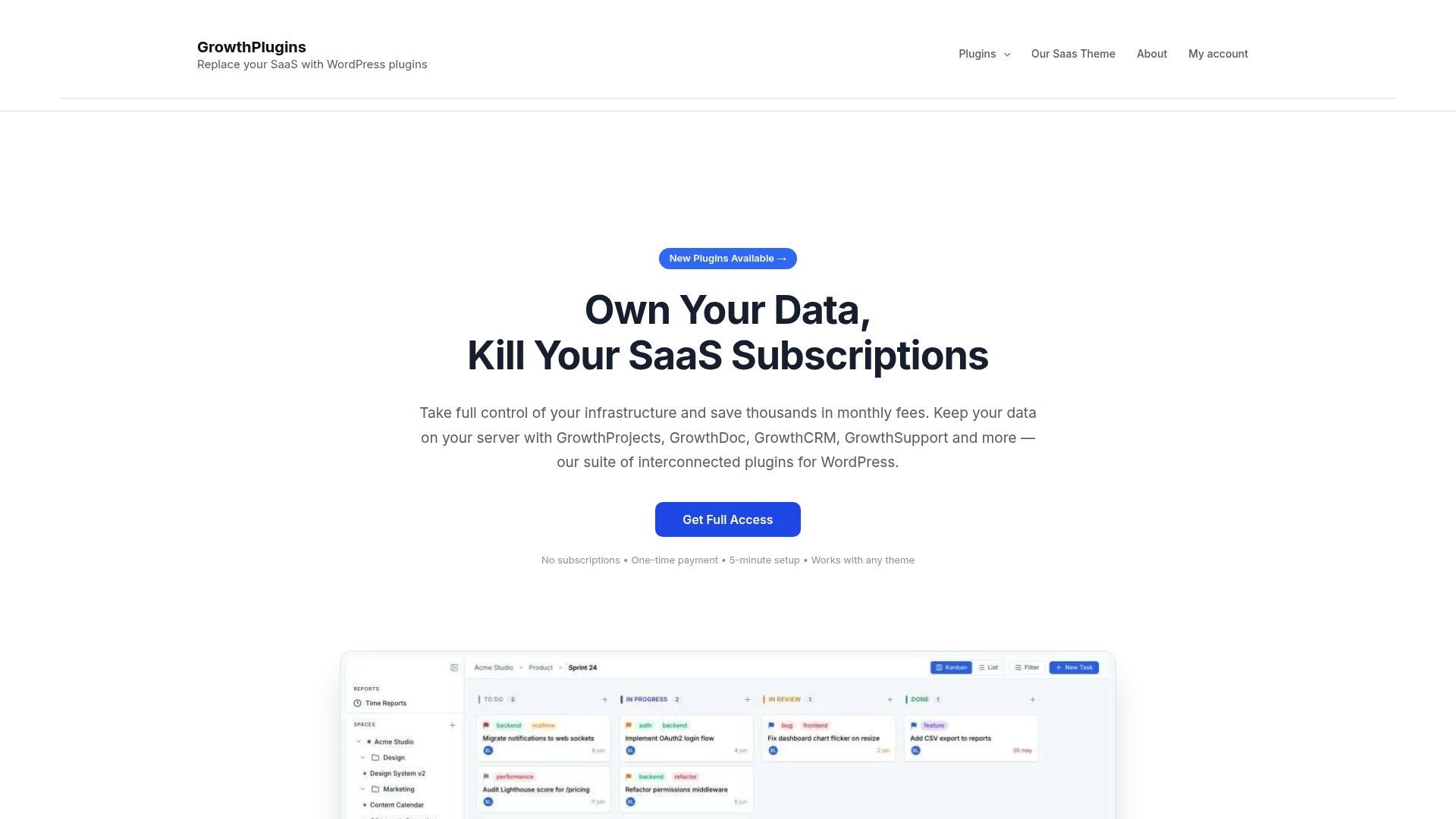
The licensing model is a one-time purchase with a free core plugin available to try immediately. No per-seat fees, no renewal reminders, no vendor holding your project history. Your data stays on your WordPress host, which satisfies GDPR and data residency requirements without a legal agreement with a third party.
The typical customer is a freelancer or agency already running WordPress who wants to stop paying monthly for ClickUp or Asana and start owning their workflow. If that describes your situation, the self-hosted ClickUp alternative built for WordPress is the place to start. Download the free core plugin, run your first project, and see whether the one-time model fits before upgrading.
Sources and further reading
This guide was built from vendor documentation, independent review roundups, and community-authored migration guides. It reflects the state of the market as of mid-2026. An update would be triggered by significant Atlassian policy changes, major AI feature launches, or pricing restructuring from any listed tool.
- 20 Best Jira Alternatives of 2026 — The Digital Project Manager
- 10 Best Jira Alternatives & Competitors for 2026 — DevRev
- I Built an Open-Source, Self-Hostable Jira Alternative — Dev.to
- Microsoft Project Alternatives for WordPress Agencies (2026) — Growthplugins
FAQ
Is there a Microsoft equivalent to Jira?
Microsoft’s closest equivalent is Azure DevOps, which covers boards, repos, pipelines, and test plans in one platform. For teams already in the Microsoft ecosystem, it is the most direct Jira replacement.
Is Jira being replaced in 2026?
Jira is not disappearing, but Atlassian ended new Data Center license sales on March 30, 2026, which is pushing many on-premise teams to evaluate alternatives. Cloud Jira continues, but the DC sunset is a genuine forcing function for migration planning.
Who is Atlassian’s biggest competitor?
Linear, ClickUp, and GitLab are the most frequently cited competitors in engineering-team evaluations. For enterprise DevOps, GitLab is the strongest direct competitor because it covers code, CI/CD, and issue tracking in a single platform.
What are the best Jira alternatives in 2026?
The strongest picks depend on your deployment model: Growthplugins for self-hosted WordPress teams, Linear for keyboard-first engineering teams, ClickUp or monday.com for cross-functional work OS needs, GitLab for DevOps-integrated tracking, and DevRev for AI-native customer-connected workflows. Independent roundups in 2026 cover more than 20 options across these categories.
What is the fastest way to migrate from Jira?
Use a tool with a native Jira importer (GitLab, ClickUp, Linear, Plane, or GitHub Issues), run a test import on a single non-critical project first, and keep Jira in read-only mode for 30 days after cutover as a rollback buffer. Most small teams complete the process in 2–4 weeks, medium teams should expect about 6 weeks, and large organizations typically need 10–12 weeks.