For WordPress users and agencies who need self-hosted, privacy-first time tracking with no ongoing fees, Growthplugins is the recommended WordPress-native option — it installs in under five minutes, keeps all data on your own server, and replaces Time Doctor’s surveillance model with output-focused project management.
The practical shortlist for this audience:
- Growthplugins — WordPress-native plugin suite, one-time license, Kanban + timers + client portal + invoicing, zero SaaS fees
- One-time licensed WordPress plugin bundles — third-party plugins with perpetual licenses; self-hosted but require manual assembly
- Self-hosted open-source stacks (Kimai, Redmine, Kanboard, TimeTrex) — free software, full control, higher maintenance overhead
- On-premise commercial suites (WP Project Manager / weDevs) — structured WordPress plugins with paid tiers, more setup than Growthplugins
All four paths give you data ownership and eliminate the per-seat SaaS subscription that compounds every time you hire.
GrowthBalance
Track time, income and expenses for every project and side-project you run — 100 % front-end, self-hosted inside WordPress. No SaaS subscription, no per-seat fees.
Table of Contents
- What are the best Time Doctor alternatives for self-hosted teams?
- How do you choose the right Time Doctor alternative for your team?
- Profiles: Growthplugins and practical self-hosted approaches
- Switching from Time Doctor: migration checklist
- When should you pick Growthplugins vs. an open-source stack?
- Why do people look for Time Doctor alternatives?
- Key Takeaways
- The case for privacy-first time tracking in agency work
- Growthplugins: self-hosted time tracking built for WordPress agencies
- FAQ
- Useful sources and further reading
What are the best Time Doctor alternatives for self-hosted teams?
| Dimension | Growthplugins | One-time WP plugin bundles | Open-source stacks (Kimai, Redmine, Kanboard, TimeTrex) | On-premise commercial suites (WP Project Manager) |
|---|---|---|---|---|
| Pricing model | One-time license | One-time license | Free / open-source | Freemium + paid tiers |
| Hosting model | Self-hosted (WordPress) | Self-hosted (WordPress) | Self-hosted (own server) | Self-hosted (WordPress) |
| Data ownership | on your server; full export | On your server; export varies by plugin | Full control; CSV/API export | On your server; export via plugin |
| Core time tracking | Timers, manual entry, approvals, reports | Varies; often timer + timesheet only | Full-featured (Kimai: timers, invoicing, API) | Timers, timesheets, basic reports |
| Project management | Kanban, tasks, milestones, client portal, CRM | Limited; depends on plugin stack | Redmine: full PM; Kanboard: Kanban only | Kanban, milestones, Gantt (paid) |
| WordPress integration | Native; uses WP roles/users | Native | Separate install; no WP role sync | Native |
| Intrusiveness | Output-focused; no screenshots | None | None | None |
| Integrations & API | Invoicing, support tickets, knowledge base | Plugin-dependent | REST API (Kimai); webhooks (Redmine) | Zapier, REST API (paid) |
| Mobile support | Via WordPress mobile | Varies | Kimai: mobile app; others: browser | iOS/Android app |
| Support model | Commercial support + docs | Community / vendor-dependent | Community forums; paid support optional | Commercial support (paid tiers) |
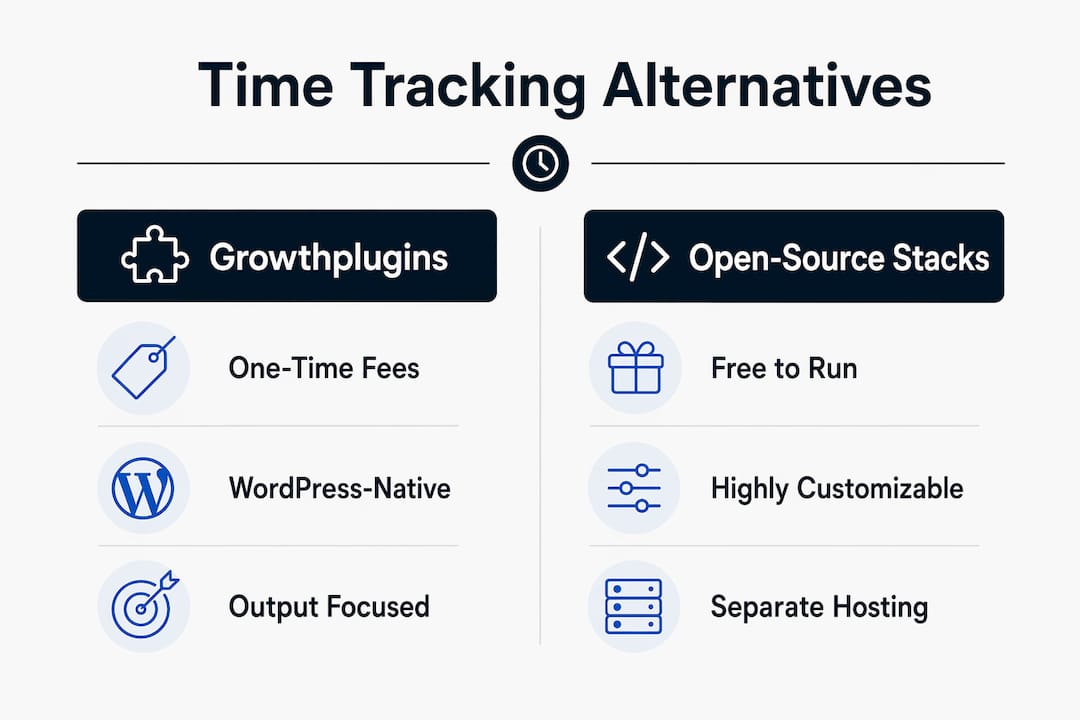
Pro Tip: A multi-seat Time Doctor subscription as priced per seat can become costly over time. A one-time WordPress plugin license typically pays for itself within the first 12 months — and costs nothing in year two.
How do you choose the right Time Doctor alternative for your team?
The primary decision is straightforward: self-hosted and WordPress-native beats hosted SaaS for any team that bills clients, handles sensitive project data, or simply refuses to pay per seat indefinitely. The trade-off is that you own the maintenance — but for most agencies, that means one plugin update per month, not a dedicated ops engineer.
Evaluation checklist:
- Data residency: does all tracked time stay on your server, or does it touch a third-party cloud?
- Exportability: can you pull full CSV or JSON exports without contacting support?
- Setup effort: is WordPress integration native (roles, users, permissions) or bolted on?
- Billing and invoicing: does the tool generate client invoices from tracked hours, or do you need a separate app?
- Mobile time entry: can team members log hours from a phone without installing a surveillance agent?
- Surveillance features: are screenshots, keystroke logging, or screen recording present? Can they be disabled entirely?
- Maintenance burden: how often does the self-hosted stack need updates, and who handles them?
Questions to ask during any trial or vendor conversation:
- Where exactly is data stored, and can I verify it never leaves my server?
- What does a full data export look like — format, completeness, frequency?
- What are the upgrade and backup requirements for a self-hosted install?
- Does the tool integrate with WordPress user roles, or does it maintain a separate user database?
- What happens to my data if I stop paying or stop using the tool?
- Is there a US-based support option, or is help limited to community forums?
Red flags to walk away from: any tool that requires screenshots or keystroke monitoring as a core feature, opaque hosting arrangements where data location is unspecified, and per-seat SaaS pricing with no perpetual license option. Adoption friction is the main operational risk for any time-tracking rollout — tools that feel invasive get abandoned within weeks.
Profiles: Growthplugins and practical self-hosted approaches
Growthplugins: the WordPress-native pick
Growthplugins is the first choice for WordPress users who want time tracking, project management, and client billing in one place without a monthly invoice. Install the plugin suite, and you get Kanban boards, built-in timers, task comments, a client portal, CRM, invoicing, and a support ticket system — all wired into your existing WordPress users and roles. Setup takes under five minutes, and every hour logged stays on your server.

Pros: one-time license, no per-seat fees, native WP role integration, output-focused (no surveillance), invoicing included, modular architecture via the plugin catalog.
Cons: requires a WordPress install; not suitable for teams on non-WordPress stacks.
Best for: freelancers, agencies, and WordPress shops that want a single dashboard replacing Time Doctor, Asana, and a separate invoicing tool.
Category A: open-source PHP/MySQL stacks (Kimai, Redmine, Kanboard, TimeTrex)
These are free to run and deeply customizable. Kimai handles timers, invoicing, and a REST API well. Redmine adds full project management with issue tracking and Gantt charts. Kanboard is lean Kanban with minimal overhead. TimeTrex covers payroll and attendance for larger teams.
Pros: zero license cost, full source access, strong community documentation.
Cons: no native WordPress integration, separate user management, higher setup and maintenance time (expect several hours for initial configuration), and US commercial support is limited to third-party consultants.
Setup note: plan for a dedicated VPS or shared hosting with PHP 8+ and MySQL. Backups require a separate cron job or hosting-level snapshot.
Category B: on-premise commercial suites (WP Project Manager / weDevs)
WP Project Manager sits inside WordPress and offers Kanban, Gantt, and time tracking on paid tiers. It is a reasonable middle ground if you need structured PM features and prefer a commercial support contract.
Pros: WordPress-native, commercial support available, structured feature roadmap.
Cons: recurring paid tiers for advanced features, less integrated than Growthplugins for invoicing and client portals.
Pro Tip: For US-based agencies needing commercial support on a self-hosted install, look for WordPress-specialist agencies or the plugin vendor’s own support plans — community forums alone are rarely sufficient for client-facing production environments.
Switching from Time Doctor: migration checklist
Moving tracked hours to a self-hosted tool is manageable in a few weeks. Run a parallel tracking window rather than a hard cutover, and you eliminate the risk of losing billable hours mid-project.
- Audit existing data — list all active projects, clients, tasks, and team members currently tracked in Time Doctor.
- Export CSVs — download full timesheet exports from Time Doctor before canceling; store them in a dated folder.
- Map projects and tasks — create matching projects and task structures in your new self-hosted tool before importing.
- Set up a parallel tracking window — run both tools simultaneously for two to four weeks so discrepancies surface before the cutover.
- Import or reconcile historical records — manually enter or import summary hours for open projects; archive closed ones.
- Define a data retention policy — decide how long raw time logs are kept and where backups live (local + offsite).
- Communicate the change — tell the team why you are switching (privacy, cost, data ownership) before day one.
Adoption tips: frame the switch as a privacy upgrade, not a new monitoring system. Run an opt-in pilot with one project team first. Use automatic timers sparingly; manual entry with approvals builds more accurate records and less resentment. Track adoption metrics (daily active loggers, timesheet completion rate) for the first 30 days.
Pro Tip: Schedule a weekly plugin-update window and a daily automated backup of your WordPress database during the first 90 days. Most self-hosted issues trace back to missed updates or a missing backup, not the tool itself.
When should you pick Growthplugins vs. an open-source stack?
Pick Growthplugins when you want a WordPress-native install, one-time fees, and integrated PM plus time tracking out of the box. It is the right call for the majority of agencies and freelancers on WordPress.
Pick an open-source stack when you need extreme customization, have a developer available for ongoing maintenance, or are running a non-WordPress server environment.
Quick rules of thumb:
- Need invoicing + client portal + Kanban in one WordPress install? Growthplugins.
- Need payroll processing or deep HR integration? TimeTrex or a dedicated HR platform.
- Have a developer who enjoys self-hosting and wants full source access? Kimai or Redmine.
- Want the fastest path from zero to billable-hour tracking on WordPress? Growthplugins, under five minutes.
The next step: install the free GrowthProjects plugin to test the core PM and timer features, then upgrade to the full bundle when you are ready.
Why do people look for Time Doctor alternatives?
Three drivers dominate: surveillance intensity, subscription price creep, and employee pushback. Time Doctor’s screenshot capture, keystroke logging, and distraction alerts were designed for strict remote accountability — useful in some BPO contexts, actively harmful in most agency and freelance environments where trust is the foundation of the client relationship.
Price is the second pressure point. Per-seat SaaS fees compound as teams grow, and the features most agencies actually need (timers, approvals, invoicing) do not require the premium tier’s surveillance stack.
The third driver is adoption. Teams that feel monitored rather than supported log hours inconsistently, game the system, or simply stop using the tool. Editorial roundups consistently show that adoption and team sentiment matter more than feature parity when evaluating any time-tracking switch. A tool your team uses accurately beats a feature-rich tool they resent.
Key Takeaways
For WordPress agencies and freelancers, the clearest path away from Time Doctor is a self-hosted, one-time-license tool that keeps data on your server and skips the surveillance entirely.
| Point | Details |
|---|---|
| Self-hosted beats SaaS for privacy | All tracked hours stay on your server; no third-party cloud touches your client data. |
| One-time license saves money fast | A perpetual WordPress plugin license typically pays for itself within 12 months versus per-seat SaaS. |
| Adoption depends on trust, not features | Output-focused tools with no screenshots get higher team adoption than surveillance-heavy alternatives. |
| Migration takes weeks, not months | Export CSVs, run a parallel window for 2–4 weeks, then cut over with historical records reconciled. |
| Growthplugins is the WordPress-native choice | One-time license, Kanban + timers + client portal + invoicing, installs in under five minutes on any WordPress site. |
The case for privacy-first time tracking in agency work
The conventional wisdom in time-tracking software is that more visibility equals better accountability. That logic works in a warehouse. It fails badly in knowledge work, where the relationship between logged keystrokes and actual output is essentially zero.
What actually drives accurate time records is a team that trusts the tool and the process. Surveillance-style monitoring produces the opposite: people learn to look busy rather than be productive, and the data you collect becomes less reliable, not more. Security researchers increasingly recommend privacy-preserving telemetry that collects only what is necessary — the same principle applies to employee time data.
For agencies specifically, there is a client-relationship dimension that most tool comparisons ignore. When a client asks how you track time, “we use a tool that screenshots our team every few minutes” is a harder conversation than “we log hours against tasks on our own server, and you can see the project board any time.” The latter builds trust. The former raises questions.
Growthplugins takes the output-focused approach by design. That is not a limitation — it is the right call for any team where trust is a competitive advantage.
Growthplugins: self-hosted time tracking built for WordPress agencies
WordPress agencies and freelancers who want to stop paying per seat for time tracking have a direct path: Growthplugins puts Kanban boards, built-in timers, a client portal, CRM, and invoicing inside your existing WordPress install, with all data on your server and no monthly bill.
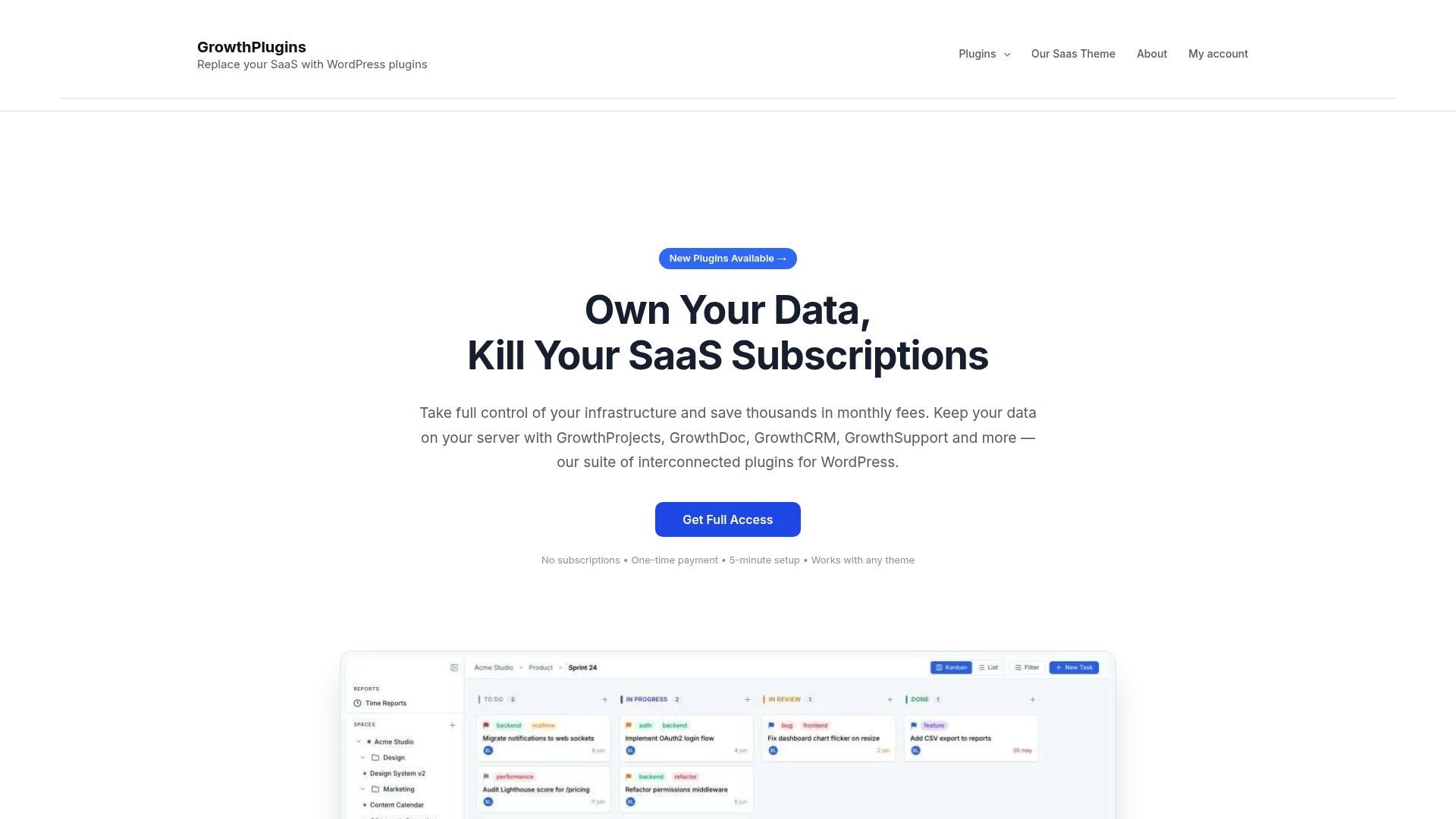
The full-access bundle covers every module — project management, time tracking, support tickets, knowledge base, and website monitoring — under a single one-time license. Setup is designed to be very quick, often completed in just a few minutes, and your WordPress users and roles carry over automatically. For agencies replacing Time Doctor and a separate invoicing tool in one move, this is the practical next step. Visit the full-access page, pick your license, and have it running before your next client call.
FAQ
What is the best self-hosted Time Doctor alternative for WordPress?
Growthplugins is the most complete WordPress-native option: one-time license, Kanban, timers, client portal, and invoicing in a single install with all data on your server.
Can I migrate my Time Doctor data to a self-hosted tool?
Yes. Export your Time Doctor timesheets as CSV, map existing projects to your new tool, and run both systems in parallel for two to four weeks before cutting over.
Do self-hosted time trackers work without screenshots or keystroke monitoring?
All of the self-hosted options covered here — Growthplugins, Kimai, Redmine, Kanboard, TimeTrex, and WP Project Manager — are output-focused and do not use screenshots or keystroke logging.
How much does a self-hosted time tracking setup cost compared to Time Doctor?
Open-source stacks like Kimai and Kanboard are free to run; you pay only for hosting. One-time licensed tools like Growthplugins carry a single upfront fee with no recurring per-seat charges, making them less expensive than per-seat SaaS within the first year for most team sizes.
Is Kimai a good Time Doctor substitute for non-WordPress teams?
Kimai is a strong open-source substitute for teams on any PHP-capable server: it offers timers, invoicing, a REST API, and a mobile-friendly interface, with no license cost and full data ownership.
Useful sources and further reading
- Why teams switch from Time Doctor: pain points ranked by category — TrackEx editorial roundup organizing alternatives by the problem driving the switch
- Time Doctor alternatives compared for 2026 — TheBusinessDive survey-based coverage of surveillance, price, and morale as switching drivers
- Integrating time tracking into a WordPress workflow with Growthplugins — step-by-step Growthplugins use-case guide
- Growthplugins deadline tracking and time management use cases — practical examples of WordPress-native deadline and timer workflows
- Growthplugins plugin catalog — full list of available modules, free and paid
- Fleet GPS data integration patterns for self-hosted setups — Moto Watchdog partner resource on keeping sensitive telemetry off third-party SaaS
- Privacy-preserving telemetry: Q2 2026 threat signal — SmishAlert security report on minimizing sensitive data exposure
Recommended
- How to Effectively Integrate Time Tracking into Your WordPress Workflow Using GrowthPlugins – GrowthPlugins
- Leveraging GrowthPlugins for Enhanced Time Management in Your WordPress Projects – GrowthPlugins
- 5 Essential GrowthPlugins for Streamlining Time Tracking and Boosting Productivity – GrowthPlugins
- GrowthPlugins – Free Project Management Plugin for WordPress | Kanban, Timer