For WordPress agencies that want to stop paying per-seat SaaS fees and keep project data on their own servers, Growthplugins is the clearest self-hosted alternative to Wrike. It installs directly into WordPress, requires no external subscriptions, and covers the full agency workflow in one place.
Why Growthplugins wins for WordPress teams:
- Data ownership: Every task, comment, attachment, and invoice lives on your server, not a vendor’s cloud.
- Integrated invoicing and client portals: GrowthInvoices and GrowthProjects ship as part of the same WordPress stack, so billing and client visibility don’t require a third-party add-on.
- Fast setup: The core plugin installs in under five minutes inside an existing WordPress admin.
When to look elsewhere: If your team runs engineering-heavy workflows with Git integration and issue tracking at the center, Redmine or OpenProject may fit better. Taiga suits Agile/Scrum teams that want a standalone open-source board. WP Project Manager (weDevs) is a lighter option for teams that only need basic task lists inside WordPress.
GrowthBalance: Your Project Profitability Tracker
Track time, income and expenses for every project and side-project you run — 100 % front-end, self-hosted inside WordPress. No SaaS subscription, no per-seat fees.
Table of Contents
- Which Wrike alternatives actually work for self-hosted WordPress teams?
- Why self-hosted, WordPress-first tools make sense for agencies
- How to pick the right self-hosted Wrike alternative for your agency
- Hosting, installation, and migration checklist for moving off Wrike
- What self-hosted WordPress tools include — and where they differ from Wrike
- Security, backups, and compliance for self-hosted project management
- When is Growthplugins the right call, and when should you look at other tools?
- Step-by-step roadmap for migrating your Wrike data to a self-hosted stack
- Long-term total cost of ownership beyond the initial license price
- Key Takeaways
- The case for owning your project management stack
- Growthplugins gives WordPress agencies a self-hosted Wrike replacement with no monthly seat fees
- Useful sources
- FAQ
Which Wrike alternatives actually work for self-hosted WordPress teams?
| Tool | Self-hosted | Core features | WordPress integration | Licensing | Setup ease | Maintenance | Integrations | Agency fit |
|---|---|---|---|---|---|---|---|---|
| Growthplugins | Yes | Kanban, time tracking, client portal, tickets, invoicing, CRM | Native (WordPress plugin) | One-time purchase | Under 5 min | Low (WP updates) | Webhooks, Zapier-ready | Excellent |
| GrowthProjects | Yes | Kanban, timers, list view, workspaces | Native (free WP plugin) | Free + paid upgrades | Under 5 min | Low | Webhooks | Strong |
| GrowthInvoices | Yes | Invoicing, Spanish tax compliance | Native (WP plugin) | One-time purchase | Under 5 min | Low | Tied to GrowthProjects | Strong |
| Redmine | Yes | Issues, Gantt, wikis, time logs | Plugin/iframe only | Free (open source) | Moderate (Ruby stack) | Medium-high | Git, SVN, email | Good for dev teams |
| OpenProject | Yes | Gantt, Agile boards, PPM, budgets | No native WP integration | Free community / paid | High (Docker/server) | High | Slack, GitHub, webhooks | Good for PMOs |
| Kanboard | Yes | Kanban, basic time logs | No native WP integration | Free (open source) | Low (PHP) | Low | Webhooks, LDAP | Minimal |
| Taiga | Yes | Scrum, Kanban, epics, sprints | No native WP integration | Free / paid cloud | Moderate (Python) | Medium | Slack, GitHub, webhooks | Good for Agile teams |
| WP Project Manager | Yes | Tasks, milestones, time logs | Native (WP plugin) | Freemium | Low | Low | Slack, GitHub | Moderate |

Where Growthplugins leads: WordPress-native data residency, built-in invoicing, and a client portal that non-technical clients can actually use without a separate login system.
Where other tools may go deeper: Redmine and OpenProject offer more granular portfolio-level reporting and engineering integrations. Kanboard is the leanest option if you only need a Kanban board with no extras.
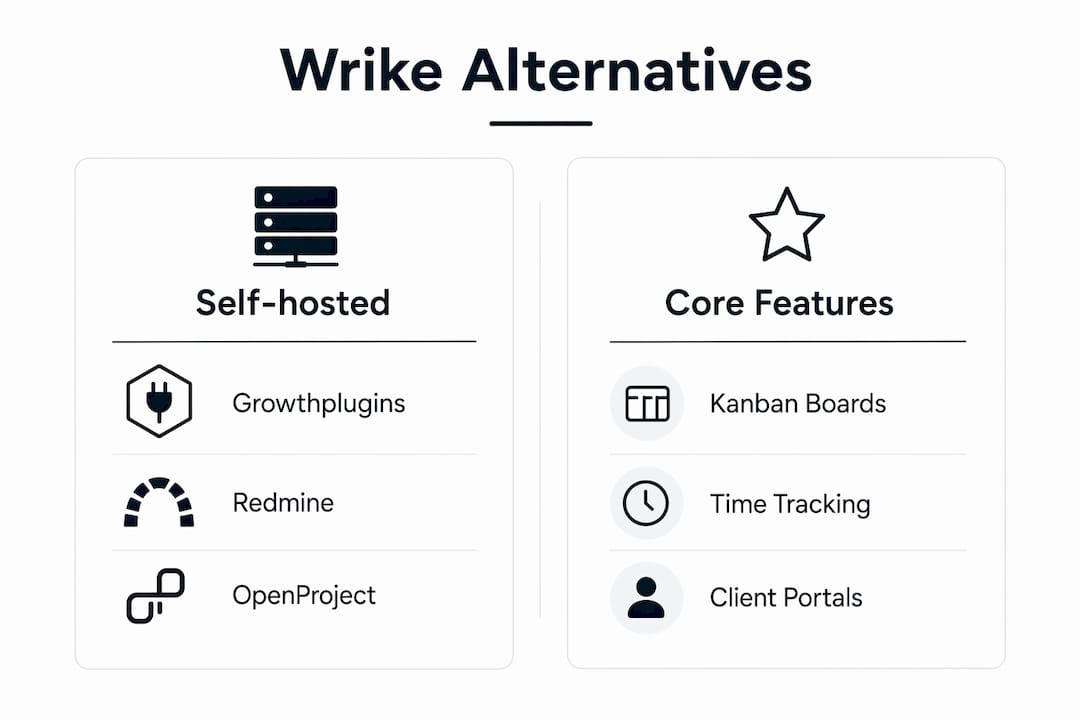
Why self-hosted, WordPress-first tools make sense for agencies
Market roundups consistently show that teams leave Wrike because of pricing escalation at scale, a steep learning curve, and enterprise features they never touch. For a WordPress agency, the calculus is different from a Fortune 500 PMO.
The concrete benefits:
- Predictable cost: A one-time license replaces per-seat monthly fees that compound as your team grows.
- Data residency: US agencies serving clients with contractual data-location requirements can point to a specific server. GDPR-conscious EU clients get a clear answer.
- WordPress user roles: Growthplugins maps directly to existing WordPress roles, so you don’t manage a separate user directory.
- White-label client portals: Clients log in through your domain, not a vendor’s subdomain.
The trade-off is real: you own the maintenance. Backups, SSL renewals, WordPress core updates, and plugin compatibility checks fall on your team or your hosting provider. The Digital Project Manager’s reviews note that faster onboarding is a key differentiator for self-hosted alternatives, but that advantage disappears if the hosting environment isn’t properly configured before go-live.
Pro Tip: Size your hosting before you migrate. A managed WordPress host with daily automated backups and a staging environment offers an affordable solution that eliminates most of the maintenance burden for a small agency.
How to pick the right self-hosted Wrike alternative for your agency
Gartner Peer Insights frames PM tool evaluation across four dimensions: product capabilities, integration and deployment, service and support, and evaluation/contracting. For a self-hosted WordPress stack, integration and deployment weight heavier than the others.
Must-have capabilities checklist:
- Per-client workspaces with role-based access
- Client portal accessible without a separate SaaS account
- Time tracking tied to tasks and invoicing
- WordPress user and role integration
- Automated backup and one-click restore
- Data export in a portable format (CSV, JSON, or XML)
- Clear upgrade and patch path documented by the vendor
Questions to ask during a two-week pilot:
- Can you export all tasks, comments, and attachments in a single operation?
- Does the tool support WordPress Multisite if you run client subsites?
- Are audit logs available for compliance purposes?
- How long does a full backup restore take on your actual hosting environment?
- Does the billing workflow connect to your existing invoicing without manual re-entry?
Red flags to walk away from: closed data export, no WordPress user sync, no documented backup/restore procedure, and no public changelog or upgrade path. Industry guidance warns mid-market teams to avoid feature creep that increases complexity and slows adoption. Pick the tool that matches your actual workflow, not the one with the longest feature list.
Feature adoption patterns in SaaS show that teams use a fraction of available features after onboarding. That’s a strong argument for a narrower, WordPress-native stack over a platform like Wrike where advanced automation and proofing are gated behind higher-tier plans.
Hosting, installation, and migration checklist for moving off Wrike
Running a short live pilot with real workflows rather than demos is the single most reliable way to surface hidden implementation costs before you commit.
Pre-migration steps:
- Export all Wrike projects, tasks, subtasks, comments, and attachments (Wrike supports CSV and API export).
- Map Wrike users to WordPress user accounts and assign roles.
- Document every integration currently connected to Wrike (Slack, email, time-tracking tools).
- Identify which attachments exceed your WordPress upload limit and adjust
php.iniaccordingly. - Set up a staging environment that mirrors production.
Migration checklist:
- Import task data into GrowthProjects (or your chosen tool) via CSV or manual entry for smaller datasets.
- Verify task titles, descriptions, due dates, and assignees match the source export.
- Confirm comments and file attachments transferred correctly.
- Rebuild permission structures using WordPress roles.
- Reconfigure client portal access and send test invitations to one client contact.
- Reconnect integrations (webhooks, Slack notifications) and verify they fire correctly.
- Run a full backup and restore drill on the staging environment before going live.
Timeline and cost estimate for a small agency: Plan for several weeks of elapsed time and moderate admin hours. Hidden costs include manageable hosting fees, SSL if not already in place, and developer time for any custom integration work.
Pro Tip: Keep Wrike active in read-only mode for a transitional period after go-live. This provides your team a fallback reference without paying for full seats, and it’s usually available by downgrading to a free tier.
What self-hosted WordPress tools include — and where they differ from Wrike
Most self-hosted stacks cover core project management: tasks, Kanban, timers, client portals, and invoicing. Where they consistently fall short compared to Wrike is enterprise portfolio reporting, centralized resource leveling, and advanced automation. Celoxis positions itself as a broader PPM option with built-in financial tracking and portfolio-level features that teams need when they outgrow task-focused tools. That’s a real gap for agencies managing 20+ simultaneous projects with complex resource dependencies.
Common inclusions in self-hosted WordPress stacks:
- Kanban boards and list view
- Per-task time tracking with timers
- Client portals with role-based visibility
- Invoicing tied to project hours
- Support ticket systems
- Basic reporting and workload views
Common omissions vs. Wrike:
- Advanced automation rules across multiple projects
- Built-in proofing and approval workflows
- Portfolio-level dashboards with cross-project resource views
- Native Gantt with dependency tracking (varies by tool)
| Feature | Growthplugins | Redmine | OpenProject | Kanboard | Taiga | WP Project Manager |
|---|---|---|---|---|---|---|
| Kanban | ✓ | ✓ | ✓ | ✓ | ✓ | ✓ |
| Time tracking | ✓ | ✓ | ✓ | Basic | Limited | ✓ |
| Client portal | ✓ | ✗ | ✗ | ✗ | ✗ | Limited |
| Invoicing | ✓ | ✗ | ✗ | ✗ | ✗ | ✗ |
| Proofing & approvals | ✗ | ✗ | ✗ | ✗ | ✗ | ✗ |
| Portfolio dashboards | ✗ | Limited | ✓ | ✗ | Limited | ✗ |
For agencies that need proofing workflows, a lightweight external tool (Frame.io for video, Filestage for documents) connected via webhook covers the gap without requiring a full platform switch.
Security, backups, and compliance for self-hosted project management
Running project management on your own server shifts security responsibility to you. That’s not a reason to avoid self-hosting, but it does require a deliberate checklist.
Core security actions:
- Enforce HTTPS with a valid SSL certificate on every environment.
- Assign WordPress roles using least-privilege access: clients get only what they need to see.
- Enable two-factor authentication for all admin and project manager accounts.
- Scan file attachments for malware before storing them on the server.
- Keep WordPress core, plugins, and PHP updated on a defined schedule.
Backup and recovery:
- Run daily automated backups to an off-site location (S3, Backblaze, or a separate server).
- Test a full restore on your staging environment at least once per quarter.
- Maintain a change log of plugin updates and configuration changes.
- Define a retention policy: how many days of backups do you keep, and for how long?
Compliance notes for US agencies: Data residency is a contractual matter, not a regulatory one for most US agencies, but clients in healthcare (HIPAA) or finance (SOC 2) may require specific hosting certifications. Confirm your hosting provider’s compliance posture before signing those contracts. For EU clients, GDPR requires you to document where data is processed and stored. A self-hosted US server with a signed data processing agreement with your host satisfies that requirement cleanly.
When is Growthplugins the right call, and when should you look at other tools?
Choose Growthplugins when:
- Your team already runs on WordPress and wants zero context-switching.
- You need client portals, invoicing, and time tracking in one place without stitching together three separate tools.
- You want a one-time license with no recurring seat fees.
- Setup time matters: the core stack is live in under five minutes.
Consider Redmine or OpenProject when:
- Your workflow is engineering-first with Git at the center.
- You need portfolio-level Gantt charts and resource leveling across 20+ projects.
- Your team has a dedicated sysadmin comfortable managing a Ruby or Docker environment.
Consider Taiga when:
- Your team runs formal Scrum with sprints, epics, and velocity tracking.
- You want an open-source board that isn’t tied to WordPress at all.
Actionable next steps:
- Install GrowthProjects (free) on a staging site and run one real client project for two weeks.
- Map your three most critical workflows: task assignment, client review, and invoice generation.
- Run a backup and restore drill before going live.
- Estimate your annual hosting cost and compare it to your current Wrike seat fees.
Disclosure: Growthplugins publishes this guide and provides the recommended WordPress plugin suite. That shapes the recommendation toward WordPress-native solutions. If your stack isn’t WordPress-based, Redmine and OpenProject are the strongest self-hosted alternatives.
Step-by-step roadmap for migrating your Wrike data to a self-hosted stack
Migrating off Wrike is straightforward if you treat it as a data pipeline problem, not a software switch.
Phase 1: Audit (Days 1–3)
Export everything from Wrike using the built-in CSV export or the Wrike API. Catalog project names, task counts, assignees, due dates, comments, and attachment sizes. Identify any recurring automations or request forms that need manual reconstruction.
Phase 2: Environment prep (Days 4–7)
Provision your WordPress hosting environment, install GrowthProjects, and configure user roles to mirror your Wrike team structure. Set up the staging site as your import target.
Phase 3: Data import (Days 8–12)
Import tasks via CSV into GrowthProjects. For comments and attachments, plan on manual migration for anything beyond basic task data, since most self-hosted tools don’t have a direct Wrike importer. Prioritize active projects first; archive completed projects separately.
Phase 4: Verification (Days 13–16)
Cross-check a random sample of 20 tasks against the original Wrike export. Confirm assignees, due dates, and file attachments. Have one team member who wasn’t involved in the import do the verification pass.
Phase 5: Client portal and integrations (Days 17–21)
Rebuild client portal access in GrowthProjects. Reconnect Slack notifications and any webhook-based integrations. Send test invitations to one client per portal before full rollout.
Phase 6: Go-live and parallel run (Days 22–30)
Switch the team to the new stack. Keep Wrike accessible in read-only mode for 30 days as a reference. Collect feedback in week one and address configuration issues before closing the Wrike account.
Long-term total cost of ownership beyond the initial license price
The sticker price of a self-hosted tool is rarely the full story. Edison365 and other analyst guides emphasize matching tool selection to team size and governance needs, which directly affects ongoing costs.
TCO components to budget:
- Hosting: Managed WordPress hosting runs $30–$80/month for a small agency. A VPS for Redmine or OpenProject runs $20–$60/month but requires more hands-on management.
- Plugin licenses: Growthplugins uses one-time pricing. There are no annual renewal fees for the core suite.
- Maintenance time: Budget 2–4 admin hours per month for updates, backup verification, and minor configuration work on a well-configured WordPress stack.
- Developer time: Custom integrations or theme compatibility fixes add cost. A simple webhook integration typically takes 2–4 developer hours.
- Training: Self-hosted tools with WordPress-native interfaces reduce training time significantly compared to a standalone platform with its own user model.
Compare that to a SaaS PM tool priced per seat. At five seats, annual SaaS fees often exceed the combined cost of hosting, a one-time plugin license, and maintenance for two to three years. The break-even point for most small agencies is under 18 months.
Key Takeaways
Self-hosted WordPress tools cover the core agency workflow at a lower long-term cost than per-seat SaaS subscriptions, with Growthplugins offering the tightest WordPress integration of any option on this list.
| Point | Details |
|---|---|
| Self-hosted beats SaaS on TCO | One-time license plus $30–$80/month hosting typically breaks even with SaaS fees within 18 months. |
| WordPress-native integration matters | Growthplugins maps to existing WordPress roles and installs in under five minutes, cutting setup and training time. |
| Migration takes 3–4 weeks | A small agency should plan 10–20 admin hours and a 30-day parallel run before closing Wrike. |
| Feature gaps are real but workable | Self-hosted stacks lack proofing workflows and portfolio dashboards; lightweight external tools cover most gaps via webhooks. |
| Growthplugins is the recommended pick | For WordPress agencies needing client portals, invoicing, and time tracking in one self-hosted stack, Growthplugins is the strongest starting point. |
The case for owning your project management stack
The conventional wisdom says SaaS tools are easier. And for a solo freelancer who never wants to think about servers, that’s probably true. But for an agency with five or more ongoing client projects, the calculus shifts fast.
What most “best Wrike alternatives” guides miss is that the real cost of a SaaS PM tool isn’t the monthly fee. It’s the data dependency. When your project history, client communications, and invoicing records live in a vendor’s database, you’re one pricing change or acquisition away from a forced migration. That’s not a hypothetical. Wrike’s pricing has escalated as it moved upmarket, and many agencies find they pay for enterprise features they never actually use.
A self-hosted WordPress stack flips that dynamic. You control the upgrade schedule, the backup policy, and the data location. The trade-off is maintenance responsibility, but on a managed WordPress host, that’s genuinely manageable for a small team. The governance argument for self-hosting is stronger than most guides acknowledge.
Growthplugins gives WordPress agencies a self-hosted Wrike replacement with no monthly seat fees
If you’ve read this far, you already know the problem: Wrike charges per seat, gates useful features behind higher tiers, and keeps your project data on its servers. Growthplugins solves all three in one install.
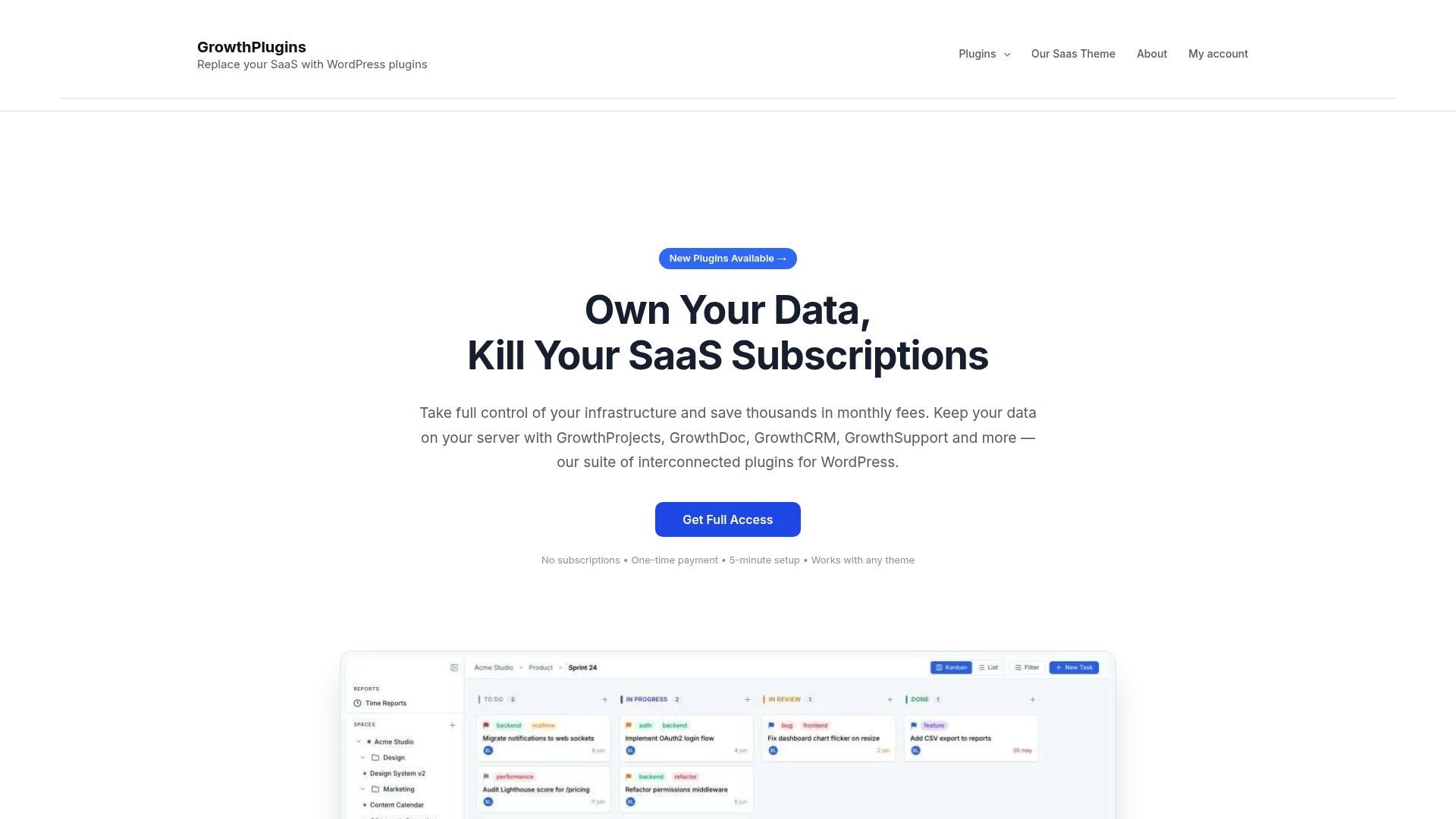
The suite includes GrowthProjects (free, with Kanban boards and time tracking), GrowthInvoices (one-time purchase, invoicing tied directly to project hours), a client portal, support tickets, CRM, and website monitoring. Everything runs inside your existing WordPress admin. Your data never leaves your server. There’s no subscription to cancel.
The practical next step: install GrowthProjects free on a staging site today and run one real client project through it for two weeks. If it fits your workflow, the full suite is a one-time purchase. If it doesn’t, you’ve lost nothing. That’s a pilot structure worth taking.
Useful sources
- Gartner Peer Insights: Wrike Alternatives 2026 — Market-level evaluation criteria and buyer reviews across PM tools; useful for understanding how enterprise buyers compare alternatives.
- Rework: Best Wrike Alternatives 2026 — Covers migration motivations, feature trade-offs, and mid-market team guidance.
- The Digital Project Manager: Best Wrike Competitors 2026 — Review-based comparisons with onboarding and usability as primary criteria.
- Celoxis: Best Wrike Alternatives 2026 — Vendor perspective on PPM and financial tracking features for teams outgrowing task tools.
- Edison365: Best Wrike Alternatives 2026 — Maps tool selection to team size, workflow style, and governance needs.
- Growthplugins suite overview — Product and plugin pages for GrowthProjects, GrowthInvoices, and the full self-hosted WordPress stack.
FAQ
What is the best self-hosted Wrike alternative for WordPress?
Growthplugins is the strongest WordPress-native option, covering Kanban, time tracking, client portals, and invoicing in a single self-hosted plugin suite with one-time licensing.
Can I migrate my Wrike data to a self-hosted tool without losing history?
Yes. Export tasks and projects from Wrike via CSV or the Wrike API, then import into your chosen tool. Plan 10–20 admin hours for a small team and keep Wrike in read-only mode for 30 days as a reference.
Do self-hosted project management tools support GDPR compliance?
Self-hosting gives you direct control over data location and processing, which simplifies GDPR documentation for EU clients. You’ll still need a signed data processing agreement with your hosting provider.
How does Growthplugins pricing compare to Wrike long-term?
Growthplugins uses one-time plugin pricing with no recurring seat fees. Combined with $30–$80/month in managed hosting, most small agencies reach break-even with SaaS seat costs within 18 months.
Is Redmine or OpenProject better than Growthplugins for engineering teams?
For engineering-first workflows centered on Git, issue tracking, and portfolio Gantt charts, Redmine and OpenProject go deeper than Growthplugins. For WordPress agencies that need client portals and invoicing, Growthplugins is the better fit.