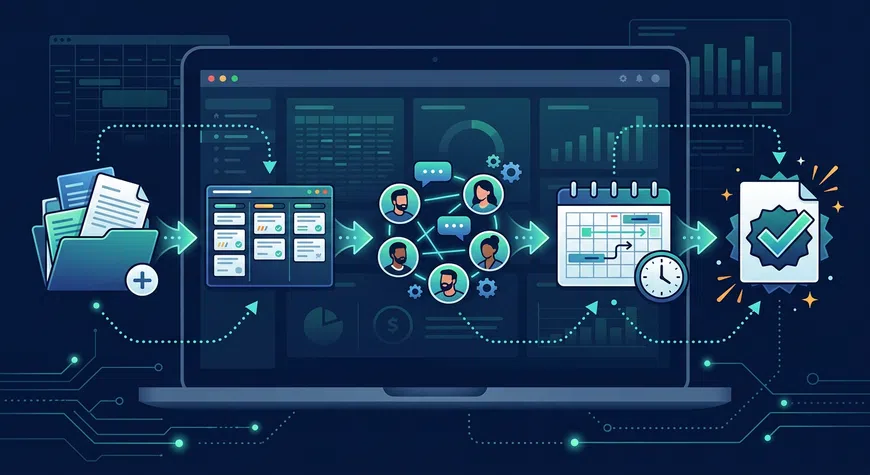
Quick answer: WordPress workflow automation works best when you start with a repeatable business process, define the trigger and expected outcome, then add safeguards for permissions, retries, duplicate actions and human approval. Automate the predictable steps, not the judgment that protects a customer or a transaction. WordPress can coordinate workflows through plugins, scheduled jobs, REST endpoints and integrations, but each capability must be verified in the products you actually use.
This guide explains wordpress workflow automation for U.S. small businesses, agencies and internal teams that want to spend less time moving information between forms, projects, documentation and support. We will design practical workflows, distinguish events from schedules, prevent common failure modes and define a realistic measurement plan. There are no invented productivity percentages or claims that one plugin automatically handles every integration.
For the wider business context, read agency project management inside WordPress and self-hosted WordPress workspaces. Here the focus is how to design and operate automation safely, whether you build a modest internal workflow or integrate WordPress with an external service.
Keep business operations organized
Review documented WordPress tools for tasks, customer work and support. Before adopting an automation, confirm the specific product supports your intended trigger, action and permission model.

GrowthProjects: A WordPress Project Manager Plugin
Self-hosted project management (Kanban, tasks, time tracking) for WordPress. Read the technical documentation →
1. Automate a process only after you understand it
A recurring task may be frustrating because the process is inefficient, not because the team lacks automation. Draw the actual steps first: who starts the work, which information they need, who approves it, what happens if information is missing and what outcome confirms completion. Notice handoffs that involve judgment. Those steps may be better supported by a clear task checklist than automated without oversight.
Choose a narrow starting point. For example, a contact form submission might create a lead record, notify an owner and create a follow-up task. The design should also cover spam, duplicate submissions and incorrect destinations. Good wordpress workflow automation begins with an explicit definition of success and failure rather than simply connecting two action buttons.
2. Distinguish triggers, conditions and actions
A trigger is an event such as a submitted form, approved document or completed support ticket. A condition determines whether the workflow should proceed, such as whether the sender has granted consent or the record is assigned to a particular team. An action may write a record, send a notification, update a status or request approval. Naming these elements separately makes the workflow easier to test.
Write each step in plain English before implementing it. For example: when an authorized editor submits a draft for review, create a review assignment; if the reviewer approves, change the article’s status; otherwise notify the editor of required changes. Avoid treating every event as successful merely because its callback ran. The expected data state must be checked independently.
3. Use a workflow map rather than a pile of rules
When planning wordpress workflow automation, draw each exception as deliberately as the main path. Missing files, canceled orders and approvals that expire are normal situations, not edge cases that can be ignored indefinitely.
A process diagram can reveal loops, missing responsibilities and actions that should not happen simultaneously. A flow for an agency project might begin with an approved quote, create a project, assign a kickoff checklist and wait for assets. The process should include what happens if the client never supplies assets or if the quote is canceled. Without those branches, an automated system can create misleading work items.
Keep workflows short enough to inspect. When one rule contains dozens of conditions and hidden dependencies, debugging becomes slow and ownership becomes unclear. Break complex sequences into named stages with observable results. WordPress workflow automation is most maintainable when somebody can explain the process without opening developer tools.
4. Identify what belongs in WordPress
WordPress can be a useful operational hub when teams already manage websites, client content, documentation and project tasks there. However, not every business function belongs inside one installation. Evaluate performance, data ownership, security, support needs and integration complexity before centralizing a process. A specialized external service may still be appropriate when it fulfills requirements that WordPress does not.
Review whether the installed plugin supports the desired event and action through documented features, hooks, APIs or compatible integrations. Do not confuse a product category with an automation guarantee. Verify the specific version and settings on staging. A clear assessment prevents the organization from committing to a process that depends on an assumed capability.
5. Start with one measurable business problem
Useful first projects include assigning new inquiries, reminding an owner about an overdue approval, organizing incoming support requests or flagging documentation that needs review. Choose a process with repeated steps, clear inputs and a simple success signal. Avoid beginning with a sensitive payment, deletion or permission change unless the team already has reliable monitoring and recovery controls.
Create a baseline. Record how the work currently arrives, the average handling steps, common errors and where it gets stuck. Do not invent time savings. After implementation, compare observations over a suitable period and check whether work was completed correctly. Saving clicks has little value if the workflow silently loses customer requests.
6. Decide which decisions need human approval
Automation is good at routing, reminders and predictable transformations. People remain important when a decision involves unusual client circumstances, contractual commitments, sensitive records or exceptions that have not been defined. Build explicit approval states and ownership rather than automatically accepting every request. A useful approval step should show the relevant context without exposing unnecessary private information.
For wordpress workflow automation, separate ‘prepared for approval’ from ‘approved’ and ‘completed.’ A workflow that creates a project draft is not the same as one authorized to send an invoice. Use the least powerful action necessary and verify that permissions are enforced server-side, even if the interface hides sensitive controls.
7. Build with permissions and privacy from the beginning
WordPress roles and capabilities help determine who may view or change records. A workflow that processes client documents must not expose one customer’s files to another. A task that updates a private setting should validate authorization independently of the person who configured the automation. Hidden menu items and secret-looking URLs are not substitutes for permission checks.
Review what personal information is transferred to other systems, how long it is retained and whether the integration needs all those fields. Limit tokens and API keys to the smallest scope required. The official WordPress security guidance covers capabilities, sanitization and escaping. Treat privacy as a requirement, not a feature to add after a workflow is popular.
8. Use events for immediate operations
Event-driven workflows respond to a change when it occurs: a document moves to review, an account becomes active or a support record is created. In WordPress, actions and filters expose extension points that plugins can use when those events are documented. Choose a stable event and confirm that it fires after the relevant data has been committed, not merely when a button is clicked.
An event may be retried or triggered through different interfaces. Test whether the same logical operation can create duplicate tasks. For wordpress workflow automation, decide whether each event should create something once, update an existing item or be ignored after a successful execution. These decisions belong in the process design and test plan.
9. Use schedules for recurring checks and reminders
A healthy wordpress workflow automation schedule includes a monitoring check. Registering a recurring event is not the same as confirming that a reminder reached its owner or that an overdue record was handled.
Some work depends on time rather than a single immediate event. Examples include a morning queue summary, weekly review reminder or a scheduled content check. WordPress uses WP-Cron for time-based tasks and the default mechanism is commonly driven by site visits. That means precise execution timing is not guaranteed by a continuously running built-in daemon.
The WordPress WP-Cron handbook describes the scheduling model. If a task must occur within a strict deadline, evaluate the hosting environment and whether a system scheduler is needed. Do not promise a minute-exact reminder until its actual execution behavior has been tested. Monitoring and recovery remain important even when registration appears successful.
| Review question | Acceptable evidence | Owner action |
|---|---|---|
| Was the trigger real? | Validated event and source record | Confirm input |
| Did it complete? | Destination state and acknowledgement | Review exception |
| Was access correct? | Positive and negative role tests | Investigate exposure |
10. Make duplicate actions safe
Users double-click submit buttons. Network connections time out. A remote service may process a request even though the caller never receives a response. Without a deduplication strategy, a workflow can create duplicate leads, tickets, invoices or notifications. Define a stable identifier for the business event and check whether it has already been processed before repeating irreversible work.
Idempotency means a repeated request does not create additional unintended effects. The implementation may involve stored event identifiers, unique constraints or safe status transitions, depending on the data model. For wordpress workflow automation, this principle is especially valuable in integrations because transient errors and retries are normal conditions, not extraordinary failures.
11. Decide how errors and retries should work
A missing required field should produce a clear validation error, not an endless retry. A temporary network outage may justify a limited retry with spacing and an alert. An authorization failure should usually stop rather than be repeated automatically. Classify error types and write an expected response for each before implementing the automation.
Create a recovery queue or failure record if the process affects valuable work. A team member needs to know what failed, whether any side effect happened and how to retry safely. Avoid silently discarding requests or logging private customer data in public dashboards. Reliable operations include the ability to diagnose failures without exposing credentials.
12. Build an ownership and escalation model
Each automated workflow needs someone responsible for its result. If a support ticket is created without a valid assignee, who notices? If an approval remains open for two weeks, who receives the escalation? If a connection stops working after an API change, who can pause the flow? Define primary ownership and backup coverage where the business risk justifies it.
A dashboard with thousands of automated actions is not useful unless people can recognize exceptions. Favor short summaries, clear statuses and actionable alerts. A healthy wordpress workflow automation system supports the team rather than creating a hidden second workload of monitoring rules that nobody understands.
13. Map WordPress data before integrating services
A process may touch form submissions, user accounts, custom post types, options, task records or external CRM contacts. Document where the authoritative record lives and which system is allowed to change it. If two services both update the same field without coordination, they can overwrite each other’s work. Prefer a clear owner for each business value and a documented reconciliation path.
Before creating wordpress workflow automation, define the field mapping, expected data types, required values and behavior when a field is missing. Use representative test records with unusual names and dates, not only the simplest sample. Record identifiers that allow the team to trace an action without exposing sensitive personal information.
14. Verify APIs, hooks and integration contracts
WordPress exposes REST APIs and developer hooks, but specific plugin endpoints and events vary by product. Review the supported documentation rather than assuming a plugin exposes a particular trigger or action. If an endpoint changes a protected record, confirm authorization, validation and error handling. An endpoint being reachable is not proof that it is safe to use for production automation.
The WordPress REST API Handbook provides official platform guidance, while the hooks reference explains extension points. For wordpress workflow automation, favor stable documented contracts and avoid fragile screen-scraping or hidden endpoints that may change without notice.
15. Build a lead intake workflow step by step
For wordpress workflow automation in lead generation, the acceptance test should inspect the actual destination record and assignment, not simply a successful form screen. Preserve consent and campaign attribution where relevant.
Imagine a service business receiving inquiries through a WordPress form. First, validate the submitted fields and consent. Next, create or update a lead in the designated system using a stable identifier. Then assign the inquiry based on a defined business rule and notify the responsible person. Finally, record whether the lead was accepted and whether the owner acknowledged the task. The workflow is complete only when those outcomes occur.
Define exceptions. Spam should not create a sales task; malformed data should not create a partial record; a temporary CRM outage should create an actionable retry state rather than silently losing the inquiry. Test each branch with synthetic records. Avoid declaring success because the browser displayed a confirmation before downstream delivery was actually confirmed.
16. Build a client onboarding workflow
Onboarding often begins when an agreement is approved. A workflow might prepare a project workspace, create an asset checklist, notify the assigned team and invite the client to provide material. Some steps should remain manual: verifying contract scope, reviewing legal requirements and deciding whether a requested deadline is feasible. Treat the automation as support for the owner, not a replacement for their judgment.
Look for clear states such as awaiting assets, ready for kickoff, in progress and blocked. If the client does not respond, a reminder may be appropriate; sending unlimited messages is not. Our agency project management guide discusses the broader operational setup. A careful wordpress workflow automation implementation should make overdue work visible without inventing progress.
17. Build a document review and approval workflow
Documentation quality often depends on a reliable handoff between author and reviewer. An author submits a draft, a reviewer receives a task, the reviewer requests changes or approves, and the publishing owner confirms that the correct version is ready. Do not equate a notification with an approval. Use explicit status transitions and preserve the revision history so that changes can be audited.
Test the case where two reviewers open the same document, where a draft is edited after approval and where a reviewer loses access. A workflow should prevent an outdated approval from applying to a newer version. WordPress provides revisions and permissions that may help, while specialized plugin behavior must be verified individually.
18. Handle support ticket routing without losing context
Support work often involves categorization, priority, assignment and escalation. Automation can route straightforward requests based on documented rules, but human review is valuable for unusual issues or sensitive accounts. An automatic priority based on a keyword can be wrong; give agents a way to correct it. Keep original messages intact and record why a ticket moved between queues.
Use a test set that includes an ordinary question, an urgent issue, a duplicated ticket and an ambiguous request. Verify that each reaches the correct owner or a clear review queue. For wordpress workflow automation in support operations, accuracy and customer trust matter more than the number of auto-routed tickets.
19. Keep human feedback loops short
When automation saves time, the team should be able to see which actions succeeded and which need intervention. Design notifications that convey the record, action and required next step without flooding people with low-value alerts. Too many notifications can make genuine incidents harder to notice. Group routine events into a summary while escalating high-impact exceptions promptly.
Provide a safe manual override where appropriate, with authorization and an audit record. A manager may need to reassign a task or pause an integration when customer circumstances change. The system should not undo that decision on the next scheduled run because an old rule still sees the original state.
20. Test user permissions and access boundaries
A task created from a private record should not automatically inherit broad public visibility. If a workflow creates a document, notification or search result, test which roles can access it. Use at least two synthetic customers and verify that records remain isolated. An integration token may have more access than the human user who triggered it, so the workflow must impose its own allowed scope.
Any wordpress workflow automation that changes permissions needs especially careful negative tests. Confirm a nonadministrator cannot change approval states or view another client’s data through a direct API call. Follow official WordPress capability guidance and treat audit logs as sensitive operational data.
21. Plan for API rate limits and service outages
External services can reject requests when limits are reached or credentials expire. The automation should distinguish temporary failure from a permanent configuration error. Repeatedly retrying a rejected credential will not help and may create more noise. For transient conditions, use controlled retries with spacing and a maximum attempt count, then surface an actionable failure record.
Remember that a timed-out request may have been processed remotely even if WordPress did not receive the response. Before retrying a payment, invoice or customer record creation, verify whether a matching result already exists. This is where unique event identifiers and reconciliation logic protect data quality.
22. Separate workflow status from business outcome
A job can be marked completed by the automation engine while the business objective remains unmet. For example, a message may be sent successfully but never delivered, or a task may be created without an assignee. Define outcome checks separately from technical execution checks. The workflow should explain which states mean prepared, sent, acknowledged or finished.
Measure what matters to users. A support process might track time to first response and reopened tickets, while onboarding might track missing asset requests and completion of the kickoff checklist. Avoid inventing productivity lifts. Use observed data over a comparable period before making claims that wordpress workflow automation improved results.
23. Decide which actions should be reversible
High-risk wordpress workflow automation actions should have explicit preconditions, an authorized owner and a recovery decision. If an email has already been sent or a charge processed, a blind retry is not a safe correction.
Some actions are easy to undo, such as moving a task to another status. Others are costly or irreversible, such as sending a customer email, deleting a record or triggering a payment. Classify actions by reversibility and require additional checks for high-risk operations. Use previews or dry-run modes where supported, and never assume the underlying tool offers one unless documented.
For irreversible actions, consider an explicit approval before execution and a clear confirmation after. If a failure occurs midway through a multi-step process, avoid automatically rerunning everything. Instead, determine which steps completed and resume from a safe checkpoint. A carefully designed process is less likely to multiply mistakes during recovery.
24. Use logs that support troubleshooting safely
Record timestamps, workflow identifiers, record references, relevant status changes, error categories and retry attempts. Avoid storing access tokens, complete payment details or unnecessary personal information in log fields. Configure access and retention appropriately. If the system is audited, a clear history should show what happened without turning the log into a secondary customer database.
Logs need a human-readable summary, not just raw technical codes. For example, ‘CRM request rejected due to expired credentials’ is actionable, while ‘HTTP 401’ alone may not identify which workflow needs attention. Keep the underlying details available to authorized maintainers and give business owners a safe summary of affected work.
25. Test end to end with representative accounts
Before launch, build tests for the success path, validation failure, unauthorized user, duplicate event, external timeout and manual override. Use a staging environment with synthetic records and sandbox integrations. Verify the final state in the system that matters, not merely the WordPress screen. If a task should be assigned, inspect its assignee; if a lead should be stored, inspect the destination record.
After deploying wordpress workflow automation, run a controlled production smoke test and monitor for delayed errors. Do not use real customer accounts for experiments when a test record will suffice. Keep a documented stop procedure so a faulty workflow can be paused before it generates many duplicate records.
26. Create an ownership and maintenance routine
Assign a named role or team responsibility to reviewing failed jobs, checking integrations and updating workflow rules. You do not need a large operations group, but you do need someone who notices when work silently stops. Review important automations on a cadence that matches their risk, and re-test them after plugin updates or changes to external APIs.
Record the purpose, owner, trigger, action, permissions, test cases, error handling and disable procedure for each workflow. When an employee leaves or software changes, this inventory prevents the team from losing the knowledge needed to maintain operations. Treat automation as maintained business software, not a one-time configuration.
| Workflow | Trigger | Action | Human review |
|---|---|---|---|
| Lead intake | Accepted form submission | Create or update record and notify owner | Sensitive or ambiguous leads |
| Client onboarding | Approved scope | Prepare tasks and asset checklist | Contract and schedule decisions |
| Documentation | Draft submitted for review | Assign reviewer and record status | Approve substantive changes |
| Support routing | New ticket | Classify, assign or escalate | Complex and urgent issues |
27. Build a simple pilot before scaling up
Choose one process with a clear trigger and a small number of steps. Run it in a controlled environment with synthetic records, then compare results with the existing manual process. Write down every exception discovered during the pilot. The objective is to learn whether the process is reliable and understandable, not to automate the largest number of actions in one week.
Before scaling wordpress workflow automation, inspect whether people trust the generated tasks, whether exceptions reach the right owner and whether failures can be corrected safely. A pilot that reveals missing consent checks or duplicate assignments is valuable because it prevents those problems from multiplying in production.
28. Measure outcomes without inventing savings
A credible automation report includes the period observed, volume of eligible records, number handled successfully, number of exceptions and time spent resolving failures. If the team wants to claim time savings, measure comparable manual and automated steps with a consistent definition. Avoid adding together unrelated seconds or assuming every completed workflow represents a customer benefit.
Look for quality outcomes as well as speed. Are leads reaching the correct person? Are project approvals traceable? Are support requests reopened less often? Does documentation review actually happen? Use the evidence to improve rules rather than presenting a larger action count as an unconditional success.
29. Prepare an incident and pause procedure
Every business-critical automation should have a safe way to stop new actions, inspect recent events and resume deliberately. Decide who can pause it and how the team will handle work that arrived during an outage. If the integration generated duplicate records, do not automatically delete them; review which records are authoritative and which actions already caused external effects.
For wordpress workflow automation, the recovery process is part of the design. Without a pause procedure, an unexpected plugin update or API change may continue generating mistakes while people investigate. Practice a controlled stop in staging so the owner knows what to do.
30. Keep workflow changes in versioned documentation
Automation often evolves: a team adds an approval step, changes a notification recipient or begins collecting another form field. Those changes should be recorded with a brief reason and test result. If a rule is edited directly in a WordPress admin screen, take advantage of any supported export or revision mechanism and keep an external change log when necessary.
Test the changed flow before activating it for all users. A new condition may exclude legitimate records or create a loop. A good release note describes the actual business behavior that changed and the fallback if the new logic fails. This is especially important when several people can edit the same configuration.
31. Balance automation with understandable interfaces
Users can only trust wordpress workflow automation when they can understand what happened. Where possible, show the relevant record, trigger and responsible person without exposing information beyond the viewer’s permissions.
A workflow should not leave employees guessing why a task appeared or why a record moved to another status. Display a meaningful source, time and reason where the product allows it. Give authorized users a clear path to correct a mistake without bypassing security. An invisible automation that surprises people can reduce trust even when it usually works.
Do not overload dashboards with low-value notifications. Summarize routine actions, highlight exceptions and make the next required decision obvious. WordPress can support this with appropriate user interfaces and permissions, but exact behavior depends on the extensions you install. Validate the result with the actual people using the system.
32. Review costs and vendor dependencies
Automation may reduce manual steps while adding software subscriptions, support responsibilities and failure modes. Calculate total operating cost: setup, ongoing maintenance, paid services, hosting resources, monitoring and human review. Document where data is stored and how records can be exported if an integration is replaced. A vendor contract alone is not a data portability plan.
A well-scoped wordpress workflow automation project should serve an identifiable user need and remain maintainable. If a workflow requires fragile custom code and frequent emergency repairs, compare that cost with a simpler manual checklist or a different documented integration. The best technology decision may be to automate only part of the process.
33. A practical thirty-day rollout approach
Week one can document the process and collect a baseline. Week two can build and test a pilot with safe data. Week three can expose the workflow to a limited user group with a clear owner and pause procedure. Week four can review failures, adoption and actual business outcomes before expanding. The timeline is illustrative; higher-risk processes need additional review and recovery planning.
Use a written acceptance checklist for the final handoff: trigger verified, required fields mapped, permissions tested, duplicate events handled, retry paths checked, notifications correct, logs accessible to authorized staff and ownership assigned. A small system with those safeguards is usually more useful than an ambitious flow that nobody can explain or recover.
| Failure case | Expected behavior | What to verify |
|---|---|---|
| Duplicate event | No duplicate irreversible action | Same event ID processed twice |
| Expired credential | Stop and alert owner | No endless retries or token leak |
| Unauthorized request | Reject before changing data | API and direct URL negative test |
| Remote service timeout | Safe retry or review queue | No duplicated destination record |
| Owner unavailable | Defined escalation or queue | Task does not disappear |
Frequently asked questions
What is workflow automation in WordPress?
It is the use of documented events, schedules, plugins or APIs to carry out repeatable tasks while enforcing required conditions, permissions and error handling. The exact capabilities depend on the installed software.
Can WordPress automate project management?
It can support parts of a project workflow when the selected tools provide the relevant tasks, hooks, APIs and permissions. Check the product’s documented functions instead of assuming every project plugin supports all desired automation.
Does WP-Cron run at an exact time?
The default WP-Cron mechanism commonly executes scheduled tasks in response to site visits. Exact timing can vary. For strict timing requirements, review the hosting configuration and whether an external scheduler is appropriate.
How do I prevent duplicate tasks or leads?
Give each logical event a stable identifier and make the action safe to retry. Inspect destination state when a remote request times out so the same record is not created twice.
Should approvals be fully automated?
Routine routing can be automated, but high-impact decisions should retain appropriate human review, authorization and traceability. Automating an approval because a form was submitted can create business or privacy problems.
What happens if an integration stops working?
A reliable process records the failure, alerts an owner and permits safe recovery or retry without duplicating effects. Define the pause and escalation procedure before launch.
How can I measure automation success?
Track eligible records, completion quality, failures, exceptions and actual user outcomes. Compare with a meaningful baseline and do not infer time savings or revenue changes without evidence.
Can I use WordPress automation without a developer?
Some documented plugins provide administrative configuration, but permissions, data flows and failure handling still need careful review. Complex integrations or sensitive operations may justify technical support.
- WordPress WP-Cron Handbook
- WordPress Plugin Hooks
- WordPress REST API Handbook
- WordPress Plugin Security
- W3C Accessibility Guidance
To place automation in a broader operational context, see agency project management and WordPress workspaces. Review the GrowthProjects product documentation for verified current functionality before relying on a particular integration.