Self-service appointment booking, the way it should be.
Appointment SW turns any WordPress page into a calendar your visitors can book from in two clicks — and gives your team a frictionless backoffice to handle walk-ins, phone calls and last-minute changes.
Everything you need to run a booking system
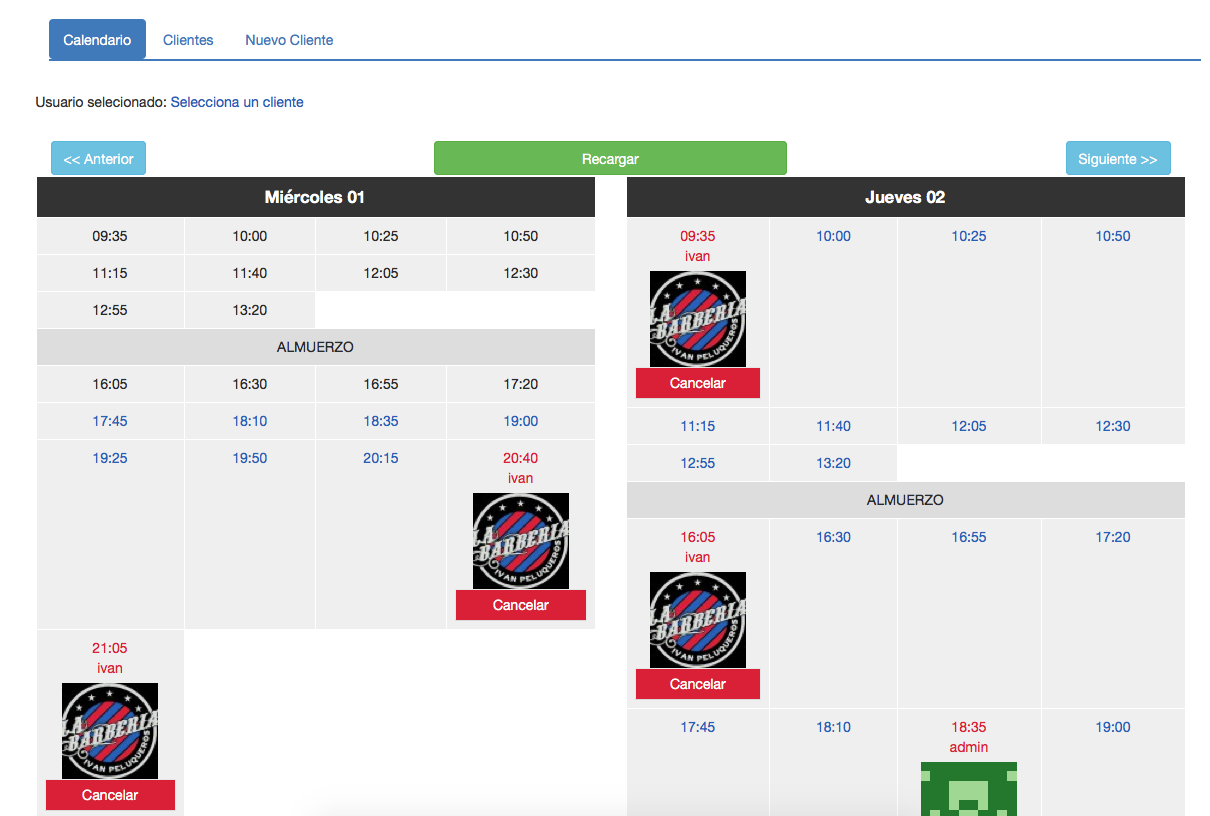
🪟 Arbitrary time windows
Configure as many working stretches per day as you need. Slots are generated automatically from the duration you pick.
💬 Modern booking modal
Clicking a free slot opens a confirmation modal. No page reloads, no multi-step forms, no lost users.
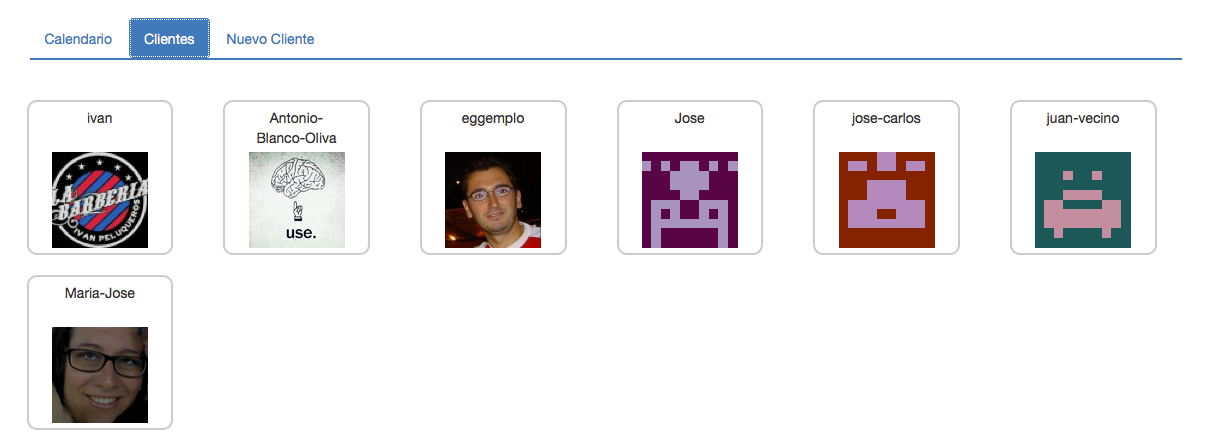
🔍 Admin client search
Receptionists pick a client by typing two letters of their name or email, or create a brand new client inline.
🛫 Guest bookings (optional)
Let visitors book without an account. They just type name and email in the modal.
✉️ Email notifications
Confirmation and cancellation emails to the user and the admin, with every subject and body filterable from code.
📦 One-click onboarding
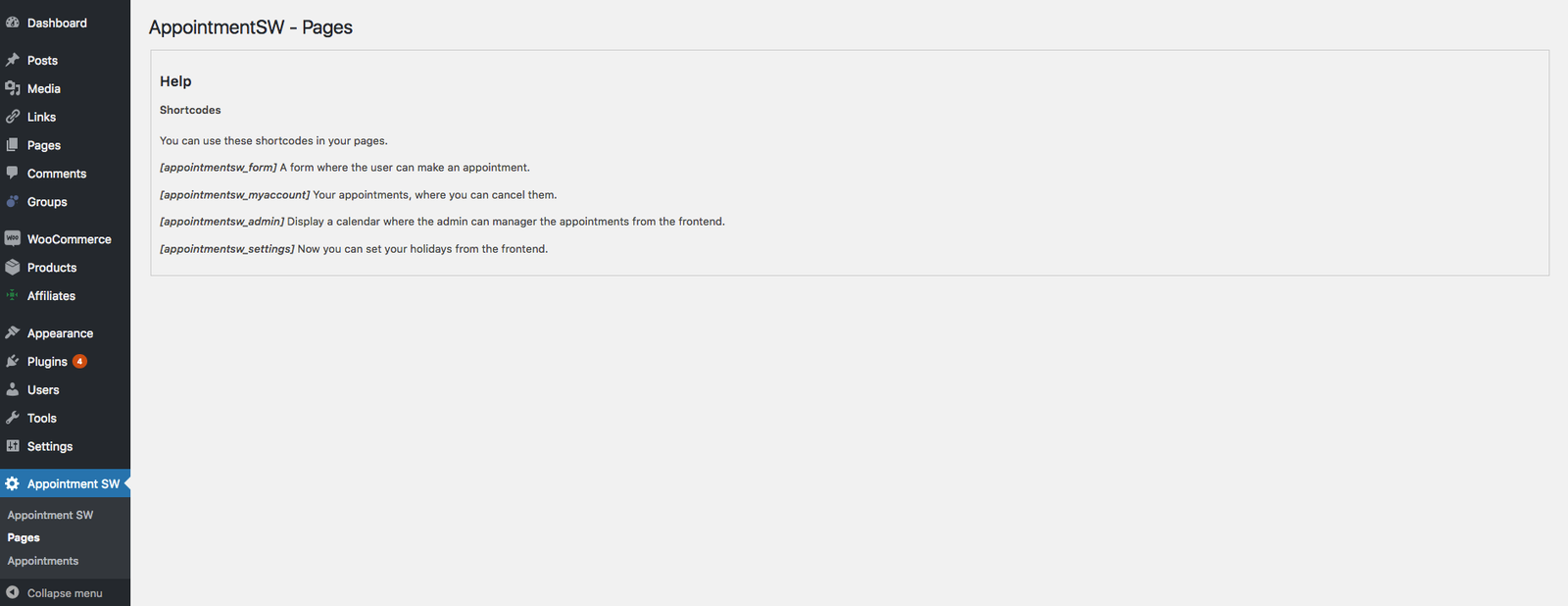
The Settings page creates the four shortcode pages for you in a single click each.
How it works
1 · Install & configure
Set your working windows, slot duration and (optionally) enable guest bookings — all from one screen.
2 · Create your pages
Click Create page next to each shortcode. Appointment SW creates the page, drops the shortcode in, and remembers the assignment.
3 · Start booking
Visitors click a slot → confirm. Receptionists search a client (or add one inline) → confirm. Everyone gets an email.
Built for receptionists, loved by developers
- Filterable email templates (
appointmentsw/email/created/user/subject, …). - Domain services exposed via a tiny DI container.
- Capability-gated REST API for every operation.
- Prepared statements and new indexes on bookings, bookmeta and holidays.
- Spanish translation included; .pot ready for the rest.
- WordPress 6.4+ · PHP 7.4+ · WordPress 7.0 ready.
Frequently Asked Questions
Why should I choose AppointmentSW instead of traditional booking systems for my small business?
AppointmentSW offers a streamlined two-click booking process that is easy for users to navigate, making it ideal for small businesses looking to enhance user experience without technical complexities. Unlike traditional systems that may require multi-step forms or account creation, AppointmentSW allows guest bookings and minimizes user drop-off.
Is AppointmentSW suitable for businesses that experience frequent walk-ins?
Yes, AppointmentSW is designed to accommodate businesses with walk-ins by providing a frictionless back office for managing appointments. Receptionists can easily search for existing clients or add new ones inline, ensuring that last-minute changes can be handled efficiently.
Does AppointmentSW work if my website has limited technical support?
Definitely! AppointmentSW is built for ease of use, with a one-click onboarding process that sets up necessary pages automatically. You don’t need extensive technical knowledge to configure it, making it perfect for businesses with limited technical support.
When should I consider using AppointmentSW instead of other WordPress booking plugins?
Consider using AppointmentSW if you need a modern booking modal that does not reload pages, allowing users to confirm their appointments quickly. Additionally, its customizable email notifications and easy client search features set it apart from many other WordPress booking plugins.
How does AppointmentSW solve the problem of managing last-minute bookings for my team?
AppointmentSW simplifies the management of last-minute bookings by providing receptionists with a quick client search and the ability to handle appointments without the need for users to create accounts. This feature helps to ensure that your team can efficiently accommodate unexpected walk-ins.
What are the advantages of using AppointmentSW for email notifications compared to other systems?
AppointmentSW allows for fully customizable email notifications, meaning you can filter the subject and body from code to suit your specific business needs. This level of customization is often not available in other systems, giving you greater control over your communication with clients.
Can I use AppointmentSW if my WordPress site is running an older version?
No, AppointmentSW requires WordPress 6.4+ and PHP 7.4+. If your site is running an older version, you will need to update to take advantage of AppointmentSW’s features, ensuring optimal performance and security.