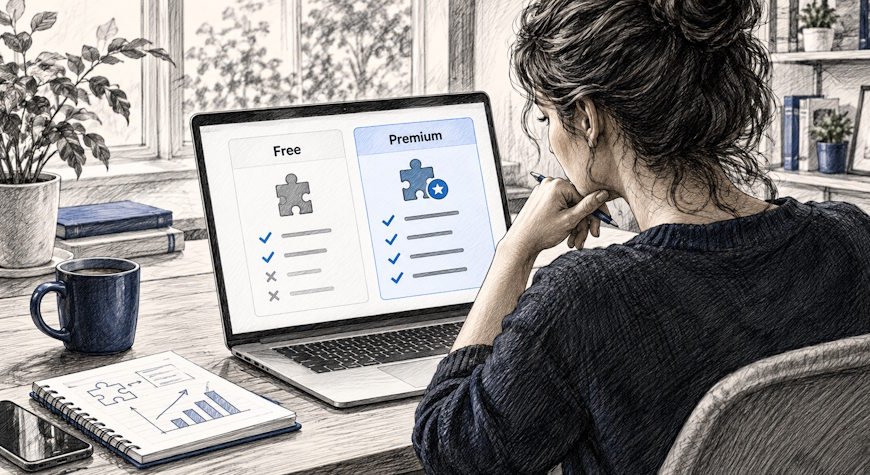
Free vs premium WordPress plugins is not a simple quality comparison. A free plugin can be the best choice for a focused requirement, while a paid plugin can be worth the cost when support, advanced workflows, integrations, or business-critical reliability matter. The right decision comes from evaluating the job the plugin must do and the total cost of owning it.
Quick answer: Start with the requirement, not the price. Choose a free plugin when it covers the use case cleanly and is actively maintained. Choose a premium plugin when the paid features, support model, update process, or saved staff time create measurable value for the site.
Compare WordPress business plugins without another monthly SaaS bill
GrowthPlugins offers self-hosted WordPress tools for CRM, projects, support, documentation, invoicing and related business workflows, with one-time payment options instead of per-seat SaaS subscriptions.

The Best Plugins for WordPress in One Bundle
The label “free” only tells you the purchase price. The label “premium” only tells you that payment is required. Neither one automatically tells you whether a plugin is secure, fast, well-supported, actively maintained, or suitable for your workflow.
| Factor | Free plugin | Premium plugin |
|---|---|---|
| Upfront cost | No license fee | Paid license, subscription, or one-time fee |
| Feature scope | Often focused on a core use case | May include advanced features or integrations |
| Support | May rely on forums or community channels | Often includes direct vendor support, depending on the license |
| Updates | Depends on the maintainer and project | Depends on the vendor and active license terms |
| Best fit | Simple needs, testing, lean sites | Business-critical or advanced workflows when the paid value is clear |
When is a free WordPress plugin the right choice?
A free plugin makes sense when the requirement is narrow, the plugin covers it without unnecessary complexity, and the project has a credible maintenance history. Many excellent WordPress plugins are available at no charge through the official WordPress Plugin Directory.
Free is especially attractive when you are validating a workflow before committing budget. For example, a small business may only need a basic contact form, redirect manager, or utility plugin. Paying for features that will never be used adds cost without improving the site.
Before installing, still review the plugin carefully. Check whether it is compatible with your WordPress version, whether updates are current, what permissions it requires, whether it stores or transmits sensitive data, and whether it duplicates features already present in the theme, host, or another plugin.
A premium plugin can be a better investment when it solves a business-critical workflow and the paid capabilities reduce risk or save meaningful staff time. The value may come from direct support, specialized integrations, deeper automation, reporting, role controls, migration tools, or a commercial roadmap that fits your organization.
Consider premium when downtime or broken functionality has a real business cost. A checkout, CRM, invoicing, support, or project-management workflow may justify paying for a product if the vendor relationship and feature set reduce operational friction.
That does not mean every paid plugin is better than every free one. Payment is a commercial model, not a quality certification. You still need to evaluate the code source, maintenance, support terms, privacy model, compatibility, and fit.
Use a plugin evaluation checklist instead of a price filter
Price should be one line in the evaluation, not the first and only decision. Use a consistent checklist so a “free” option does not become expensive through manual work, and a “premium” option does not become shelfware because nobody needs its extra features.
| Question | What to verify |
|---|---|
| Does it solve a real gap? | Confirm the feature is not already available in WordPress core, your theme, hosting, or another installed plugin. |
| Is it maintained? | Review recent updates, compatibility information, release notes, and support activity. |
| What data does it handle? | Understand where data is stored, what leaves your server, and which third parties are involved. |
| What happens when something breaks? | Know the support channel, expected response model, and whether staging or rollback is available. |
| What is the total cost? | Include license fees, add-ons, staff time, maintenance, migration, and recurring services. |
Do not confuse free with unsupported
Some free plugins are maintained by established companies or active open-source communities. Some paid plugins have limited support or slow release cycles. Look at evidence rather than assuming the business model tells you everything.
The official WordPress.org plugin ecosystem has detailed plugin guidelines for directory submissions, but being listed does not remove the need for your own due diligence. WordPress also documents a process for reporting plugin security issues.
Calculate total cost of ownership, not just license price
A plugin with a $0 license can still be expensive if it requires hours of custom work, several paid add-ons, or frequent troubleshooting. A paid plugin can be economical if it replaces several tools, cuts repetitive work, or avoids per-user SaaS fees.
| Cost area | Questions to ask |
|---|---|
| License | One-time, annual, monthly, per-site, or per-user? |
| Add-ons | Are essential features sold separately? |
| Implementation | How much setup, migration, training, or custom development is required? |
| Operations | How much staff time will updates, monitoring, and support require? |
| Exit cost | Can you export your data and move away without rebuilding everything? |
Think about support based on business impact
If a plugin adds a nice-to-have admin shortcut, community support may be enough. If it runs a revenue-generating checkout or holds customer records, the value of a defined vendor support path can be much higher.
Ask how your own team responds when a plugin fails. Do you have someone who can diagnose conflicts and restore a backup, or do you depend on the vendor? The more critical the workflow and the less technical capacity you have internally, the more support quality matters.
Security depends on behavior, not the price tag
Free and paid plugins both require updates, careful permissions, backups, and monitoring. Install from reputable sources, remove abandoned plugins, use staging for major changes, and avoid keeping inactive tools that no longer serve a purpose.
If you are new to plugin management, the GrowthPlugins guide on how to install a WordPress plugin safely covers dashboard installation, ZIP uploads, SFTP, WP-CLI, backups, and post-install checks.
How does freemium fit into the decision?
Freemium plugins combine a free core with paid upgrades. This can be useful because you can test the basic workflow before paying. The risk is evaluating only the free tier and discovering later that one essential feature sits behind several separate add-ons.
Before adopting a freemium tool, list the exact capabilities your production site needs and price the complete stack. Compare that cost with the operational value rather than assuming the entry-level plan represents the long-term cost.
Which option fits common WordPress scenarios?
| Scenario | Good starting point | Why |
|---|---|---|
| Personal site with one simple need | Free | Keep the stack lean if the core feature is fully covered. |
| Small business testing a new workflow | Free or freemium pilot | Validate the process before committing budget. |
| Agency workflow used by many staff members | Evaluate premium and self-hosted options | Support, permissions, data ownership, and total seat cost become more important. |
| Business-critical CRM, support, or invoicing | Choose by reliability and total value | The cheapest license may not be the lowest-risk option. |
How this differs from a “best plugins” list
This guide is an evaluation framework, not another list of recommended plugins. If you already know the business functions you want to bring into WordPress, see the best WordPress plugins for business guide. If you are still learning the basics, start with what a WordPress plugin is and how plugins work.
Conclusion
The best choice between free and premium WordPress plugins is the option that solves the real requirement with acceptable risk and total cost. Free plugins are often ideal for focused needs and lean sites. Premium plugins can make sense when advanced functionality, direct support, integrations, or time savings justify the price. Evaluate maintenance, security, data handling, support, compatibility, and exit options before the license label.
Frequently asked questions
No. A paid license does not guarantee better code, maintenance, security, or support. Compare the actual product, vendor, update history, feature fit, and operating requirements.
Are free WordPress plugins safe?
Many are, but safety depends on the specific plugin and how it is maintained. Use reputable sources, keep plugins updated, review permissions and data handling, and remove tools you no longer use.
Estimate the value of the paid features, support, saved time, integrations, and risk reduction. Compare that benefit with the full license and implementation cost over the period you expect to use it.
Should I use a free plugin first and upgrade later?
That can be a sensible approach when the free version lets you validate the workflow. Before committing, check whether migration from the free tier to the paid version is straightforward and whether the full production feature set is affordable.
How many WordPress plugins is too many?
There is no universal number. Focus on necessity, code quality, compatibility, performance, and maintenance burden. Ten well-maintained plugins can be healthier than five poorly chosen ones.