Asana is a solid project management platform, but its free Personal plan allows only two people to collaborate. That can become a problem when a freelancer hires a contractor, a startup brings in its third employee, or an agency needs to coordinate multiple client projects without adding another recurring subscription.
The good news is that several Free Asana Alternatives provide useful project management features without requiring an immediate upgrade. Some offer unlimited users, while others specialize in Kanban boards, software development, documentation, or time tracking.
However, free does not always mean unrestricted. Storage allowances, automation limits, project views, integrations, and support can vary considerably. A tool that works perfectly for three people may become expensive or inconvenient when the team grows.
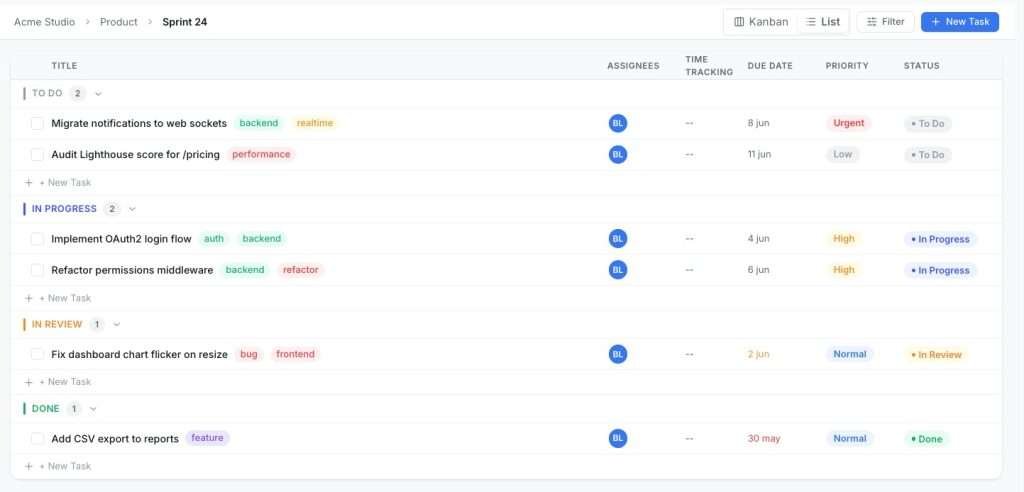
Quick answer: ClickUp is a strong choice for teams seeking extensive free task management features. Trello works particularly well for straightforward Kanban workflows. Taskee is worth considering when unlimited free users and time tracking are priorities. Jira and ONES.com suit technical teams, while Notion combines documentation with lightweight project management. WordPress users can also consider GrowthProjects for self-hosted task management.
This guide compares Free Asana Alternatives for U.S. businesses, freelancers, startups, agencies, and technical teams. The comparisons focus on what is available without paying, where free plans become restrictive, and what to check before migrating existing projects.
GrowthProjects: A WordPress Project Manager Plugin
Self-hosted project management (Kanban, tasks, time tracking) for WordPress. Read the technical documentation →
Why teams look for free alternatives to Asana
The decision to leave Asana is not always a criticism of its software. Asana provides useful list, board, and calendar views, along with a familiar approach to assigning tasks and coordinating work. For one or two people, its Personal plan can be enough.
The difficulty appears when a business needs more collaborators, advanced project views, or more sophisticated automation.
Asana Personal plan limitations
Asana’s free Personal plan supports two users, unlimited tasks and projects, and basic project views. It also provides file storage subject to a per-file limit.
Teams requiring additional collaborators or advanced scheduling capabilities generally need a paid subscription. The Starter plan begins at approximately $10.99 per user per month when billed annually, although pricing and included features can change.
Before paying for an upgrade, businesses should ask whether they genuinely need Asana’s advanced features or simply need a larger team to collaborate on ordinary tasks.
Collaboration and task ownership
Asana uses a primary task assignee to establish accountability. Other people can collaborate on that task, but organizations with shared ownership requirements may prefer a different model.
This is not necessarily a software defect. A single accountable owner is helpful in some workflows. For agencies coordinating designers, developers, writers, and account managers, however, multiple assignees or more flexible responsibility fields may be preferable.
How subscription costs grow
Per-seat pricing can become a meaningful expense as teams expand. The monthly bill may increase when employees, contractors, or additional departments need access.
For a small business, the relevant comparison is not simply the advertised price of each platform. It is the total cost of the features, collaborators, integrations, and support the organization will need over the next year.
Free Asana Alternatives: Why Businesses Consider Switching
| Requirement | Asana Personal | Potential reason to switch |
|---|---|---|
| Team collaboration | Two users | Growing teams require more seats |
| Advanced timelines | Limited compared with paid plans | Dependencies and Gantt planning may be important |
| Automation | Advanced workflows require paid features | Teams want to reduce repetitive work |
| Time tracking | Integration-based options | Agencies may prefer built-in timers |
| Data control | Vendor-hosted platform | Some businesses prefer self-hosting |
Free Asana Alternatives: Switching Platforms — Pros and Cons
| Pros | Cons |
|---|---|
| Potentially lower software costs | Migration requires time and testing |
| Different collaboration models and features | Employees must learn a new interface |
| Possibility of self-hosting | Hosting and maintenance may become your responsibility |
| Opportunity to simplify existing workflows | Some integrations may need rebuilding |
Best free Asana alternatives compared
There is no universal winner. A marketing agency tracking billable client hours needs something different from a software development team managing bugs and releases.
The following comparison includes eight options with free plans or free core software. Pricing models and feature limits reflect publicly advertised conditions reviewed in November 2026 and should be rechecked before making a purchasing decision.
Free Asana Alternatives: Comparison of 8 Project Management Tools
| Tool | Free access | Best for | Main limitation |
|---|---|---|---|
| Taskee | Unlimited users | Startups and small teams | Less extensive integration ecosystem |
| Trello | Up to 10 collaborators per workspace | Visual Kanban workflows | Board and automation limits |
| ClickUp | Unlimited free plan members | Flexible project organization | 60 MB storage and paid-feature restrictions |
| ProProfs Project | Up to 3 users | Client projects and billing | Free team-size limit |
| Jira | Up to 10 users | Software engineering | Complex setup and restricted permissions |
| ONES.com Cloud | Up to 30 seats | Technical collaboration | Advanced features and on-premises hosting may cost extra |
| Notion | Free personal workspace | Documentation and creative planning | Team collaboration and upload restrictions |
| GrowthProjects | Free WordPress plugin | WordPress agencies and freelancers | Requires hosting and WordPress maintenance |
Best free Asana alternatives for startups and small teams
1. Taskee: unlimited users and built-in time tracking
Taskee is particularly interesting for teams that want to avoid per-seat pricing. Its free plan advertises unlimited users, up to 10 GB of storage, and access to its core project management tools.
The platform includes task management, project organization, Kanban boards, time tracking, and reporting. For a startup coordinating employees and contractors, this combination addresses several common problems without forcing an immediate upgrade.
For example, a five-person marketing team could create separate projects for content production, campaign launches, and website improvements. Team members could record work against tasks while project leads review progress and time allocation.
Taskee also provides mobile-browser access, although teams looking for a dedicated native mobile application should check current availability.
Best for: Startups and small businesses that prioritize unlimited users, time tracking, and straightforward project management.
Potential limitation: Teams requiring extensive third-party integrations or sophisticated portfolio management should evaluate those requirements before migrating.
2. Trello: simple visual project management
Trello remains one of the most approachable project management tools for people who prefer a visual board over detailed project administration.
Its free plan includes up to 10 collaborators and 10 boards per workspace, unlimited cards, and 250 automation command runs per month.
Each task appears as a card that moves between columns such as To Do, In Progress, Review, and Completed. This model is particularly helpful when the workflow is easy to understand visually.
A freelance content team could use Trello to manage article ideas, writing assignments, editorial reviews, and publication dates without building an elaborate project hierarchy.
However, Trello’s simplicity becomes less attractive when teams require advanced reporting, native time tracking, complex dependencies, or detailed resource management.
Best for: Small creative teams, editorial workflows, and simple Kanban task management.
Potential limitation: Advanced planning and reporting may require paid features or integrations.
3. ClickUp: flexible task management for expanding teams
ClickUp offers a broad range of project management features through its Free Forever plan, including unlimited tasks and free plan members.
Its interface supports different ways of organizing work, such as lists, Kanban boards, documents, and calendars.
This makes it appealing to growing teams that need more flexibility than a basic Kanban board provides.
The trade-off is complexity. ClickUp can require more setup than Trello, and some advanced capabilities are restricted to paid plans.
Its free storage allowance is 60 MB, which is particularly important for agencies handling design files, video assets, and large attachments.
A company that primarily works with tasks and links to files stored elsewhere may find this manageable. A creative team that frequently uploads large files could reach the limit quickly.
Best for: Teams that want customizable task organization without immediately paying per user.
Potential limitation: Limited file storage and restrictions on advanced features.
Free Asana Alternatives: Small-Team Tools — Pros and Cons
| Tool | Pros | Cons |
|---|---|---|
| Taskee | Unlimited users, time tracking, 10 GB storage | Smaller integration ecosystem |
| Trello | Easy to learn, visual boards, mobile apps | Limited advanced planning and reporting |
| ClickUp | Unlimited free members, flexible views | 60 MB file storage; steeper learning curve |
Free Asana Alternatives: Best Choice by Startup Requirement
| Priority | Recommended option | Why |
|---|---|---|
| Unlimited collaborators | Taskee or ClickUp | Both advertise unlimited free users |
| Ease of adoption | Trello | Simple cards and visual statuses |
| Built-in time tracking | Taskee | Time recording within project workflows |
| Flexible project structure | ClickUp | Multiple organizational views |
Best free Asana alternatives for agencies and freelancers
Agencies often need more than task completion. They must estimate hours, coordinate client feedback, understand profitability, and track work that may eventually appear on an invoice.
For this reason, Free Asana Alternatives with built-in time tracking can be particularly valuable.
4. ProProfs Project: project management with billing tools
ProProfs Project combines task management with features designed around service delivery, including time tracking, reporting, and invoicing workflows.
Its free plan supports up to three users, making it suitable for freelancers or very small agencies evaluating the platform.
For example, a two-person web design business could organize a project into planning, design, development, and final review. Recording time against these activities would make it easier to compare actual effort with the original estimate.
The platform also offers Gantt and Kanban views, giving teams different perspectives on task dependencies and work in progress.
Its important limitation is the free user cap. A business expecting to hire several employees should compare the paid subscription before moving its entire operation.
Best for: Small service businesses that want project planning and financial tracking in one platform.
Potential limitation: The free plan is limited to three users.
5. GrowthProjects: self-hosted project management inside WordPress
For businesses already operating WordPress websites, GrowthProjects provides an alternative approach to SaaS project management.
Rather than storing project information in another cloud service, GrowthProjects runs within the user’s WordPress installation.
The free plugin includes task organization, Kanban boards, list views, task comments, priorities, assignments, and time tracking.
This makes it suitable for freelancers, agencies, and smaller teams that want to manage their work without introducing another external project management platform.
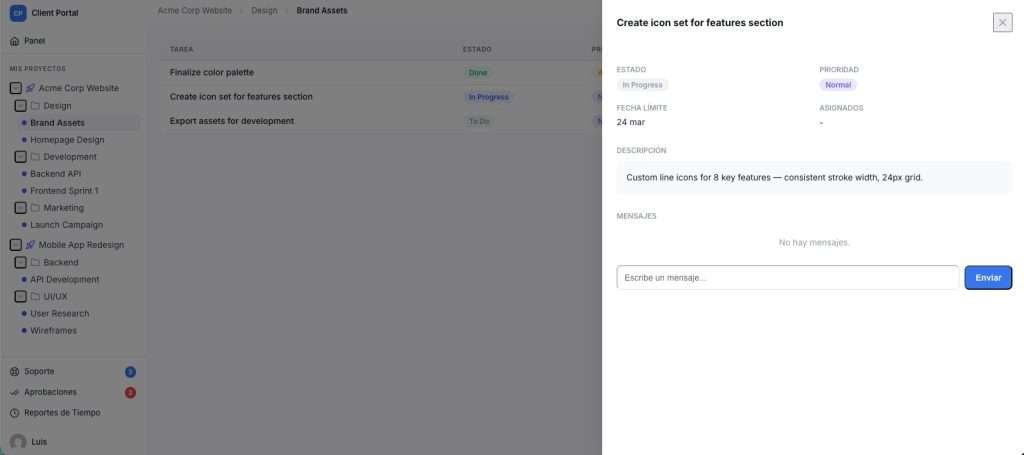
A WordPress agency, for example, could create workspaces for different clients, manage development tasks, record billable hours, and review work progress from an authenticated WordPress interface.
The plugin also provides a route to more advanced client collaboration through its paid editions, including a branded client portal.
GrowthProjects is free to use at its core, but self-hosted does not mean cost-free. Hosting, backups, security, updates, and administration remain the website owner’s responsibility.
Best for: WordPress freelancers and agencies seeking task management and time tracking without a conventional per-seat SaaS subscription.
Potential limitation: Requires an adequately maintained WordPress installation; advanced client-facing features may require an upgrade.
For a more detailed comparison focused on hosting and data control, see our guide to self-hosted Asana alternatives.
Free Asana Alternatives: Agency Project Management — Pros and Cons
| Tool | Pros | Cons |
|---|---|---|
| ProProfs Project | Time tracking, billing, and project views | Three-user free limit |
| GrowthProjects | WordPress-native Kanban and time tracking | Hosting and maintenance responsibilities |
Free Asana Alternatives: Agency Feature Comparison
| Feature | ProProfs Project | GrowthProjects |
|---|---|---|
| Hosting | Cloud service | Own WordPress hosting |
| Task management | Included | Included |
| Time tracking | Included in product functionality | Built into tasks |
| Invoicing | Billing features available | Separate invoicing workflow or integration needed |
| Free users | Up to 3 | No per-seat SaaS subscription in the free plugin |
| Maintenance | Vendor-managed infrastructure | WordPress site owner |
Best free Asana alternatives for technical and engineering teams
Software development teams often need workflows that go beyond ordinary to-do lists. Bug reports, releases, sprints, backlogs, and dependencies benefit from tools specifically designed for engineering.
6. Jira: Agile project management for developers
Jira offers a permanent free plan for up to 10 users, with 2 GB of storage and access to core project and issue-management functionality.
It supports Scrum and Kanban workflows, backlogs, and project tracking tools that can be especially valuable for development teams.
A software company could use Jira to organize a release backlog, prioritize bugs, assign development tasks, and follow progress through a sprint.
The downside is configuration complexity. A small marketing team may find Jira unnecessarily complicated, particularly when its workflow consists mainly of content approval and deadlines.
Its free edition also has restrictions on permissions, support, and other administrative capabilities.
Best for: Software developers, technical startups, and small Agile teams.
Potential limitation: More setup and configuration than simpler task management platforms.
7. ONES.com: technical project management for larger free teams
ONES.com provides an interesting option for technical organizations looking for project management, issue tracking, sprint coordination, and documentation.
Its cloud Free plan supports up to 30 seats, which is considerably more than Asana Personal or Jira Free.
This makes ONES.com worth evaluating for product teams that need multiple contributors to participate in a shared technical workflow.
The platform also provides project and issue-management functionality, while more advanced capabilities depend on the subscription selected.
An important distinction: ONES.com offers an on-premises edition, but the free cloud plan should not be confused with free on-premises deployment. Private hosting uses separate commercial licensing.
For businesses in regulated environments, this distinction matters. A cloud free plan does not automatically meet internal requirements for infrastructure ownership or data residency.
Best for: Technical teams needing structured issue management and more free collaborators.
Potential limitation: Advanced features and private deployment may require paid licensing.
Free Asana Alternatives: Engineering Tools — Pros and Cons
| Tool | Pros | Cons |
|---|---|---|
| Jira | Agile workflows, issues, backlogs, developer integrations | Complexity and 10-user free limit |
| ONES.com | Up to 30 free cloud seats; technical workflow features | Advanced features and on-premises hosting may require payment |
Free Asana Alternatives: Technical Team Decision Matrix
| Requirement | Suggested starting point | Consideration |
|---|---|---|
| Small engineering team | Jira Free | Maximum 10 users |
| More technical collaborators | ONES.com Cloud Free | Up to 30 seats |
| Simple task tracking | Trello or ClickUp | Less specialized than dedicated issue trackers |
| Private infrastructure | Evaluate self-hosted products separately | Cloud free tiers do not guarantee on-premises rights |
Best free Asana alternatives for creative teams
8. Notion: documentation and flexible project organization
Notion combines pages, databases, documents, and project tracking in one workspace. Its flexibility is especially attractive to writers, consultants, designers, and content teams.
A creative agency could build a content calendar with database properties for publication date, status, author, and campaign. Each database entry could contain the brief, notes, research, and internal discussion associated with the deliverable.
The free plan is particularly useful for individuals, although collaboration restrictions apply. Free workspaces with multiple members can encounter block limits, and uploaded files are subject to a 5 MB per-file limit.
Notion is therefore not necessarily the best free choice for a large team exchanging heavy creative assets.
It also does not replace a dedicated time tracking system for agencies that need to record billable hours.
Best for: Freelancers, writers, and creative teams that prioritize documents and customizable workflows.
Potential limitation: File uploads, team collaboration, and time tracking may require other tools or paid plans.
What about Infinity?
Infinity deserves consideration for creative teams requiring highly customizable data structures, folders, views, and project organization.
However, Infinity should not be presented as a permanent free Asana alternative. Its current pricing structure is based on paid subscriptions.
It may still be a strong paid alternative for agencies that need extensive customization, but it belongs in a separate comparison from tools offering genuinely free plans.
What about TeamGantt?
TeamGantt specializes in visual scheduling, dependencies, and Gantt charts.
It offers a limited Personal plan that can be used free after its trial, but this is designed for individual use rather than broad team collaboration. The free Personal plan is limited to one user, one project, and 40 tasks.
Agencies requiring multiple active projects and collaborative timeline planning will need to evaluate its commercial plans.
Free Asana Alternatives: Creative Workflows — Pros and Cons
| Tool | Pros | Cons |
|---|---|---|
| Notion | Documents, databases, and flexible planning | Restrictions on free team collaboration and uploads |
| Infinity | Extensive customization | No permanent free plan currently advertised |
| TeamGantt | Focused timeline planning | Very limited free individual plan |
Free Asana Alternatives: Free Plans vs. Paid Options
| Product | Permanent free option? | Important distinction |
|---|---|---|
| Notion | Yes | Best suited to lighter individual use |
| Infinity | No permanent free plan advertised | Paid subscription product |
| TeamGantt | Yes, limited Personal plan | One user, one project, 40 tasks |
| ONES.com | Yes, Cloud Free | On-premises edition has separate licensing |
Essential features to compare before choosing a free Asana alternative
A feature checklist can prevent costly software changes later. Instead of choosing a product because it advertises more features, consider which capabilities are necessary for your team’s daily work.
1. User limits and collaboration permissions
Unlimited users are appealing, particularly for growing companies. However, an unlimited-seat plan may still restrict storage, integrations, automation, advanced permissions, or reporting.
Check whether contractors and clients count as full members, whether guest access is available, and whether confidential projects can be separated.
2. Custom fields and task organization
Custom fields allow teams to track information beyond a task title and deadline. Marketing teams may need campaign categories, budgets, and publication channels. Software teams may need severity, release version, and sprint information.
Choose a platform that supports the information you actually need to collect. Extensive customization is unnecessary if a simple status and priority field will do the job.
3. Time tracking and billing
For service businesses, time tracking makes it possible to compare estimates with actual work performed.
Recording 20 hours against a $1,000 fixed-price project indicates $50 in gross revenue per hour before business expenses. If the same project requires 40 hours, that figure falls to $25.
This makes time tracking useful even when an agency does not bill clients by the hour.
4. Automation and integrations
Automation can reduce repetitive status changes, reminders, and handoffs. However, free plans may limit automation runs or require upgrades for particular integrations.
Before choosing a tool, identify the specific automations you need and verify they work on the free tier.
5. Kanban, calendar, Gantt, and list views
Different teams need different planning perspectives.
Kanban boards work well for tracking status. Calendar views help manage scheduled work. Gantt charts make dependencies and timelines easier to visualize. List views support detailed sorting and filtering.
A tool does not need every available view to be useful. It needs the views that make the work understandable.
6. Storage limits and data portability
Check both the total available storage and per-file upload limits.
Also examine the export options. A business should understand how to retrieve its project data if its requirements change.
Before committing, verify whether exports preserve tasks, descriptions, assignees, dates, comments, custom fields, and attachments.
Free Asana Alternatives: Essential Feature Checklist
| Feature | Question to ask | Why it matters |
|---|---|---|
| Users | How many collaborators are free? | Determines scalability |
| Storage | What are the upload limits? | Affects creative and document-heavy work |
| Time tracking | Can work be recorded against tasks? | Supports estimating and profitability |
| Automation | Are the required rules free? | Reduces manual administration |
| Project views | Are the necessary views included? | Improves planning and communication |
| Permissions | Can sensitive work be restricted? | Protects confidential information |
| Exports | Can project records be retrieved? | Reduces vendor lock-in |
How to choose the right free plan for your workflow
The best decision starts with a realistic description of the work your team performs.
A company managing internal tasks may prioritize unlimited users. A design agency might care more about approvals and file storage. A development team may need issue hierarchies and sprint planning. A consultant may prioritize billable hours and client communication.
Write down the three most important requirements and eliminate tools that cannot satisfy them on their free plans.
Then evaluate the likely growth of your team. A free plan that only works for the next two weeks may be less attractive than an affordable paid solution that fits your business for several years.
Free Asana Alternatives: Free Plans — Pros and Cons
| Pros | Cons |
|---|---|
| Lower initial software expenditure | Feature restrictions can interrupt growth |
| Opportunity to test workflows before investing | Some support services are unavailable |
| Suitable for freelancers and early-stage startups | Future migration or upgrades may add costs |
Self-hosted vs. cloud-based project management
One of the most important decisions when comparing Free Asana Alternatives is where the project information will be stored.
Cloud-based platforms generally manage software infrastructure, application updates, and availability for their users.
Self-hosted systems give businesses more direct control over hosting and stored information. They can reduce dependence on external SaaS providers, but require a reliable maintenance process.
WordPress-based tools such as GrowthProjects may be particularly attractive to businesses that already have suitable hosting and technical knowledge.
However, data ownership does not eliminate the need for privacy controls, backups, access restrictions, or compliance with applicable regulations.
Free Asana Alternatives: Cloud vs. Self-Hosted Comparison
| Factor | Cloud-based | Self-hosted |
|---|---|---|
| Infrastructure | Managed by provider | Managed by site owner or host |
| Updates | Usually provider-managed | Owner-managed |
| Data location | Depends on vendor | Selected hosting environment |
| Costs | Free tiers or subscriptions | Hosting, maintenance, possible licenses |
| Customization | Within vendor’s available features | Depends on software and technical resources |
How to migrate from Asana to another project management platform
Changing platforms requires more than signing up for a new account. Projects contain assignments, dates, discussions, attachments, and sometimes business-critical history.
A successful migration moves the information employees need while preserving continuity for active work.
Step 1: review your existing projects
Identify active projects, completed work that must be archived, recurring processes, and any integrations currently connected to Asana.
Remove obsolete tasks only after deciding whether their historical information needs to be retained.
Step 2: export the data
Use the export options available for your Asana projects. CSV exports are useful for structured task data, but not every data type necessarily transfers automatically.
Review assignees, deadlines, custom fields, subtasks, comments, and attachments separately.
Keep a secure copy of the original export before importing anything into the new platform.
Step 3: test one representative project
Select a project containing tasks, dates, priorities, comments, and collaborators.
Import it into the new system and compare the resulting records against the original.
Do not assume that a successful import confirmation means every field has transferred correctly.
Step 4: rebuild workflows and integrations
Custom automations, notifications, forms, and integrations often require separate configuration.
Test the most important workflows before inviting the full team.
Step 5: train the team
Introduce the new task hierarchy, assignment process, notifications, and reporting views.
Provide a short guide showing how ordinary tasks are created, updated, and completed.
Step 6: run both systems briefly
For an important business workflow, consider a short parallel period during which project owners verify that the new system is working correctly.
Set a date for the final transition, identify a responsible person, and retain access to historical data according to your organization’s requirements.
Free Asana Alternatives: Migration — Pros and Cons
| Pros | Cons |
|---|---|
| Opportunity to remove obsolete tasks | Some historical information may require manual handling |
| Potential reduction in recurring costs | Temporary training and configuration effort |
| Better alignment with current processes | Integrations and automations may need rebuilding |
Free Asana Alternatives: Data Migration Checklist
| Data type | Verification | Risk if missing |
|---|---|---|
| Projects and tasks | Compare record counts | Missing work |
| Assignees | Review user mapping | Unassigned responsibilities |
| Due dates | Compare schedules | Missed deadlines |
| Custom fields | Check values and field types | Lost context |
| Files and comments | Inspect attachments and history | Incomplete project documentation |
| Automations | Test triggers and notifications | Workflow interruptions |
A practical 30-day plan for moving away from Asana
Choosing software from a comparison table is relatively easy. Moving an established team into that software is where the real work begins.
A migration can fail even when the replacement platform has better features and lower costs. Employees may continue updating the old system, deadlines may become unclear, and project managers may discover that a critical automation no longer exists.
The following approach helps teams evaluate Free Asana Alternatives without creating unnecessary operational disruption.
Week 1: understand how your team actually works
Start by reviewing the tasks people complete every week. Ignore software features for a moment and focus on the process.
For example, a marketing agency might begin with a client request, create a task, assign a designer, send the work for approval, record time, and close the project after final delivery.
Write down each step and identify where information changes hands.
Next, interview the people responsible for those activities. An account manager may care about deadlines and client communication, while a designer may need better visibility into feedback and asset versions.
These differences matter. A tool can satisfy the project manager and still frustrate everyone responsible for completing the work.
At the end of the first week, document your essential requirements, existing integrations, and the number of people who genuinely need access.
This becomes your selection checklist.
Week 2: test real work with two candidate platforms
Rather than evaluating every available product, choose two platforms that satisfy your essential requirements.
Create the same sample project in both tools.
Use realistic tasks with deadlines, assignments, comments, attachments, and approval stages. Invite a small group of employees who represent different roles.
Ask them to complete ordinary work without additional guidance whenever possible.
Pay attention to how quickly users understand the interface. An application may offer hundreds of features, but those features provide little value if employees need extensive training to complete basic tasks.
Check the mobile experience as well. Contractors and managers frequently need to review tasks away from their desks.
Test notifications, search, and recurring activities. These everyday details often matter more than advanced reporting capabilities demonstrated during a sales presentation.
By the end of the week, compare the practical strengths and limitations of both systems.
Week 3: calculate the real cost of ownership
A free subscription does not necessarily mean the new platform has no business cost.
Consider employee training, migration work, integration development, hosting, maintenance, and the possibility of upgrading later.
For example, a cloud tool with unlimited free users may still require a paid plan when the team needs additional storage or advanced permissions.
Similarly, a self-hosted WordPress plugin may avoid recurring per-user fees while requiring hosting resources, software updates, backups, and occasional technical support.
Compare costs over at least 12 months rather than focusing on the first invoice.
Also consider how often the organization changes team members. Businesses using external collaborators may find seat-based pricing less predictable than teams with a stable employee count.
Make sure the expected savings justify the migration effort.
Week 4: prepare the final transition
Once the team has selected a platform, organize a controlled rollout.
Begin by migrating one representative project and validating the transferred information.
Create a simple internal guide explaining the new task structure, how to update deadlines, where comments belong, and which notifications require attention.
Assign responsibility for maintaining the platform and resolving problems during the transition.
Communicate a specific date when the new tool becomes the official location for project information.
Avoid allowing two systems to remain active indefinitely. When employees update different versions of the same task, the organization loses the visibility that project management software is supposed to provide.
Retain historical records for the period required by your business and any applicable obligations.
After migration: measure whether the change was worthwhile
Review the new workflow after the first complete project cycle.
Ask whether deadlines are easier to track, employees spend less time locating information, and managers can identify problems earlier.
Measure tangible indicators where possible, including overdue tasks, time spent on status meetings, project delivery time, and recurring software expenses.
If the team has difficulty using a particular feature, consider simplifying the workflow before purchasing another application.
Sometimes the problem is not the software. It is an unnecessarily complicated process that has simply been transferred from one platform to another.
The best Free Asana Alternatives support the way people work rather than requiring employees to spend more time administering tasks than completing them.
Free Asana Alternatives: 30-Day Migration Plan
| Period | Main activity | Expected result |
|---|---|---|
| Week 1 | Review current workflows and requirements | Documented shortlist and priorities |
| Week 2 | Pilot two platforms | Practical comparison based on real tasks |
| Week 3 | Review cost and operational requirements | Selected solution and migration budget |
| Week 4 | Transfer work, train users, and validate | Controlled migration with clear ownership |
Free Asana Alternatives: Article Summary
Several free project management tools can replace Asana for specific workflows, but their strengths and restrictions differ.
Taskee offers unlimited free users and built-in time tracking, making it attractive to growing startups. Trello is especially approachable for simple visual project management. ClickUp provides extensive task organization options, although file storage is restricted on its free tier.
ProProfs Project is useful for small service teams needing time and billing functionality, while Jira and ONES.com Cloud provide more specialized tools for technical collaboration.
Notion combines documentation and flexible project planning. GrowthProjects offers a WordPress-native alternative for freelancers and businesses that prefer to manage projects within their own hosting environment.
Infinity remains an option for agencies that need extensive customization, but it should not be considered a permanently free tool under its current pricing model.
When choosing among Free Asana Alternatives, compare user limits, storage, required project views, time tracking, security, migration options, and the total long-term cost.
Free Asana Alternatives: Frequently Asked Questions
What is the best free alternative to Asana?
ClickUp is a strong option for flexible task management, Trello is particularly suitable for simple Kanban workflows, and Taskee is worth considering when unlimited free users and built-in time tracking are priorities. The best choice depends on team size and required features.
Which free Asana alternatives allow unlimited users?
Taskee and ClickUp advertise unlimited members on their free plans. However, other restrictions apply, including storage limits, advanced features, and integration availability.
Is Trello completely free?
Trello offers a permanent free plan with up to 10 collaborators and 10 boards per workspace. Advanced functionality and additional capacity may require a paid subscription.
Is ClickUp free for unlimited users?
ClickUp’s Free Forever plan supports unlimited free plan members and tasks. Its free storage allowance is limited to 60 MB, and certain advanced features require a paid plan.
Is Jira free for project management?
Jira offers a free cloud plan for up to 10 users with 2 GB of storage. It is particularly suitable for software development and technical issue tracking, although some administrative capabilities are restricted.
Does ONES.com have a free plan?
Yes. ONES.com offers a cloud Free plan for up to 30 seats. Its on-premises edition has a separate commercial licensing model and should not be assumed to be free.
Is Infinity a free Asana alternative?
Infinity currently advertises paid subscription plans rather than a permanent free plan. It can still be considered as a paid alternative for highly customizable workflows.
Can WordPress replace Asana?
WordPress can support project management through plugins such as GrowthProjects. The free plugin provides task organization, Kanban boards, and time tracking. However, hosting, backups, maintenance, and compatibility remain the website owner’s responsibility.
Can I migrate my projects from Asana for free?
Asana provides export options, and some alternatives support importing structured task information. Migration costs depend on the complexity of the projects, data formats, integrations, and time required to configure the new system.
Which free project management tool is best for a small business?
For simple task coordination, Trello is a practical starting point. For larger free teams, Taskee or ClickUp may be more appropriate. Service businesses should also consider time tracking, billing, and client collaboration requirements before selecting a platform.
Free Asana Alternatives: Final Conclusions
Finding an alternative to Asana is not simply about replacing one subscription with another tool. It is an opportunity to review how a team organizes work, tracks progress, communicates, and controls software expenses.
For startups, unlimited-user plans such as Taskee and ClickUp can provide additional flexibility. Creative teams may prefer Trello or Notion, while technical departments may benefit from Jira or ONES.com.
Agencies and freelancers should place additional emphasis on time tracking, client access, and the cost of maintaining their chosen system. Businesses already using WordPress may find a self-hosted approach particularly attractive.
Free Asana Alternatives should be evaluated against practical requirements rather than promotional feature counts. A free plan that solves the team’s essential problems is more valuable than a feature-rich tool that becomes expensive as soon as another employee joins.
Before making the final decision, test one representative project, verify the free-plan restrictions, review migration requirements, and calculate the expected cost of ownership.
The right platform is the one that makes work easier to coordinate today and remains manageable as the business grows.