
For most freelancers, small businesses, and WooCommerce store operators, the best WordPress invoicing approach is a self-hosted plugin like GrowthInvoices that handles PDF generation, Stripe and PayPal payments, WooCommerce automation, and client records without a monthly SaaS fee. You own the data, pay once, and the whole workflow lives inside WordPress. Install GrowthInvoices, connect your payment gateway, and send your first invoice today.

GrowthInvoices: A Self-Hosted WordPress Invoicing Plugin
Key Takeaways
A self-hosted WordPress invoicing plugin with Stripe, PDF generation, and WooCommerce automation covers the full billing workflow for most freelancers, small businesses, and WooCommerce stores without a monthly SaaS fee.
| Point | Details |
|---|---|
| Self-hosted beats SaaS for ownership | Your invoice data stays on your server; no third party accesses client billing records. |
| Test webhooks, PDFs, and cron first | These three silent failure points determine whether a plugin is production-ready on your specific host. |
| Free tiers cover basics only | Stripe, recurring invoices, and client portals are almost always paid features across plugin categories. |
| One-time purchase lowers total cost | Addon-driven and SaaS models cost more over three or more years than a single bundle purchase. |
| GrowthInvoices recommended | Growthplugins’ self-hosted plugin covers invoices, PDFs, WooCommerce automation, Stripe/PayPal, and a client portal in one purchase. |
Table of Contents
- What features do WordPress invoicing plugins actually cover?
- Which payment gateways and integrations matter most?
- How do PDF templates, branding, and U.S. compliance fit together?
- How to install and configure a WordPress invoicing plugin
- What do free versions include, and what costs extra?
- How do you choose the right invoicing plugin for your business?
- Why GrowthInvoices is a strong fit for most WordPress businesses
- What running invoicing on WordPress actually teaches you
- GrowthInvoices: self-hosted invoicing without the monthly bill
- Sources
- FAQ
What features do WordPress invoicing plugins actually cover?
A capable invoicing plugin does more than generate a PDF. The core feature set breaks into four categories: billing basics, automation, client-facing tools, and reporting.
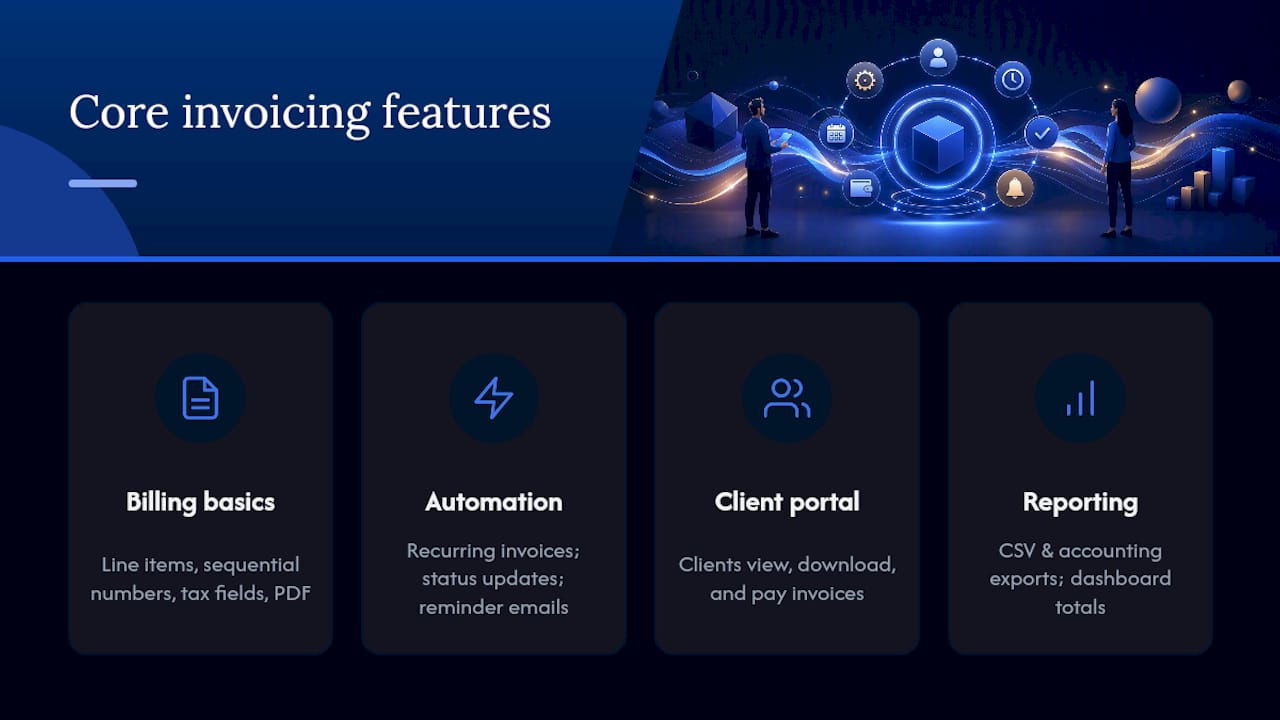
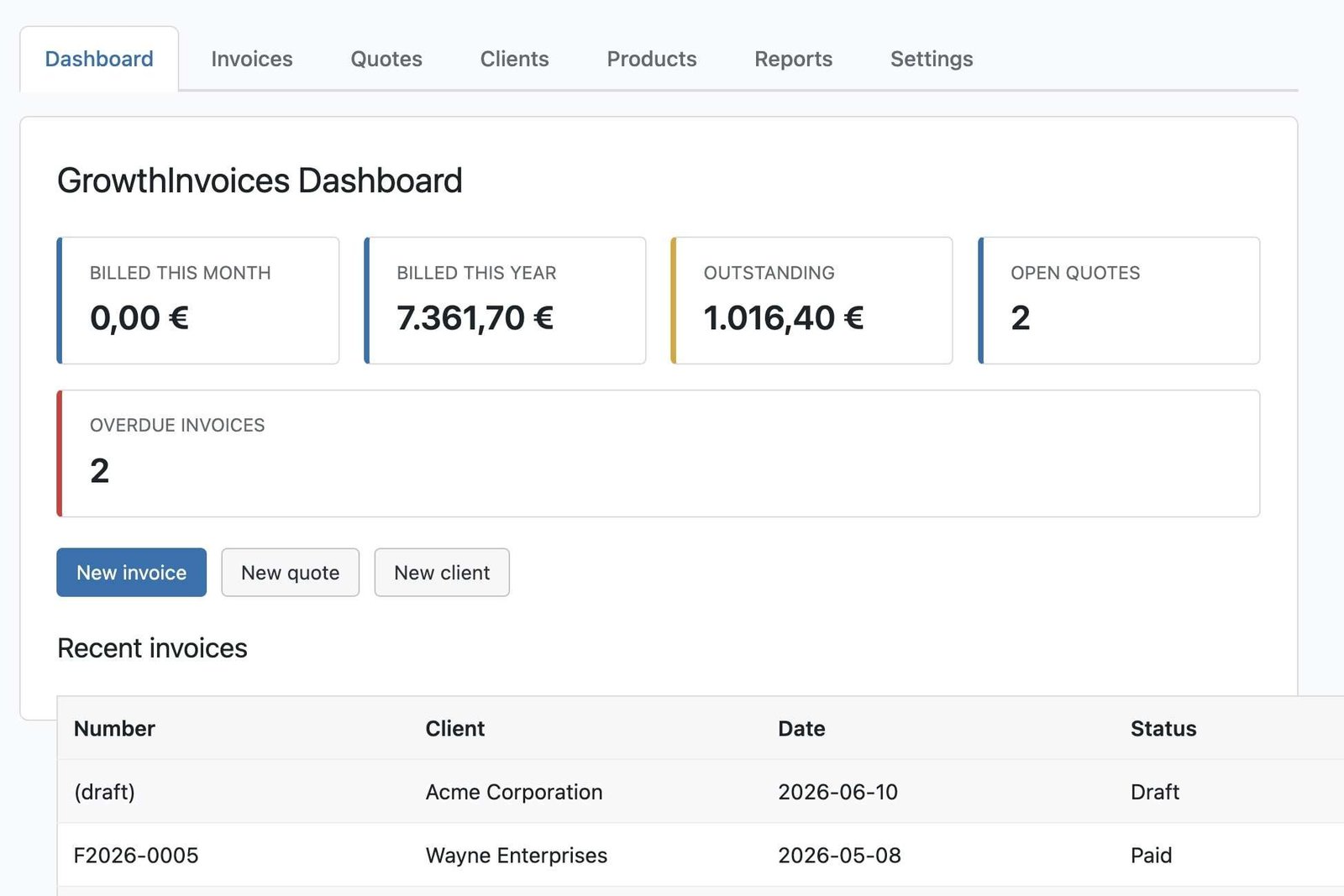
Billing basics cover everything you need to produce a legal invoice: line items, sequential numbering, tax fields (sales tax rate per line or per invoice), client records, and a PDF you can email or download. Automation adds recurring invoices on a schedule, automatic status changes when a payment clears, and reminder emails for overdue balances. Client-facing features include a portal where clients log in to view, download, and pay invoices without emailing you. Reporting and exports round it out: CSV exports, accounting-compatible files, and a dashboard showing paid, unpaid, and overdue totals.
Here is how those features typically distribute across plugin categories:
The gap between a lightweight free plugin and a self-hosted suite is mostly about automation and client experience, not the core invoice itself.
Which payment gateways and integrations matter most?
For US businesses, Stripe and PayPal are the two non-negotiable gateways. Stripe handles card payments, auto-marks invoices paid via webhook, and manages Strong Customer Authentication for international clients. PayPal covers buyers who prefer wallet payments and adds a familiar “Pay Now” button to your PDF or email. Online payment adoption continues to grow, so a mobile-friendly payment link on every invoice is no longer optional.
Beyond those two, check for:
- WooCommerce automation: plugins that auto-generate a PDF invoice when an order reaches “processing” status handle B2B tax-compliance workflows far better than a plain order confirmation email. Flexible Invoices demonstrates how status-based triggers and VAT mapping work in practice.
- Webhook support: auto-mark-paid via webhook prevents the manual reconciliation that kills productivity at scale.
- Accounting exports: CSV or QuickBooks-compatible exports keep your bookkeeper happy without double-entry.
- CRM and client portal: a plugin that ties invoices to client records and a portal cuts the “where’s my invoice?” support request almost entirely.
- Multi-currency and alternative methods: some plugins support bank transfers, crypto, and mobile money. Direct Invoices pushes payments through the WooCommerce checkout to leverage whatever gateways you already have active.
Invoize shows how WooCommerce automation can work end-to-end: it auto-creates invoices on order placement, attaches QR codes for quick payment, and schedules reminders without manual intervention.
How do PDF templates, branding, and U.S. compliance fit together?
Your invoice PDF is a client-facing document, and it doubles as a branding touchpoint. A well-designed template with your logo, brand colors, and clean typography signals professionalism before the client even reads the total. Most capable plugins let you upload a logo, set colors, and apply custom CSS. Higher-end tools include a visual template builder or QR code generation for payment links.
For U.S. small businesses, keep these compliance points in mind:
- Sales tax display: show the tax rate and dollar amount as separate line items, not buried in the total.
- Sequential numbering: use unbroken sequential invoice numbers. Gaps raise flags during audits.
- Invoice vs. receipt distinction: an invoice requests payment; a receipt confirms it. Some plugins generate both automatically on payment.
- Business details: include your legal business name, address, and EIN or tax ID where required by your state or client contracts.
Pro Tip: Before going live, run a sample invoice through your actual hosting environment. PDF engines like DOMPDF require specific PHP extensions and adequate memory limits. A PDF that renders perfectly on a local dev site can fail silently on a shared host with a lower PHP memory ceiling. Check your PHP version and memory limit first, then generate a test invoice.
How to install and configure a WordPress invoicing plugin
Getting from zero to a sent invoice takes under an hour with a well-documented plugin. Here is the sequence:
- Install the plugin from the WordPress plugin directory or upload the ZIP file via Plugins > Add New. Activate it.
- Add your business details: legal name, address, phone, email, logo, and tax ID. These populate every invoice automatically.
- Configure numbering and taxes: set your starting invoice number, prefix (e.g., INV-2026-), and default sales tax rate. Add multiple tax rates if you serve clients in different states.
- Set up PDF and email templates: upload your logo, set brand colors, and customize the email subject and body for invoice delivery and payment reminders.
- Connect Stripe and PayPal: enter your API keys or connect via OAuth. Enable webhooks so the plugin auto-marks invoices paid when a payment clears.
- Map WooCommerce order statuses (if applicable): configure which order status triggers invoice generation. “Processing” is the standard trigger for digital goods.
- Send a test invoice to yourself: confirm the PDF renders correctly, the payment link works, the webhook fires and marks the invoice paid, and the export file opens in your accounting software.
For the GrowthPlugins integration setup, the documentation covers webhook configuration and WooCommerce workflow mapping in detail.
Minimum requirements to check before installing any invoicing plugin: PHP 7.4 or higher (8.1+ recommended), at least 128MB PHP memory limit (256MB preferred for PDF generation), and WordPress 5.8 or later.
What do free versions include, and what costs extra?
Free tiers across most invoice plugins for WordPress cover the basics: unlimited invoices, a basic PDF template, a PayPal “Pay Now” button, client storage, and simple tax fields. That is enough to bill clients manually and collect PayPal payments.
The features that almost always sit behind a paywall:
- Stripe and card payment processing
- Recurring invoices and subscription billing
- Client portal with login and invoice history
- Partial payments and deposit invoices
- Automated payment reminders
- Advanced reporting and multi-currency support
- WooCommerce deep integration (beyond basic order-to-invoice)
Easy Invoice follows a typical addon-driven model: the free version covers unlimited invoices and PayPal, while recurring billing, Stripe, Square, and the client portal are separate paid add-ons. That model works if you only need one or two extras, but costs add up fast once you need four or five.
The pricing model itself matters as much as the feature list. Addon-driven pricing means you pay per feature, often annually. SaaS monthly billing means you pay forever. A one-time bundle purchase, like the model Growthplugins uses, means you pay once and own the plugin outright. For a freelancer or small agency running the same stack for three or more years, the total cost of ownership on a one-time purchase is substantially lower.
How do you choose the right invoicing plugin for your business?
Work through these questions in order. The first “no” usually eliminates a category of plugin.
- Hosting constraints: does your host allow the PHP memory and extensions the plugin’s PDF engine needs?
- Payment gateways required: do you need Stripe, cards, ACH, or just PayPal? Free plugins rarely include Stripe.
- WooCommerce usage: do you need invoices to auto-generate on order placement? Not all plugins support this without a paid addon.
- Recurring billing: do you bill clients on a monthly retainer or subscription? This is almost always a paid feature.
- Client portal: do clients need to log in and view invoice history? Factor this in early.
- Reporting and export: does your accountant need a CSV or QuickBooks-compatible file?
- Budget and upgrade model: addon-driven, SaaS monthly, or one-time purchase?
Two concrete questions to ask during any trial: “Does it auto-generate a PDF when a WooCommerce order is placed?” and “Does it auto-mark invoices paid via Stripe webhook without manual intervention?” If both answers are yes, the plugin handles the two biggest friction points in WordPress invoice management.
A quick scoring frame: treat Stripe support, PDF generation, and WooCommerce automation as must-haves. Treat recurring invoices and client portal as strong preferences. Treat multi-currency and advanced reporting as nice-to-haves unless your business specifically needs them.
Why GrowthInvoices is a strong fit for most WordPress businesses
GrowthInvoices is Growthplugins’ self-hosted invoicing plugin, and it maps directly to the decision criteria above. It covers invoices and quotes, branded PDF templates, WooCommerce order automation, Stripe and PayPal support, a client portal, and reporting exports. All of that in a single plugin, purchased once.
Key practical details:
- Setup time: basic install, business details, and first test invoice typically takes 30–60 minutes.
- WooCommerce automation: invoices generate automatically on order status change, with order fields mapped to invoice line items.
- Client portal: clients log in to view, download, and pay invoices without contacting you.
- Data ownership: everything lives on your server. No third-party SaaS has access to your client billing data.
- One-time purchase: no monthly fee. The plugin is yours after a single transaction.
GrowthInvoices also fits into the broader Growthplugins suite, which includes project management, time tracking, a support ticket system, and a CRM. For freelancers and agencies, that means invoicing connects directly to project records and client history in one WordPress dashboard. A WooCommerce store operator gets automated invoice generation without a separate SaaS subscription. An agency gets a client portal that handles both project updates and billing.
Pro Tip: After setup, whitelist WordPress cron jobs on your hosting. Recurring invoices and scheduled reminders depend on WP-Cron firing reliably. On high-traffic or managed hosting, replace WP-Cron with a real server cron job to prevent missed billing cycles.
What running invoicing on WordPress actually teaches you
The conventional advice is to pick the plugin with the most features. That is the wrong frame.
The real bottleneck in WordPress invoicing is almost never the feature list. It is the three things that break silently: webhook delivery, PDF rendering, and cron reliability. A plugin can have every feature on the checklist and still fail to auto-mark invoices paid because the webhook URL is blocked by a security plugin. Or generate blank PDFs because the host’s PHP memory limit is 64MB. Or skip a recurring invoice because WP-Cron never fired.
Test those three things before you commit to any plugin. Send a real payment through Stripe and confirm the webhook fires. Generate a PDF on your live host, not your dev environment. Create a recurring invoice and verify it runs on schedule. If all three work, the plugin is production-ready for your setup. If one fails, no amount of features compensates.
Growthplugins publishes integration and setup guides that walk through exactly these edge cases. For specific hosting configurations or gateway conflicts, their support documentation is the right starting point.
GrowthInvoices: self-hosted invoicing without the monthly bill
Paying $30–$60 per month for invoicing software when you already run WordPress is a recurring cost that a one-time plugin purchase eliminates permanently. GrowthInvoices gives you branded PDF invoices, Stripe and PayPal payment collection, WooCommerce order automation, a client portal, and reporting exports, all self-hosted on your own server with no subscription attached.

For freelancers billing clients on retainer, agencies managing multiple client accounts, and WooCommerce stores that need automatic invoices on every order, GrowthInvoices connects invoicing directly to the project management and CRM tools already in the Growthplugins suite. Your client data stays on your server. Your billing history is yours. Visit the GrowthInvoices product page to review the full feature list, documentation, and get started today.
Sources
FAQ
What is the best WordPress invoicing plugin for freelancers?
GrowthInvoices is a strong choice for freelancers who want self-hosted invoicing with PDF branding, Stripe and PayPal support, and a client portal in a single one-time purchase. It integrates with the broader Growthplugins suite for project management and time tracking.
Does WordPress invoicing work with WooCommerce?
Yes. Capable invoicing plugins auto-generate a PDF invoice when a WooCommerce order reaches a configured status like “processing,” mapping order fields to invoice line items automatically.
What do free invoice plugins for WordPress typically include?
Most free tiers cover unlimited invoices, a basic PDF template, a PayPal payment button, client storage, and simple tax fields. Stripe, recurring billing, and client portals are almost always paid add-ons.
How do I make sure my invoicing plugin is production-ready?
Test three things on your live host before going live: confirm Stripe webhooks auto-mark invoices paid, verify PDF generation works with your PHP memory limit, and check that WP-Cron fires reliably for recurring invoices and reminders.
Can I use a CRM with invoicing in WordPress?
Yes. Growthplugins offers a self-hosted suite that combines a sales CRM, client portal, and invoicing in one WordPress dashboard, so client records and billing history stay connected without a separate SaaS tool.