Run agency project management inside WordPress with a self-hosted plugin suite instead of a per-seat SaaS tool. You keep client data on your own server, pay once instead of monthly, and manage Kanban boards, time tracking, invoicing, and client approvals from a single dashboard.
- Data stays on your server, not a vendor’s cloud
- Costs shift from recurring per-user fees to a one-time license or bundle
- One dashboard replaces three or four disconnected tools
If you want to see the fastest path from install to a working client portal, jump to the setup checklist below or look at how GrowthPlugins approaches it directly.
Key Takeaways
Self-hosted WordPress project management replaces recurring per-seat SaaS fees with a one-time license while keeping client data fully under the agency’s control.
| Point | Details |
|---|---|
| Cost model shifts | A one-time license or bundle purchase replaces per-user monthly SaaS billing as headcount grows. |
| Data stays on your server | Self-hosting means you control retention, backups, and GDPR compliance directly. |
| Pilot before full migration | Move one active project first and run it parallel to your old tool for two weeks. |
| Roles must be set early | Define team, manager, and restricted client roles before inviting any client to the portal. |
| GrowthPlugins covers the full stack | Kanban, time tracking, client portal, support tickets, and invoicing in one self-hosted WordPress dashboard. |
Table of Contents
- Why Agencies Choose WordPress-Based, Self-Hosted Project Management
- Setting Up Self-Hosted Project Management on WordPress
- Agency Workflows That Actually Work Inside WordPress
- Integrations and Hosting for Agencies Running at Scale
- What I’ve Learned Watching Agencies Make This Switch
- GrowthPlugins: One Dashboard, Zero Recurring Fees
- Sources
- FAQ
Why Agencies Choose WordPress-Based, Self-Hosted Project Management
The math is simple once you run it: a SaaS project tool charging per seat scales against you as your team grows, while a self-hosted plugin license does not care whether you have three people or thirty on the account.
- Cost shape changes entirely. SaaS pricing multiplies by headcount; a one-time license or bundle purchase replaces per-user SaaS costs with predictable licensing, which matters most for agencies adding contractors and seasonal staff.
- Data ownership stops being a question mark. When project files, time logs, and client messages sit on your own server, you decide retention policy, backup schedule, and who can see what.
- Fewer tools means fewer context switches. Consolidating Kanban boards, time tracking, and invoicing into one dashboard cuts the daily habit of logging into four separate platforms.
- Client experience improves. A branded portal with a clear approval flow feels like part of your agency, not a generic third-party tool bolted onto the relationship.
Statistic Callout: Agencies with many seats can often recover the cost of a self-hosted license faster than they’d expect against ongoing SaaS bills, though hosting and maintenance overhead still needs to be budgeted before you commit.
The privacy angle deserves its own mention. Self-hosting sidesteps a category of GDPR and data-residency questions that SaaS vendors handle through their own terms, often opaque ones. When the database lives on your server, you’re the one answering “where is our data” without checking a vendor’s compliance page first.
Setting Up Self-Hosted Project Management on WordPress
Getting from zero to a working client-facing system takes an afternoon, not a sprint. Here’s the order that actually works.
- Confirm your hosting can handle it. Check PHP version support, database limits, automated backups, and whether your host offers a staging environment. This matters more for project management than for a marketing site, because client data and file uploads accumulate fast.
- Install the plugin suite and set user roles first. Before you touch a single Kanban board, define three role tiers: internal team, project manager, and a restricted client role that sees only their own projects. Getting this wrong early means rebuilding permissions later while clients are already logged in.
- Turn on the core modules one at a time. Enable Kanban boards, add milestones to your active projects, switch on time tracking for billable work, and configure the client portal last, once internal workflows are stable.
- Lock down security before you invite a single client. SSL is non-negotiable, file permissions on uploads need to be tight, and automated database exports should run on a schedule you actually check.
- Migrate a pilot project, not your whole client roster. Pick one active, low-risk project, move it over, and run it in parallel with your old tool for two weeks before you commit everyone else.
Pro Tip: Archive your SaaS export data (tasks, time logs, files) as a static backup before you cancel that subscription — you’ll want it for reference during your first invoicing cycle on the new system, even if you never import it directly.
A WordPress-native plugin like WP Project Manager already ships with Kanban boards, Gantt charts, milestones, and reporting in its core feature set, which tells you the baseline functionality exists without custom development. The setup work is mostly about roles, security, and getting your team to actually use the new dashboard instead of falling back to email threads.

Agency Workflows That Actually Work Inside WordPress
The plugin install is the easy part. What separates agencies that stick with self-hosted project management from ones that quietly drift back to spreadsheets is whether the workflows are designed on purpose.
- Onboarding tied to milestones. New client kickoff should automatically create the first milestone and grant portal access in the same step, not as two separate manual tasks someone forgets.
- A real approval state machine. Work moves through submit, client review, and either approve or request changes. No status called “pending” that means five different things depending on who you ask.
- Time tracking feeds invoicing directly. If your team logs hours in one tool and bills from a spreadsheet, you’re losing accuracy and hours every month. Connect the two.
- Workspaces separate clients cleanly. Folders, tags, and consistent naming conventions keep a 40-client agency from turning into a search-bar nightmare.
- Escalation rules are written down. Someone needs to own what happens when a client review sits untouched for five days.
Client portals and approval flows that are auditable and traceable inside WordPress cut the back-and-forth that eats agency hours, because every status change has a timestamp and an owner instead of living in someone’s inbox.
Agencies that skip the approval state machine step tend to relearn its value the hard way, usually after a client claims they “never approved that” during a billing dispute. A branded client portal with clear approval steps removes that ambiguity because the record lives in the system, not in someone’s memory.
Integrations and Hosting for Agencies Running at Scale
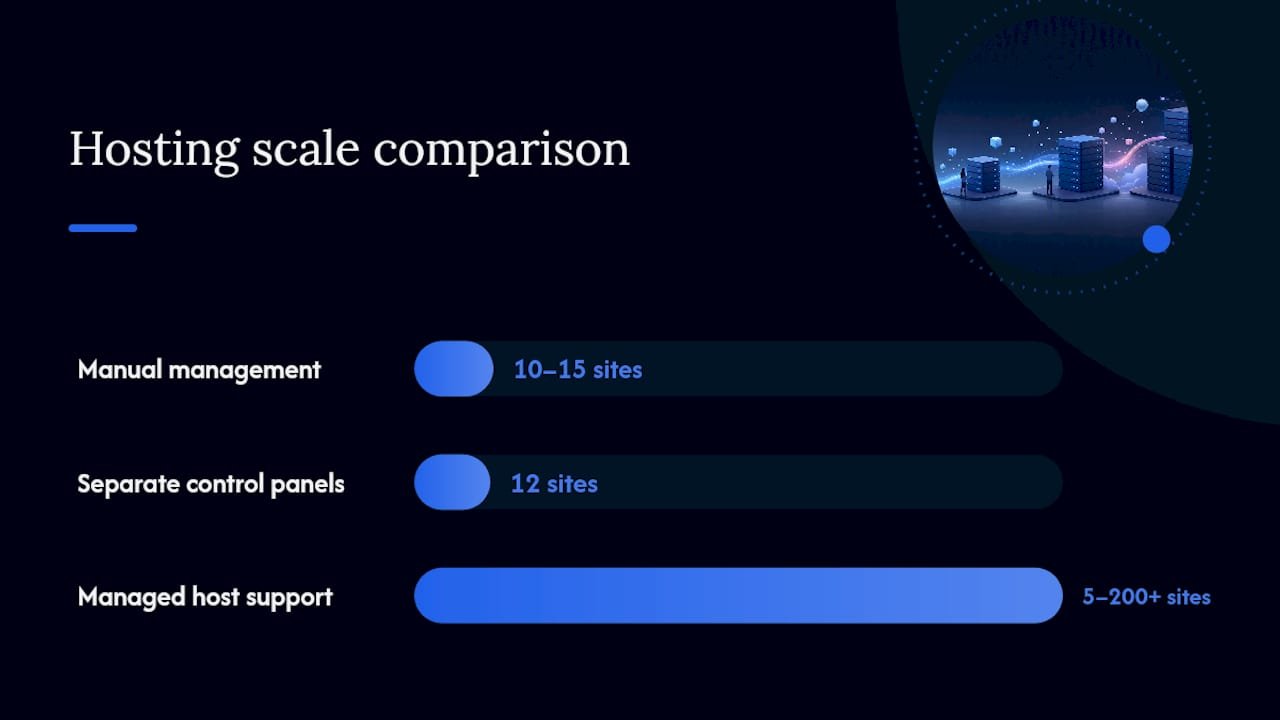
Once you’re past ten or fifteen active client portals, hosting choices and integration decisions stop being minor details.
- Managed WordPress hosts run agency partner programs with dedicated support and migration help, which matters when you’re managing many client sites from one dashboard instead of logging into a dozen separate control panels.
- Automattic’s agency program offers similar partner tooling, including bulk site management and agency pricing, worth comparing against other managed hosts before you commit to one.
- Webhooks and Zapier connections let you automate internal notifications without exposing client data to a third-party SaaS layer, since the automation trigger fires from your own server.
- REST API endpoints and WooCommerce payment integration cover most agencies’ need to connect time tracking, invoicing, and payment collection without custom development.
Statistic Callout: Managed hosting platforms built for agencies typically advertise support for 5 to 200-plus client sites from a single dashboard, which is the scale threshold where manual site management starts costing more time than it saves.
Backups and staging environments stop being optional at this scale too. A staging site lets you test a plugin update against real client data structures before it touches production, which matters when downtime means an angry client email, not just an internal Slack message.
What I’ve Learned Watching Agencies Make This Switch
Self-hosting saves real money once you’re past roughly five to ten paid seats. Below that, the math is closer, and a lean SaaS tool with a generous free tier can still make sense for a two-person shop that doesn’t want to think about server maintenance.
The tradeoff nobody advertises upfront is that you become your own support desk. That’s not a dealbreaker, but budget the time.
The rollout mistakes I see repeated are almost always the same three: hosting plans that choke under file uploads once client portals go live, client roles configured too loosely so someone sees another client’s project, and skipping automated backups until after the first data scare. Fix those three before launch and the rest of the setup tends to go smoothly.
— Antonio
GrowthPlugins: One Dashboard, Zero Recurring Fees
If you’ve read this far, you already know what the ideal setup looks like. GrowthPlugins builds exactly that: Kanban boards, time tracking, a client portal, support tickets, and invoicing, consolidated into one WordPress dashboard instead of scattered across separate logins.
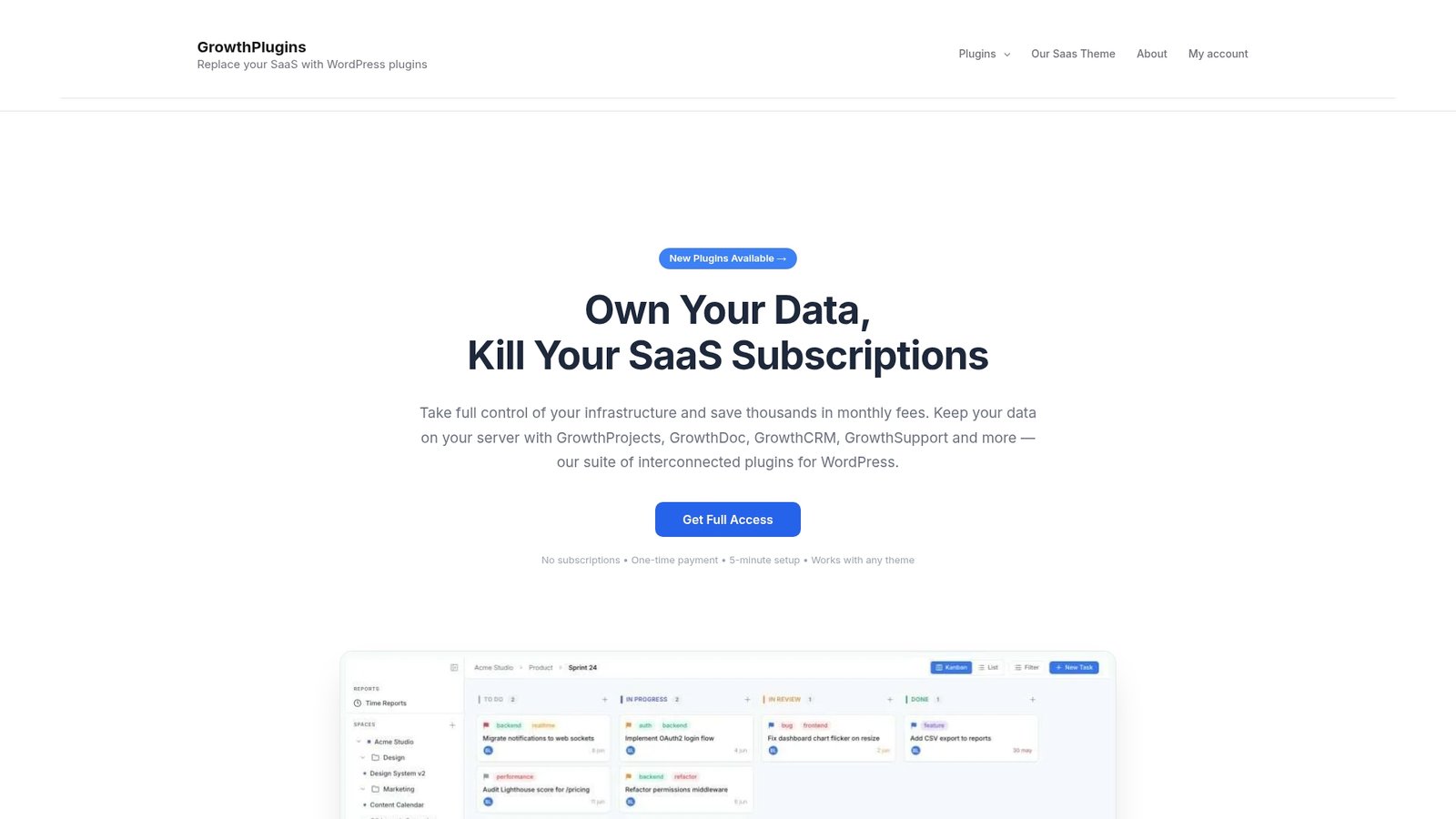
Every piece of project data lives on your own server, which means GDPR compliance and data ownership come standard rather than buried in a vendor’s terms of service. GrowthPlugins is built to set up in under five minutes, and because it’s a one-time license or bundle purchase rather than a monthly subscription, the cost math favors you the moment your team grows past a couple of seats. If you’re currently paying for ClickUp seats every month, the ClickUp alternatives comparison walks through exactly what migrating looks like. Run one pilot project on GrowthPlugins this week and compare the experience against your current tool before you decide anything permanent.
Sources
FAQ
What is self-hosted project management for WordPress agencies?
It means running your project tracking, time logs, client portal, and invoicing through a plugin installed on your own WordPress server instead of a third-party SaaS platform, so the data never leaves your infrastructure.
Is agency project management in WordPress as capable as dedicated SaaS tools?
WordPress-native plugins now offer Kanban boards, Gantt charts, milestones, time tracking, and client portals, covering the core feature set most agencies actually use day to day.
How much can an agency save by switching from SaaS to a self-hosted plugin?
Savings scale with headcount since SaaS pricing multiplies per seat, while a one-time license or bundle stays flat regardless of team size, though hosting and maintenance costs still apply.
Does GrowthPlugins replace tools like Asana or ClickUp for agencies?
GrowthPlugins consolidates Kanban boards, time tracking, a client portal, support tickets, and invoicing into one self-hosted WordPress dashboard, positioned specifically as a one-time-cost alternative to per-seat SaaS tools.
What should an agency check before migrating to a self-hosted PM plugin?
Confirm your hosting supports adequate PHP and database limits with automated backups, set up restricted client roles before granting portal access, and run a pilot project before migrating your full client roster.